EXE
Home » Software » Windows » text-documents » Plagiarism Checker X for Windows
Plagiarism Checker X for Windows

Plagiarism Checker X for Windows

Plagiarism detection is not limited to students. The situation of producing content in a short time can occur in different scenarios. Besides students, freelance writers, and even small business owners are the ones who are likely to look for a tool. It helps in quickly checking the originality of content and does not require the use of complicated, large systems. Plagiarism Checker X is in a position to serve as a simple Windows-based tool in this regard.

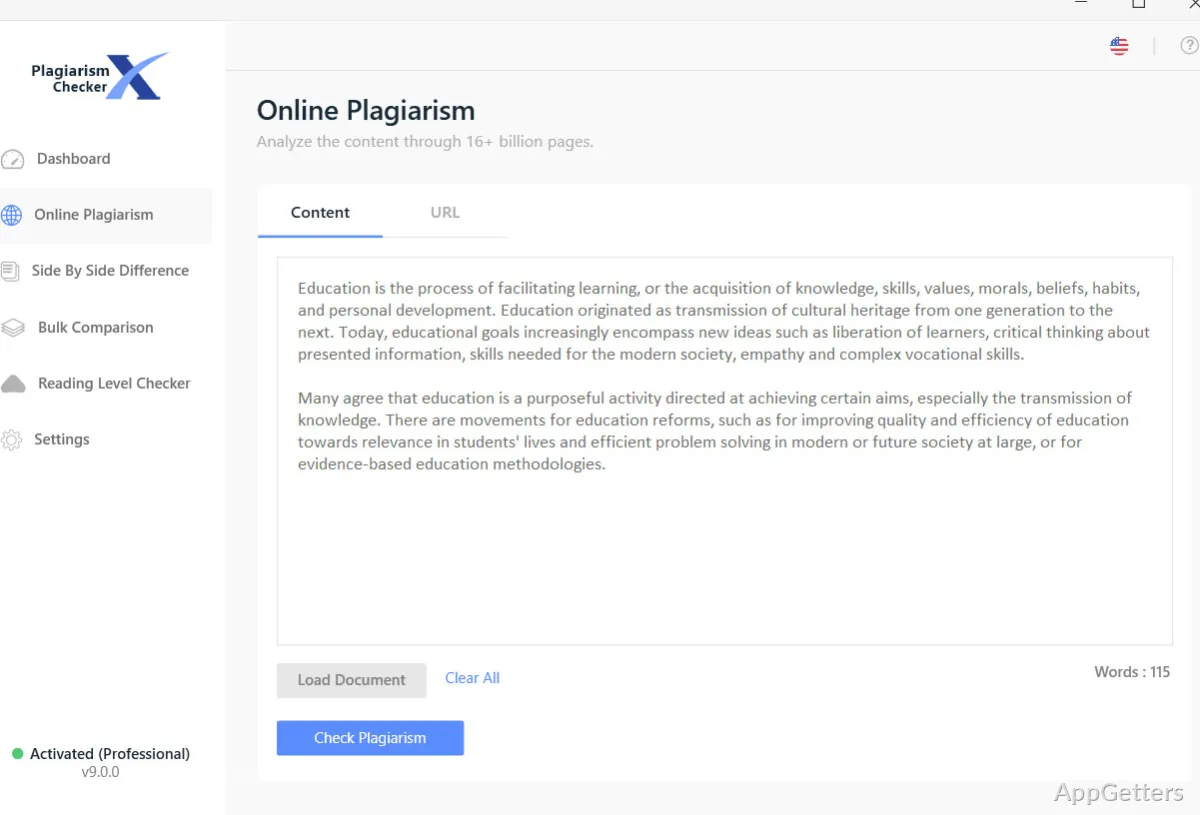
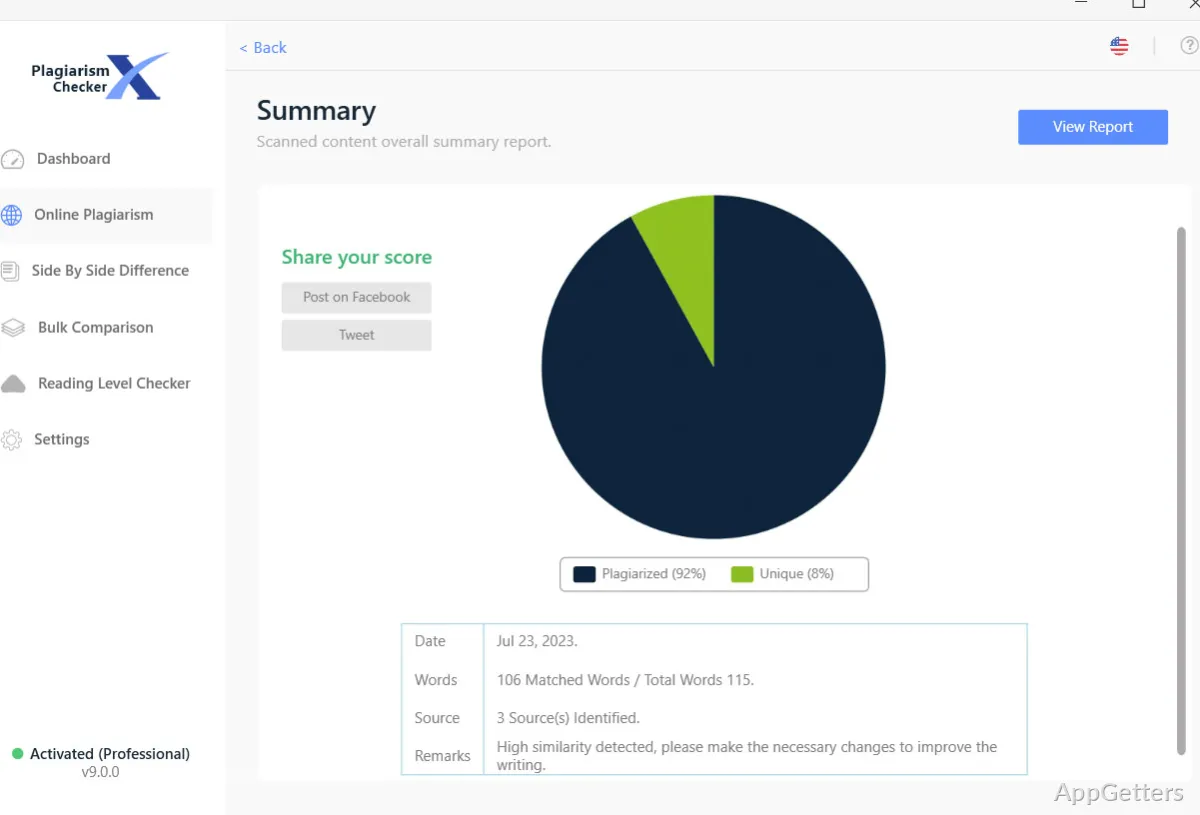
It seems that it is designed for those who value obtaining results over getting detailed information from an analytics tool. The setup procedure is simple, and the software shows the main functions straight away. The greatest attraction to users who are working with essays, reports, and web content is simple. They simply copy the text, initiate the scanning, and the system immediately points out the overlapping parts.

How it fits into everyday writing workflows

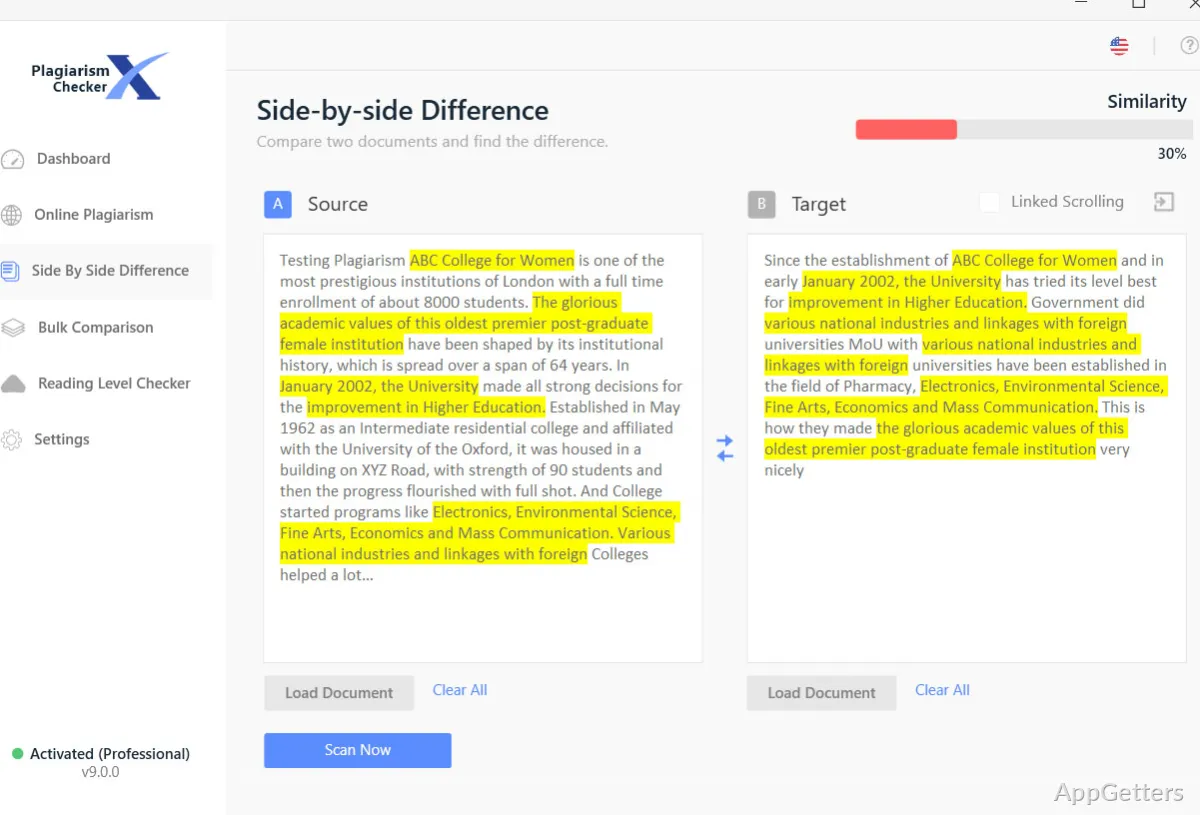
Actually, Plagiarism Checker X in everyday writing is similar to an assistant that you consult occasionally rather than a consistent companion. The very common way is to create the first version of the content in a word processing program. Then pass the portions through the software prior to the final handing in. Besides, the side-by-side comparison mode is by far the handiest feature. It doesn’t just show the identical fragments but also the sources side by side, so no one can miss incorrect paraphrases.

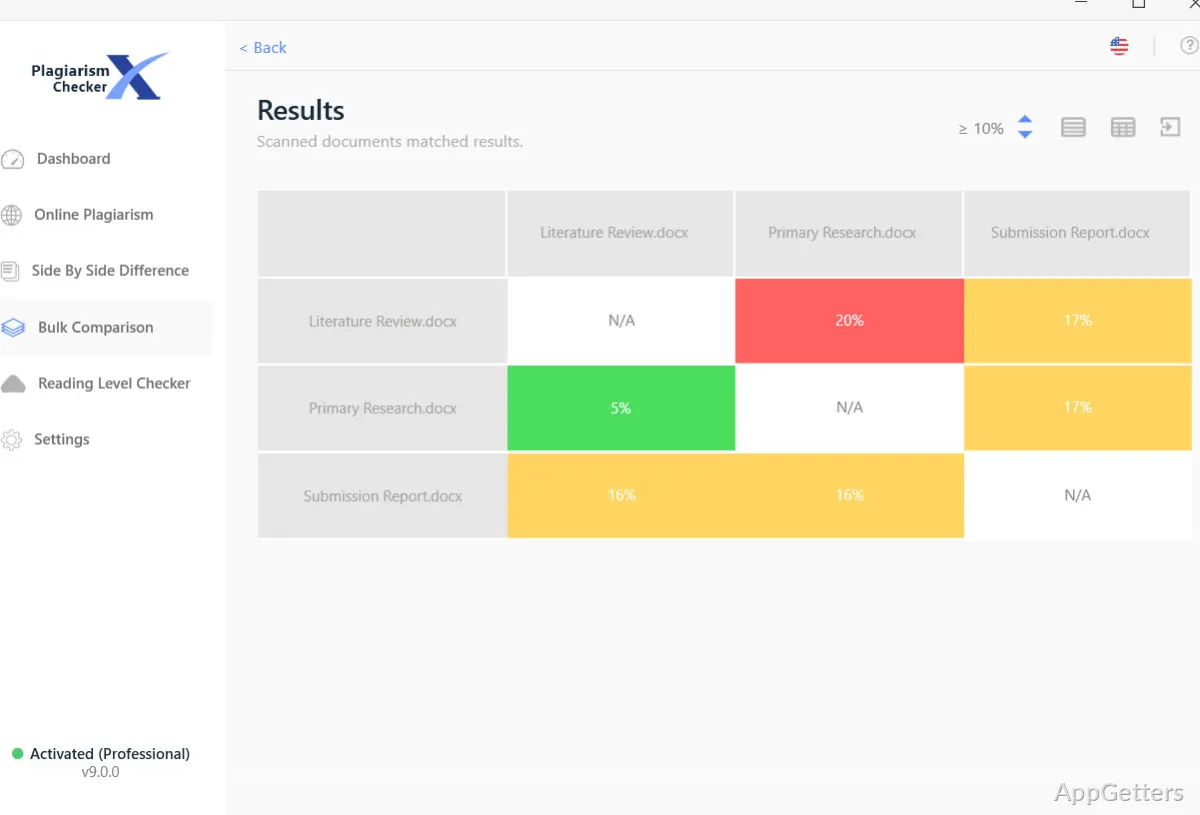
Scanning multiple documents at once will shorten the time required. Two factors simultaneously determine whether or not you can get away with a single batch processing session. These are the number and size of files you wish to check, and your PC’s power. It could be a problem, seeing long queues for tasks on a slightly outdated laptop. This is especially true when multiple document collection scanning is involved. Nevertheless, if it is one-off pieces of work or an intermediate workload level you have, then it might be quite a normal writing routine integration without any troubles.

Strengths that stand out in regular use

One of the latter features that makes a difference is the local operation of the program. Besides access to the internet, users are able to quickly find out the degree of similarity between several documents. This can be done without making use of online resources. This is extremely important for those who work inside educational organizations or companies where the internet may be restricted.

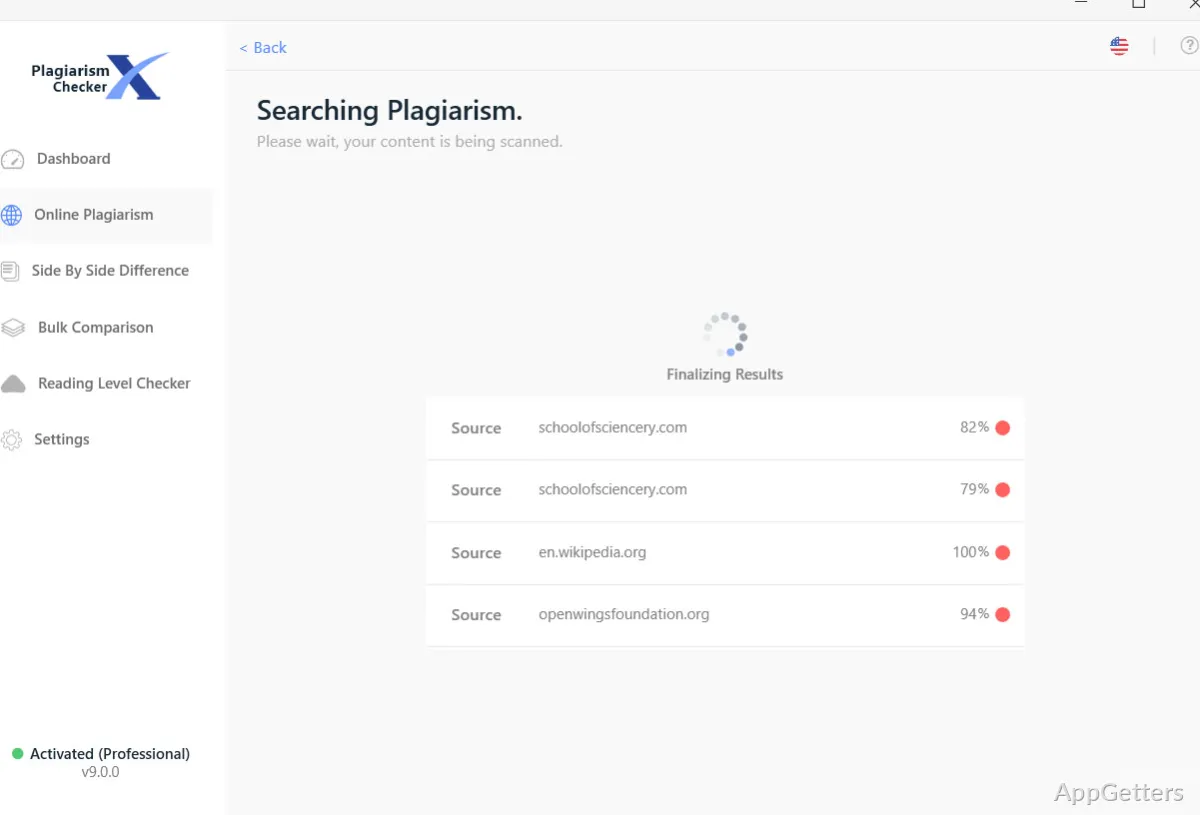
Secondly, the user interface is very simple. The program doesn’t hide its functions behind menus and obscure icons; it has everything you need right in front of you without any filler. You are not required to be an expert in plagiarism checking tools to know exactly what is going on. Reports are totally clear visually, with the help of a pretty standard color highlighting system. This is as opposed to a complicated set of different metrics.

Besides, a nice practical advantage is the text-matching feature focus. It will never let you down if your main concern is to get the base text along with the copy-paste and the modified variations of the latter content. It checks out effectively and very accurately.

Where it can feel limited

Unfortunately, this is not something that comes just for free, right? When compared with some of the well-known cloud-based plagiarism detection systems, the database in question seems far from being completely comprehensive. This is really a problem if you are dealing with highly specialized or newly published materials. This can be an issue for scholarly or professional publishing users, to whom detection is quite problematic, as they pose very exacting standards for completeness.

Moreover, in-depth documentation is a bit restricted. It really only makes the copied text that is detected the main focus. It does not really give a complete qualitative explanation or recommend correct citations. To some extent, the user remains fully at liberty to understand and alter things on one’s own.

Last but not least, it being Windows-only makes the software unavailable for people who prefer to work across several operating systems. Thus, Mac and mobile users will have to look for different programs or make compromises somehow.

Best suited for simple originality checks

The position taken by Plagiarism Checker X is that it naturally suits the kind of places where simplicity and speed count for more than a thorough examination. Students studying the assignments that they have just finished writing, teachers who are checking the work handed in, and content authors giving the final originality check will most probably find it all right.

It is not a very good fit for situations where publishing is of a prominent nature and/or academic research, which requires exhaustive source coverage and in-depth reporting. In those cases, more sophisticated programs should be the ones to guarantee a better result.

Anyway, for your average non-complicated writing tasks on Windows, it is a perfect helper, an extremely user-friendly, low-key checker. It assists you in identifying the most obvious duplicates right at the first stage, before they turn into a really serious problem.

Software Details of Plagiarism Checker X 9.0.7

License
Free
Version
9.0.7
File Size
16.71 MB
Downloads
3
Language
English
Category
Op. System
Windows
Last Updated
April 3, 2026

Version History

3 versions
9.0.7
Latest
16.71 MB
April 3, 2026
9.0.6
16.69 MB
August 15, 2025
9.0.3.0
16.66 MB
April 12, 2024

Leave a Comment

Your email address will not be published. Required fields are marked *

Software Icon
Security Report

Loading scan data...

Scroll to Top