Handling PDFs on Windows can quickly become much more of a hassle than you initially thought. Most people are simply reading documents, but those who want to create documents from emails, spreadsheets, or other report data also run into problems. The biggest issue in some cases would be locating software to work perfectly alongside day-to-day processes without causing disruption or dependence on Internet/cloud services. This is exactly the “area of operation” of pdfMachine. It doesn’t aim at being a complete document editor but rather a pocket-friendly PDF creator working as a kind of virtual printer.
From Daily Use Files to PDF
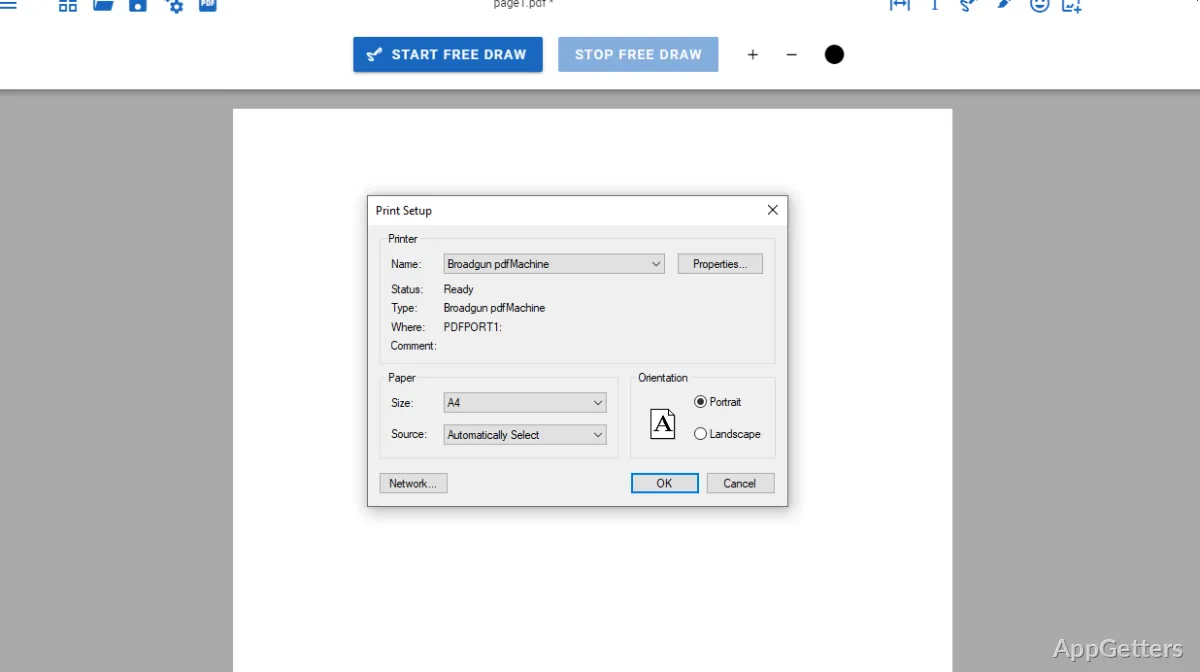
pdfMachine simply implements a very well-known idea: the user installs a printer driver. From then on, a virtual printer is present in the Windows printers list. So one is able to “print” anything from any program that can print, and the output will be a PDF file. Printing to the PDF virtual printer can really save the day. For example, if you want to first prepare your invoices in several accounting programs or just print some web pages to read them offline later.
In addition, such a method of implementation makes this product very user-friendly because users get to work as usual. “Just print the document and then maybe set a couple of options.” Such a simple process, from the beginner’s perspective, makes this tool very handy. Experienced users will welcome the unification of the interface. It allows them to use whatever applications they want without the need to generate separate saved files.
Emails and Automation
That integration element with email workflow is, among other features, a key differential of the solution. It is the feature that allows the software to automatically attach the generated PDF file to the email that is going to be sent. This is very convenient, for example, in a business environment where documents are sent very often. So, for instance, confirmations given to customers, reports being sent out, and internal sharing of summary documents can all happen at the time of document generation and via email.
If, in this example, you even account for days-long time savings, then the amount could go up significantly. However, the decline in the case would be within the reach of configuration. There may be a need to pedal through trial and error for technical and non-technical users alike. This is so as to be able to make everything work. However, after the setup procedure has been finished, the user doesn’t have to do anything. That is the main feature and a strong point of the tool, for that matter.
Personalizations and Determining the Output
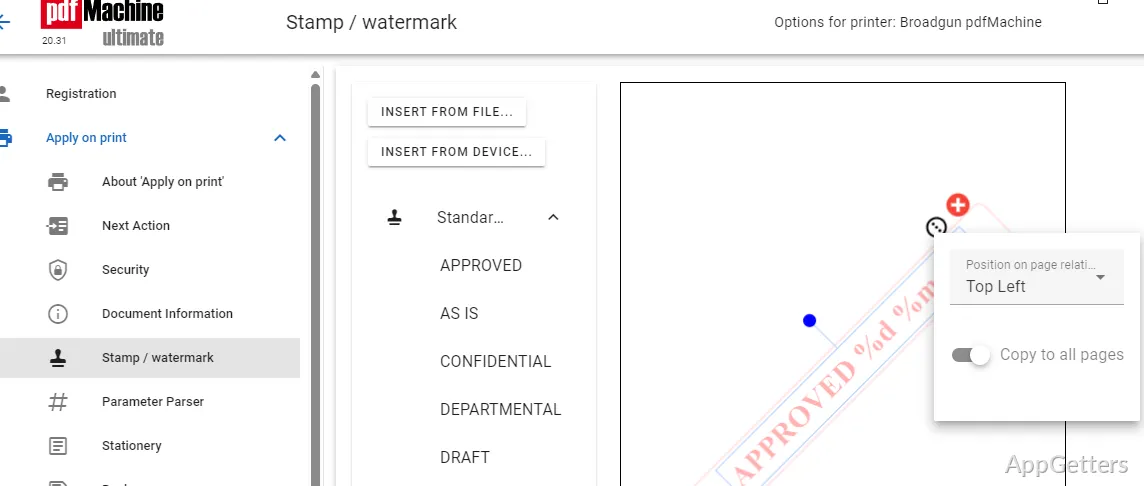
Among a number of possibilities, PDFMachine allows the user to exert a pretty good influence over how the PDFs are created. For instance, you can configure the filename structure and the destination folder for saving the files. You can even set metadata for documents. Also, for safety reasons, security features such as password protection are available. These are very often a necessity when you are dealing with highly confidential documents.
However, one should not lose track of the fact that it is not a full PDF editor. It is not pdfMachine’s purpose, nor is it in their business model, to provide such features. In fact, these functions are not present, including commenting, rearranging pages, and adding or removing pages. Therefore, if you are looking for such tools, you will need a separate product. In order to design and build a software program focused on document creation and automation, it is quite a task. That is where PDFMachine is at the top. It does deliver on the promises made, yet without attempting to be a competitor to comprehensive PDF editors.
Reliability and Stability for Daily Tasks
When being used for typical scenarios, PDFMachine is a program that generally can work without causing any trouble (or crashing). Its behavior is quite easy to predict, which is indispensable for a tool running in the background. Just give it a go, and you will see that it hardly ever comes to you with nonsensical demands. Such an attitude is exactly what is expected in a business environment. The need for a reliable supply of the same set of features throughout the day far outweighs the wish for the latest functionalities.
Handling large PDF files is no problem at all. In fact, these instances may slow down file processing (such as printing speed). This, of course, depends on the performance of your computer hardware and the source application from which the document is being generated. Nevertheless, since this tool is based on an offline mode of operation, it is superior in terms of privacy. This is compared to the majority of web-based PDF tools and services. When handling confidential materials, users are bound to find this feature a very strong reason for giving this software a chance on its own.
pdfMachine’s Typical Role in a User’s Workflow
On a general note, only users who intensely create PDFs will get the most out of pdfMachine. It is the kind of software that will help office employees greatly, assisting owners of small businesses and other administrative personnel. This is especially true if their work involves repetitive PDF document generation and sharing. It can be a good choice even for home users who want a quick, no-fuss way to save their documents without getting involved with online services.
People, after a complete PDF editing solution, might find PDFMachine not interesting, but that is not what this tool is here for. Rather, it is a very specialized PDF-generating system-level component that directly integrates into Windows workflows. If one’s requirement is simplicity, automation, and trustworthy performance, also when offline, then he/she is profiting from a very practical and well-concentrated product.