EXE
Home » Software » Windows » Photo Tools » MyPhoneExplorer for Windows
MyPhoneExplorer for Windows

MyPhoneExplorer for Windows

Windows users might find it difficult to remotely control their Android smartphone through their PC. Although cloud services synchronize only a few operations, they still provide users with a way to reliably back up files and transfer multimedia. They also help users manage text messages and locate contacts without being excessively dependent on the internet. MyPhoneExplorer is probably one of the most well-known software programs to date. It started its journey as a device for Sony Ericsson, and along the way, it has been developed for Android phones. Presently, it works locally through Windows and Android phones. The connectivity is usually through USB, Wi-Fi, or Bluetooth. The software is an alternative for users who want direct handling of their mobile data and not solely rely on the manufacturer’s ecosystems.

A Practical Desktop Companion for Android

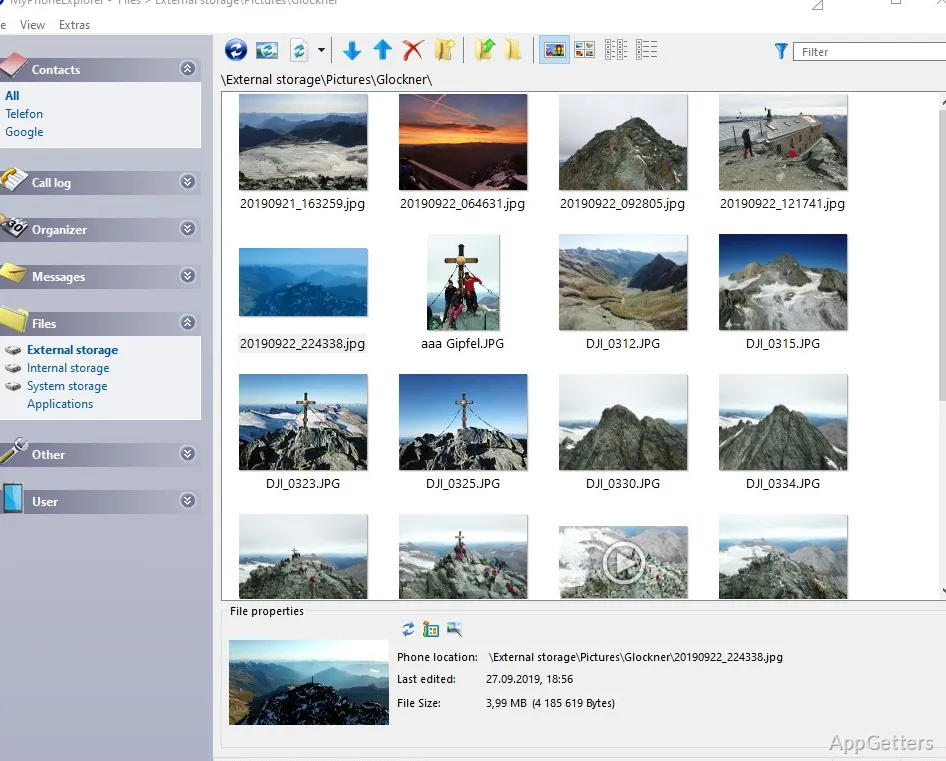
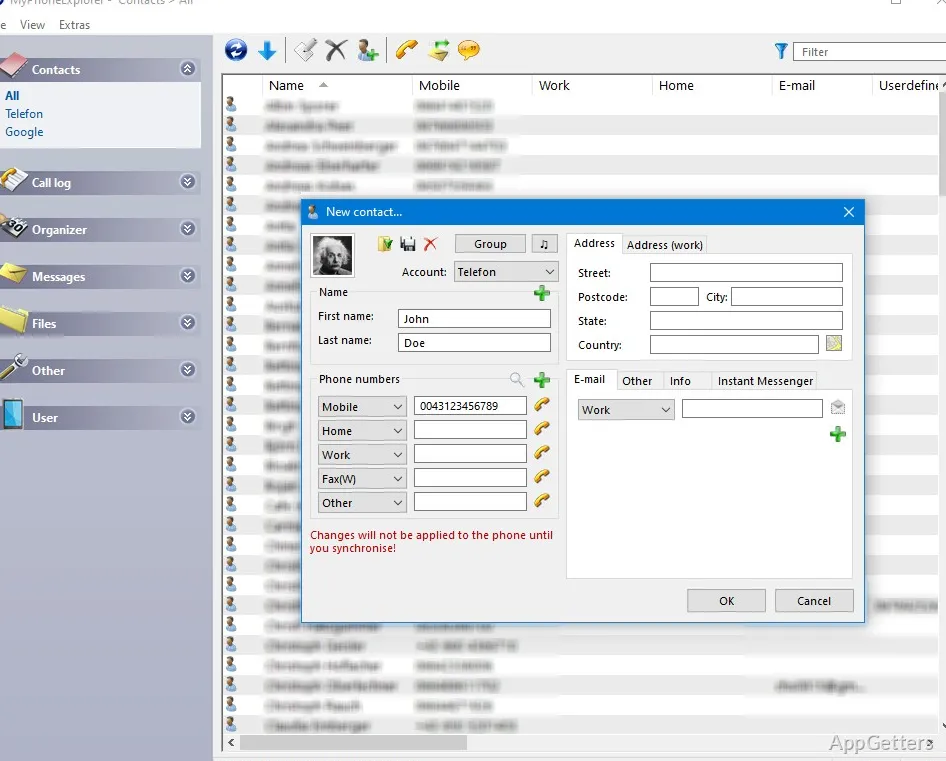
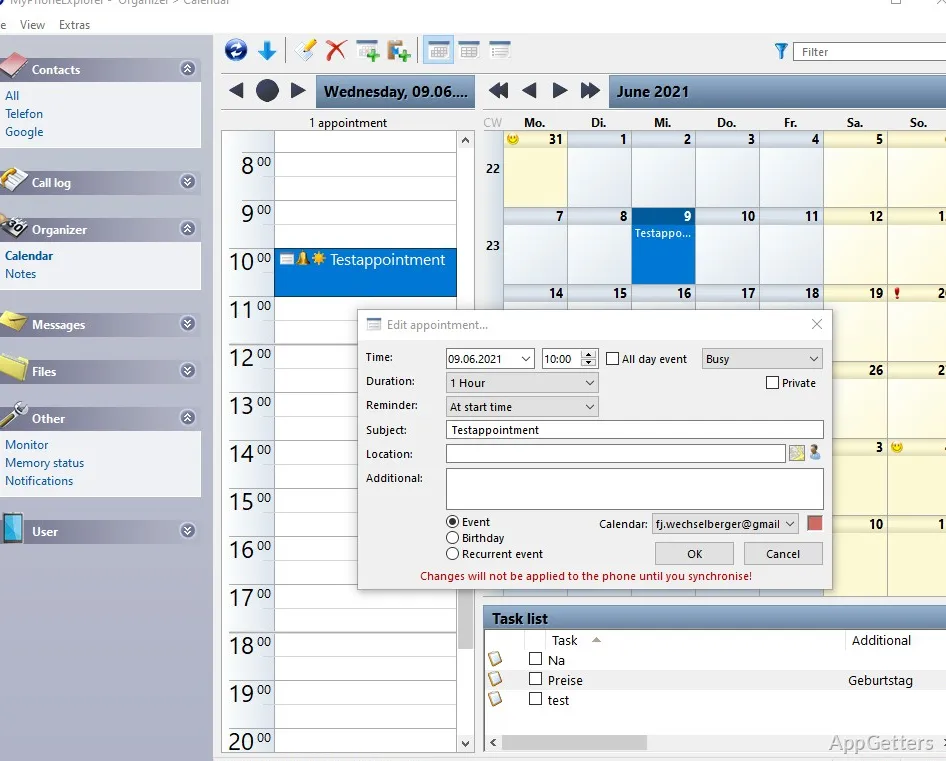
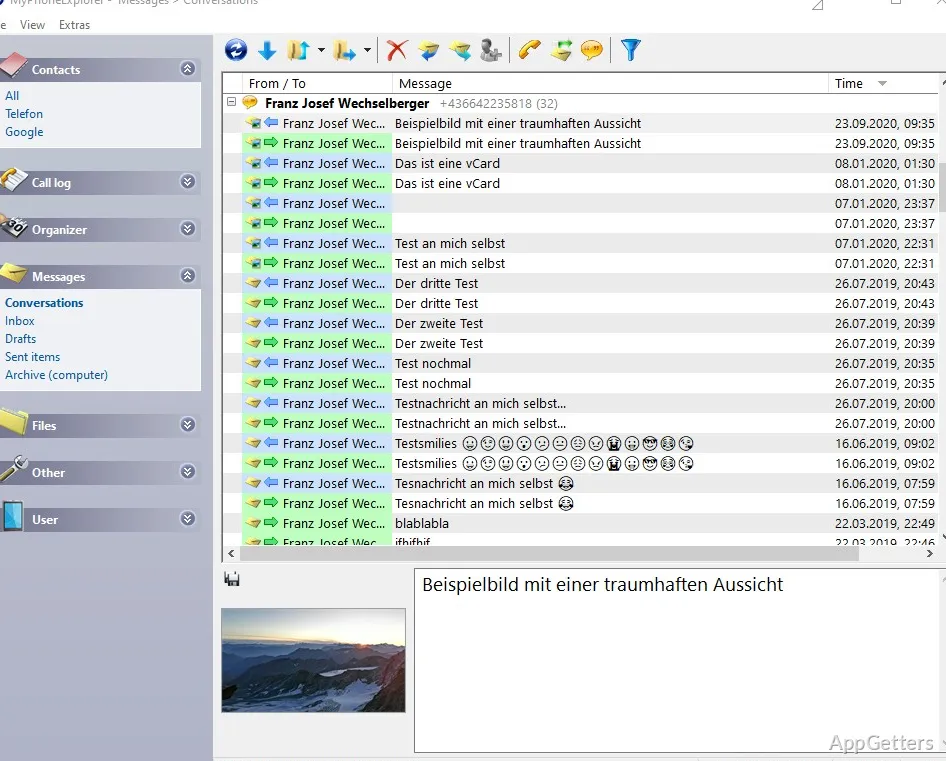
MyPhoneExplorer is a software that is geared towards providing a comfortable desktop for the management of the Android phone. Once a mobile is connected, the desktop software displays contacts, text messages, calendars, files, and call logs in a traditional way. This way, if a person is using a computer most of the time, his/her usual tasks could be simplified drastically.

Typing an SMS message on an actual keyboard, accessing phone files through a double-pane file explorer, or linking calendars with desktop applications are some such activities. They start running smoothly after a one-time setup is done. Local communication of data is the major feature of this software. Two devices share data directly with each other instead of going through external servers. Users who are interested in privacy control will be attracted by this angle, as the software allows them to be in charge of their personal data.

Everyday Reliability and Workflow Benefits

The utility of MyPhoneExplorer follows the same lines as that of a tool for maintenance and backup. Frequently creating local backup before device upgrade becomes a habit for home users. On the other hand, students, professionals, etc., need to have contacts and messages on their desktops at all times. Giving them access to these resources is a necessity.

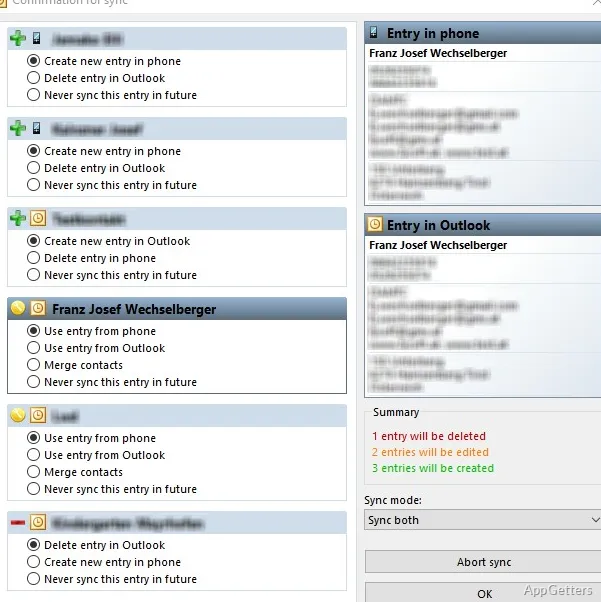
Especially for those who use Outlook or Thunderbird, synchronization features will come in handy. These desktop email clients are somewhat old-fashioned and not very popular nowadays. MyPhoneExplorer can synchronize contacts, calendars, and notes so that users do not need to perform manual exporting and importing. Usually, after the transfer of files, the large size of media files, such as photos, does not cause a problem. This is true when the phone is used as the source on the side of the PC.

Those who have to deal with several Android devices may also find the software sufficiently versatile. It allows separate backups and synchronization to be done without over-complication.

Areas Where the Experience Feels Dated

The software is not on par with the latest technology in many ways, despite being furnished with features that may make the users overlook its inadequacies. The first and foremost impediment is the fact that it has not been updated for quite some time. Also, quite a few options are presented to new users, which they may not be able to understand just at first glance.

The adjustment of USB connection, Android permissions, and driver problems may require the user to have sufficient willingness to put up with this time-consuming setting process. It has to be done correctly. Wireless connections tend to work well, but may cause some issues depending on the network arrangements.

Users who desire completely effortless synchronized functioning across devices may be disappointed with the less automated solution of MyPhoneExplorer. This is in comparison to other ecosystem-based cloud solutions. In fact, it relies on the user to have control and make the desired changes. This is the opposite of automation, and it may not appeal to everyone.

Best Suited for Users Who Prefer Local Device Management

Local backup is what the PC users who have MyPhoneExplorer installed will use the most. Detailed phone access and phone management from a desktop will also be points that attract a person to these software tools. It is great for users at home and in smaller office environments. It is also suitable for anyone who desires to have full control over Android data without having to rely on cloud services altogether.

If someone wants to have a shiny, highly automated experience, then he/she will have to get the integrated ecosystem tools. However, those users who are willing to spend time on setting up the software will be able to get a reliable utility. It continues to successfully address the device-management problems for which it was designed.

Software Details of MyPhoneExplorer 2.3

License
Free
Version
2.3
File Size
16.49 MB
Downloads
3
Languages
English English, Spanish
Category
Op. System
Windows
Last Updated
October 28, 2025

Version History

3 versions
2.3
Latest
16.49 MB
October 28, 2025
2.2
20.21 MB
November 19, 2024
2.1
19.48 MB
October 9, 2023

Leave a Comment

Your email address will not be published. Required fields are marked *

Software Icon
Security Report

Loading scan data...

Scroll to Top