Prefer a one-time-purchase Word that works without a subscription or internet? Word 2016 is the standalone word processor from Office 2016, with styles, Track Changes and PDF export. Microsoft ended its support on October 14, 2025, so it no longer receives security updates.
Ribbon formatting and page layout
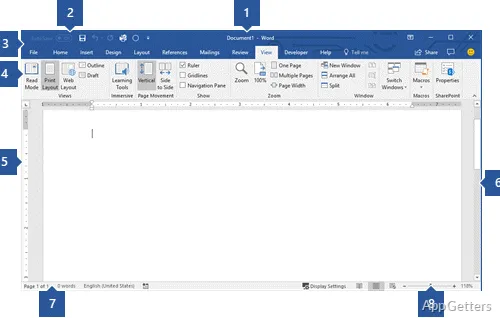
The Home tab groups everyday text controls, including font choices, paragraph alignment, bullets, and styles. Applying a heading style gives sections a consistent appearance and makes a long report easier to structure.
Insert provides commands for adding items such as tables, pictures, and page numbers. Layout controls page setup, including margins and orientation, so the document’s printed pages can be arranged around its content.
Review and revision tools
Track Changes records edits in the document so an author can inspect and accept or reject revisions. Comments attach discussion to selected text, keeping feedback alongside the passage it concerns. The Review tab brings these tools together with spelling and grammar checks.
- Use styles to maintain consistent headings and body text.
- Export a finished document as a PDF for sharing.
Local documents and collaboration
Word 2016 can create and edit documents without an internet connection, with files saved locally. Common document work includes preparing letters, reports, and other structured text, then saving in Word format or exporting to PDF.
Live coauthoring through OneDrive or SharePoint needs an internet connection. Because Word 2016 is out of support, Microsoft now points users to Word in Microsoft 365 or Office 2024.
Pros
- Review tab provides Track Changes and document comments
- Styles keep headings and body text consistent across long documents
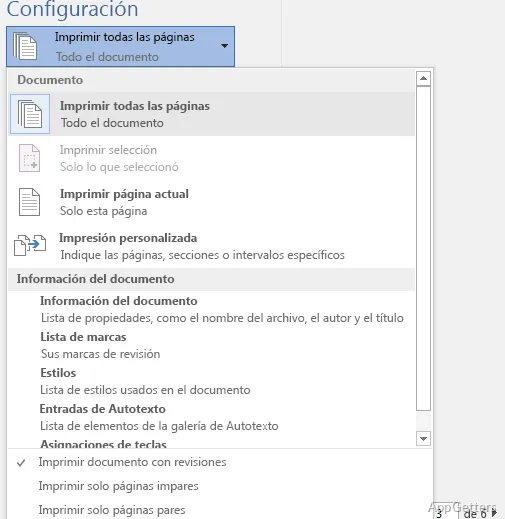
- Save documents as Word files or export them as PDFs
- Core document editing works offline
Cons
- Support ended October 14, 2025; no security updates
- Missing newer features such as Copilot and live captions
System requirements: Windows 7, Windows 8, Windows 8.1, Windows 10
Can Word 2016 edit documents offline?
Yes. Core editing and local file saving work without an internet connection.
How does Track Changes work?
It marks edits for review, allowing revisions to be inspected and accepted or rejected.
Can Word 2016 save a document as a PDF?
Yes. Use the export or save-as options to create a PDF.