When an iPhone is crowded with temporary files or is about to change owners, iMyfone Umate Pro offers Windows tools for cleaning storage and erasing private data. It scans connected iOS devices and lets you choose between cleanup and data-wiping tasks.
Cleaning space on an iPhone
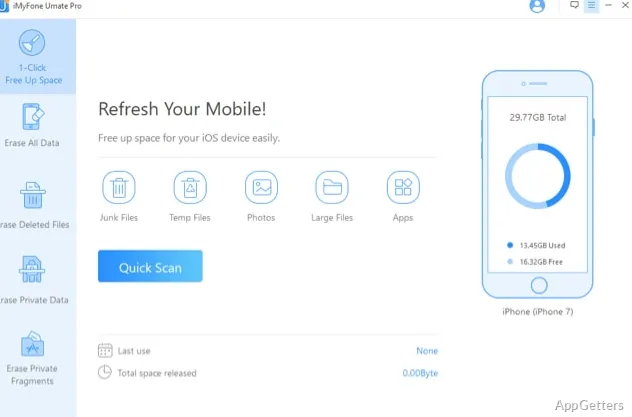
Umate Pro scans an iPhone, iPad, or iPod touch for hidden junk, temporary files, and app caches. A cleanup scan can show files to remove, while storage tools also let users export or delete large files, uninstall apps in bulk, and compress photos without losing image quality.
These cleanup tasks are separate from permanent erasure. Removing clutter targets space-consuming files; erasure tools are for personal information that should not remain on the device.
Which data can it erase?
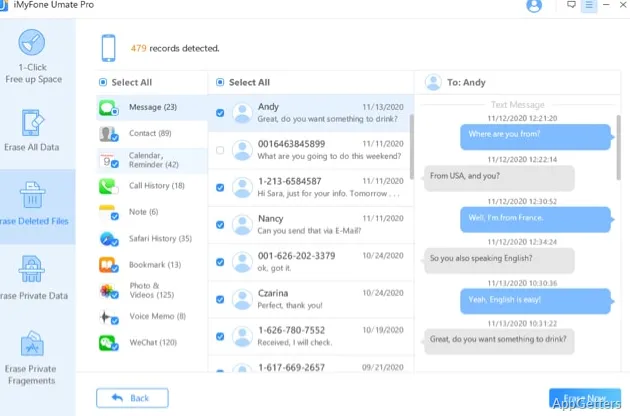
The private-data erasure workflow scans the device and provides a preview so users can select specific information. Supported categories include messages, contacts, call history, photos, and browsing history. Umate Pro also offers erasure for data and traces associated with apps such as WhatsApp, LINE, Facebook, Instagram, TikTok, and Kik.
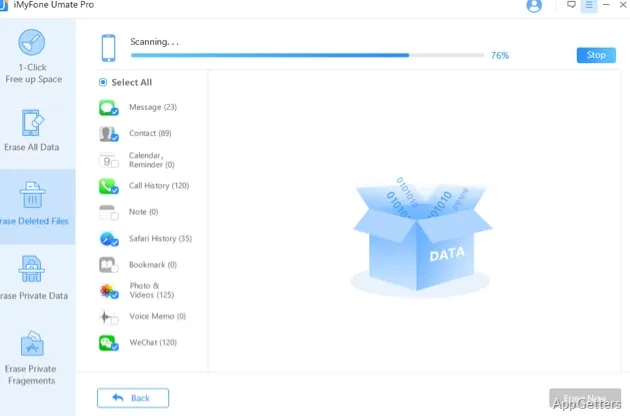
For a broader wipe, the all-data option erases information on the device. Separate tools target previously deleted files and leftover fragments from apps. Three erasure levels are available.
Before a full wipe
Permanent erasure is intended for situations such as preparing an iOS device for resale. Once completed, the selected data cannot be restored through the program, so choose the all-data option only when the device contents are meant to be removed.
- Use the preview-and-select workflow when only particular private data should be erased.
- Choose the deleted-files tool for information that was removed earlier but may still remain recoverable.
- Use the cleanup scan to find junk and temporary files without choosing a full-device wipe.
Pros
- Scans for junk files, temporary files, and app caches
- Previews private data before selective erasure
- Includes separate tools for deleted files and app data
- Offers photo export, deletion, and lossless compression
System requirements: Windows 7, Windows 8, Windows 10, Windows 11 · 32-bit and 64-bit · CPU: 1 GHz or higher · RAM: 512 MB minimum (1,024 MB recommended) · 200 MB free disk space · iTunes installed
Can Umate Pro erase only selected iPhone data?
Yes. It scans and previews private data, then allows selective erasure of supported categories such as messages, contacts, call history, and photos.
What is the difference between cleanup and data erasure?
Cleanup removes junk, temporary files, and app caches to free storage. Data-erasure tools permanently wipe selected private information, deleted files, or app data.
Can it target data from social apps?
Yes. It includes erasure for data or traces from apps including WhatsApp, LINE, Facebook, Instagram, TikTok, and Kik.