EXE
Home » Software » Windows » general » iCloud for Windows
iCloud for Windows

iCloud for Windows

  • By Apple
  • Free
  • Version: 15.7.56.0
  • 334.88 MB
  • Security Report:

Initially, the changing habits of Windows users create a challenge. These users want to operate multiple devices within one ecosystem. This challenges the synchronization of their files, photos, contacts, etc. The Apple ecosystem, in particular, can certainly cause some issues. The feeling of going back and forth between two different platforms is hard to avoid. The only way to do so is manually. Otherwise, you may end up resorting to some third-party tools. This is actually the role of iCloud for Windows.

The application, which is mainly an Apple one, tries to cover the Windows platform. It helps users, without totally switching their OS, access, synchronize, and manage their data.

A Familiar Apple Experience on Windows

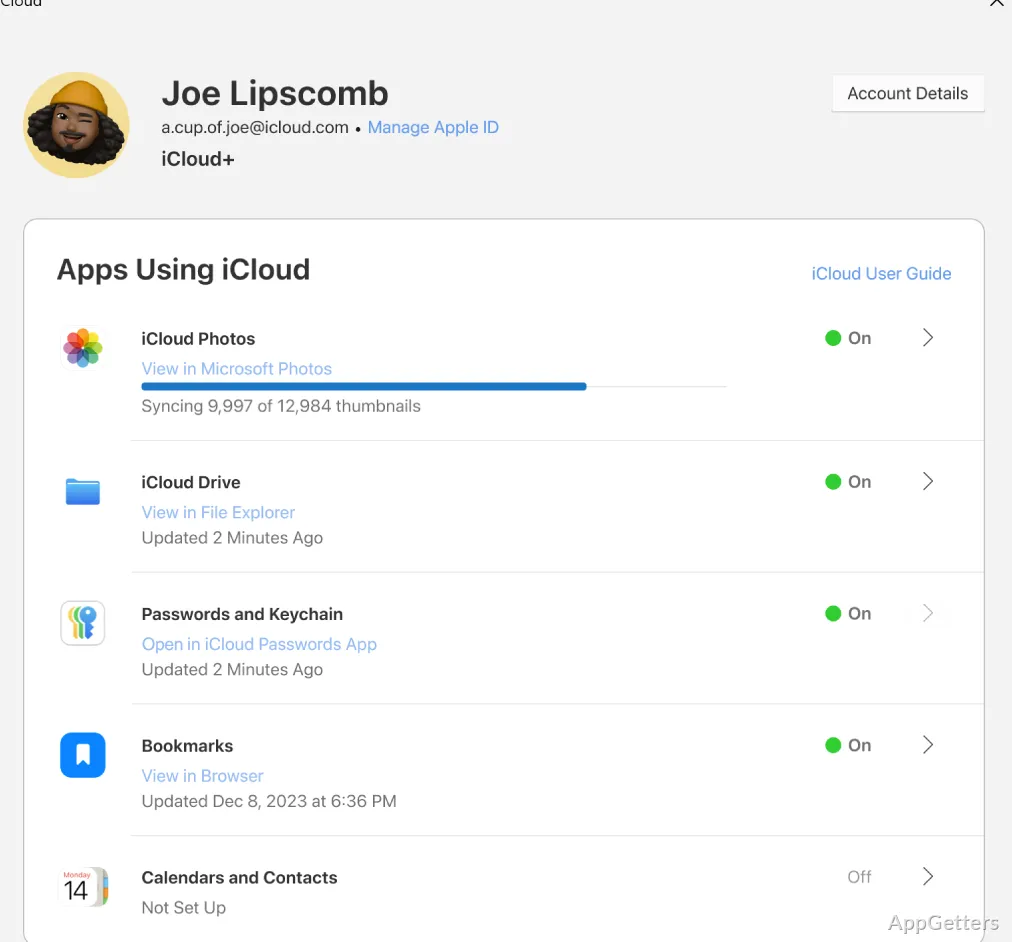
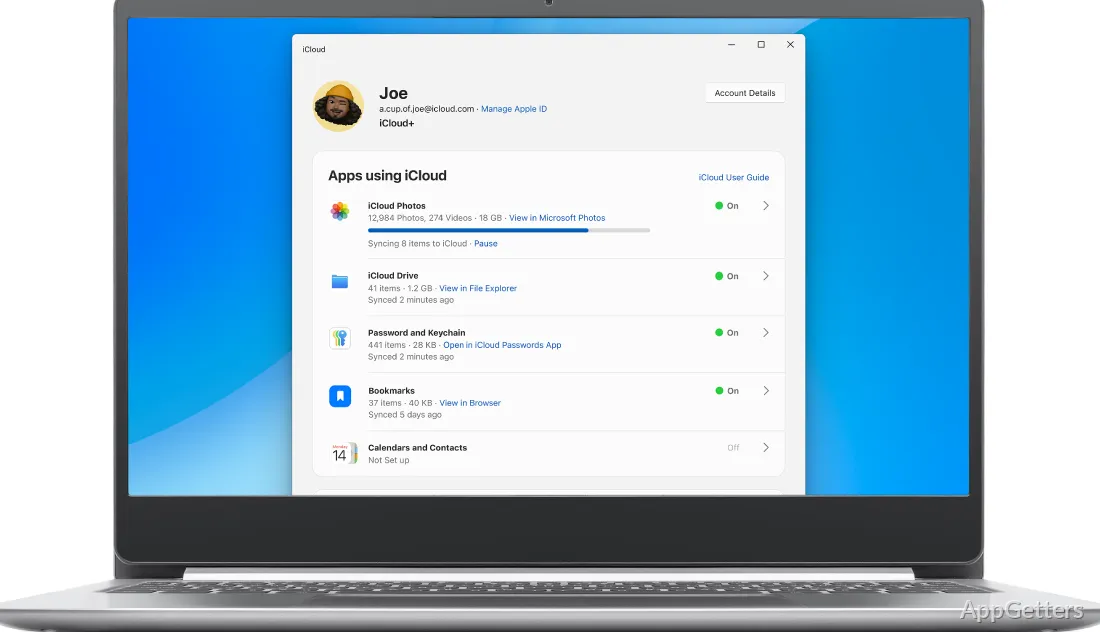
iCloud on Windows does not really bring anything new. It simply allows us to retain the workflow that was already there. It runs smoothly. After the installation, it works closely with File Explorer. It actually places a folder in the sidebar named iCloud Drive for your convenience. Any document you save here will reflect on all of your Apple devices connected to the same account. This happens automatically.

On the other hand, pictures are one more item that makes iCloud on Windows quite peachy. With iCloud Photos, the photos you snap on your iPhone or iPad will show up on your Windows PC. This happens without the need for a manual transfer. Setup is easy, but the real user experience depends on your internet connection. Cloud syncing, not local storage, is the main mode.

Practical Use in Everyday Workflows

For daily operations, iCloud on Windows would be your best bet. It functions as a kind of passive tool only. It is capable of running on autopilot in the background. And it gets the work of syncing files and updating changes done without asking for the user’s involvement over and over.

For instance, pupils and individuals working from home are likely to enjoy this. Their docs and images are available on all their devices. This happens over the air. The only thing they would have to do is to create those docs. The situation results in no need for USB transfers or emailing files. This more often than not is a real pain.

Besides, it is far from being a comprehensive substitute for Windows native cloud services. It is something of a poor relation to most deeply integrated and more resilient solutions. iCloud feels quite remote very often. For example, managing storage or dealing with synced file conflicts still requires a separate app. It does not have the system fully at your service. That is what simultaneously makes it near-perfect, but not completely so.

Strengths and Noticeable Limitations

Without any doubt, iCloud programs on Windows are likely to be highly reliable. This is true so long as they are used for the purpose they were designed for. Also, syncing files is pretty stable. After it is initially set up, the need for performing additional maintenance diminishes drastically. For those users who use multiple Apple devices and one Windows PC regularly, this matters. Not having anything go wrong makes their work and life much easier.

On the other hand, the cons inevitably come to light. One thing is that the performance is greatly influenced by file size as well as network status. This is a typical scenario in real life. So, huge file uploads will probably be the last thing you’d want to do on iCloud. Moreover, some very Apple-specific features are not going to be available or are less polished on Windows. After all, this is a mobile-first ecosystem. It was extended to desktop rather than a desktop solution that is fully optimized from scratch.

Best Fit for Cross-Platform Apple Users

The users of iCloud on Windows can conveniently be defined as people who already own Apple devices. For various reasons, they continue to use a Windows PC for their daily work. They want iCloud because it gives access to their photos and documents. It also synchronizes the basic data automatically. It is perfect for them to maintain the Apple ecosystem.

On the other hand, Windows-only users will have no doubt about one thing. Their alternatives to iCloud are more integrated and responsive. On the other hand, for mixed-device households or individuals trying to balance both platforms, iCloud is actually a very dependable bridge. It cannot replace native tools. It focuses on maintaining continuity instead. That really is where it works best at the end of the day.

Software Details of iCloud 15.7.56.0

License
Free
Version
15.7.56.0
File Size
334.88 MB
Downloads
0
Languages
English English, Afrikaans, Amharic, Arabic, Armenian, Belarusian, Bulgarian, Catalan, Chinese, Croatian, Czech, Danish, Dutch, Estonian, Farsi, Finnish, French, German, Greek, Hebrew, Hindi, Hungarian, Icelandic, Indonesian, Italian, Japanese, Kazakh, Korean, Latvian, Lithuanian, Malay, Norwegian, Polish, Portuguese, Romanian, Russian, Serbian, Slovak, Slovenian, Spanish, Swahili, Swedish, Tagalog, Thai, Turkish, Ukrainian, Vietnamese, Zulu
Category
Op. System
Windows
Developer
Apple
Last Updated
January 25, 2026

Version History

2 versions
15.7.56.0
Latest
334.88 MB
January 25, 2026
15.6.113.0
336.33 MB
December 24, 2025

Leave a Comment

Your email address will not be published. Required fields are marked *

Software Icon
Security Report

Loading scan data...

Scroll to Top