EXE
Home » Software » Windows » general » LocalSend for Windows
LocalSend for Windows

LocalSend for Windows

  • By Tien Do Nam
  • Free
  • Version: 1.17.0
  • 14.2 MB
  • Security Report:

File sharing between multiple devices still seems way too complicated, especially if you use a Windows PC. Many people resort to the cloud, USB, or messenger apps to transfer files between devices. Though these methods work, they also bring disadvantages. Uploading takes time. Privacy can be an issue. Offline file sharing is usually not possible. This is exactly where LocalSend comes in. It provides a simple and instant file-sharing method over a local network, and it works without any external software.

Locally transferring files the easy way

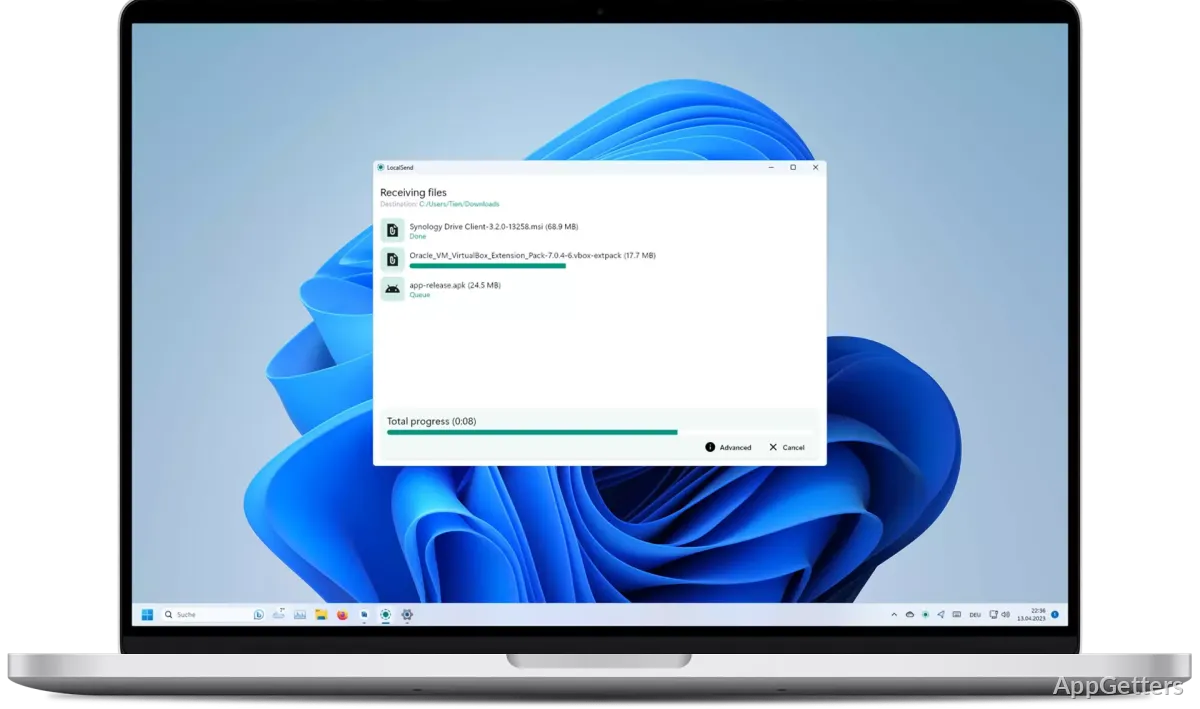
Even in day-to-day use, LocalSend does not complicate things unnecessarily. For instance, installing LocalSend on a Windows PC makes it possible to locate all other devices. These devices must also be running LocalSend on the same LAN network. No signing up, no pairing, no internet dependency. In only a few simple steps, one device can directly send files to another.

Being so simple is really appreciated on local file-sharing occasions. Taking a mobile phone and one’s laptop and sharing a Word document is simple. Transferring a folder between two computers is also simple. All is happening almost instantaneously. Making the first move to share does not require a lengthy wait. Normally, the operation is not interrupted until the very end. This remains true as long as both devices do not leave the network. Also, the elimination of extra steps is one of the most powerful benefits.

Uniformity of experience on any device and anywhere

A really nice feature of LocalSend is that it does not matter much what devices you are using. The operability of any two systems among Windows, Android, and others supported is almost the same. You do not have to worry about differences between them. This is particularly helpful for someone who may have to work on different devices. It is also helpful for someone who may be changing between two operating systems frequently.

As a matter of fact, keeping the user interface more or less the same across all platforms is a very smart thing to do. There is no reason why a student transferring files from a laptop to a mobile phone needs to learn different ways to share files. The same application on different devices allows only one workflow. This kind of predictability in the interface and flow makes the whole thing simple for any person.

Security and offline operations

Unlike most other file transfer tools, LocalSend’s main workbench is the local network. It does not upload files to the server of a third party at any time. This naturally leads to the least possible chance of a privacy breach. For those who have privacy worries, not allowing files to leave your local network offers a layer of confidence in daily use.

Moreover, a closed network environment can be kept stable through offline transfers. That is why having this ability to work independently from the internet connection is a big plus. It is a big plus for any successful file-sharing solution. This works well in places like an office or school, where the internet connection is limited. It also works in the case of casual travel, where connectivity is not guaranteed or continuous. While we were examining the program, this offline feature was something that users appreciated. It was also one of the major reasons why they decided to keep using the app after their first experience.

Integrating with your usual Windows usage

LocalSend, by default, is designed to put existing cloud-based file-sharing systems on standby for a bit. It does this rather than challenge them for the top spot. First and foremost, it tries to connect nearby devices. It carries out file sharing through the simplest and quickest method. This is done without going through steps like file management, synchronization, or long-term storage.

For users on Windows, it will be largely seen as something that supports day-to-day use of PCs. It does not threaten their usual way of using tools to get things done. Besides, the audience, made up primarily of students, has reasons to use this as a tool to share work. Home users can employ it to move photos or media between their different devices. Unfortunately, having only Windows-networked devices interact with one another can be a significant pitfall. LocalSend may not be of great help in remote situations where no network is present.

In fact, people who have gotten used to their day-to-day gadgets see LocalSend not as a platform with many features, but as a handy tool. It removes many of the obstacles in carrying out the same task. It does this without causing complications.

Software Details of LocalSend 1.17.0

License
Free
Version
1.17.0
File Size
14.2 MB
Downloads
0
Languages
English English, Afrikaans, Amharic, Arabic, Armenian, Belarusian, Bulgarian, Catalan, Chinese, Croatian, Czech, Danish, Dutch, Estonian, Farsi, Finnish, French, German, Greek, Hebrew, Hindi, Hungarian, Icelandic, Indonesian, Italian, Japanese, Kazakh, Korean, Latvian, Lithuanian, Malay, Norwegian, Polish, Portuguese, Romanian, Russian, Serbian, Slovak, Slovenian, Spanish, Swahili, Swedish, Tagalog, Thai, Turkish, Ukrainian, Vietnamese, Zulu
Category
Op. System
Windows
Developer
Last Updated
February 18, 2025

Version History

6 versions
1.17.0
Latest
14.2 MB
February 18, 2025
1.16.1
13.99 MB
November 3, 2024
1.16.0
14.03 MB
November 2, 2024
1.15.4
12.17 MB
August 21, 2024
1.15.3
12.19 MB
July 28, 2024
1.15.1
12.04 MB
July 20, 2024

Leave a Comment

Your email address will not be published. Required fields are marked *

Software Icon
Security Report

Loading scan data...

Scroll to Top