EXE
Home » Software » Windows » Photo Tools » HUAWEI HiSuite for Windows
HUAWEI HiSuite for Windows

HUAWEI HiSuite for Windows

  • By HUAWEI
  • Free
  • Version: 14.0.0.370
  • 62.38 MB
  • Security Report:

Synchronizing your smartphone’s data with that of your Windows PC can surprisingly become a challenge. This is especially so when issues of protection, backups, and moving files have been brought up. Most users realize this only when there is a need to share photos, get back lost data, or update their device. They may also need to make a backup in case the device is reset. Of course, cloud services have some of these options, but they still cannot give the user full control of the management of data locally. That’s why HUAWEI HiSuite was created to empower Windows users to have a desktop dedicated to managing their HUAWEI devices.

The One-Stop-Shop for Device Work

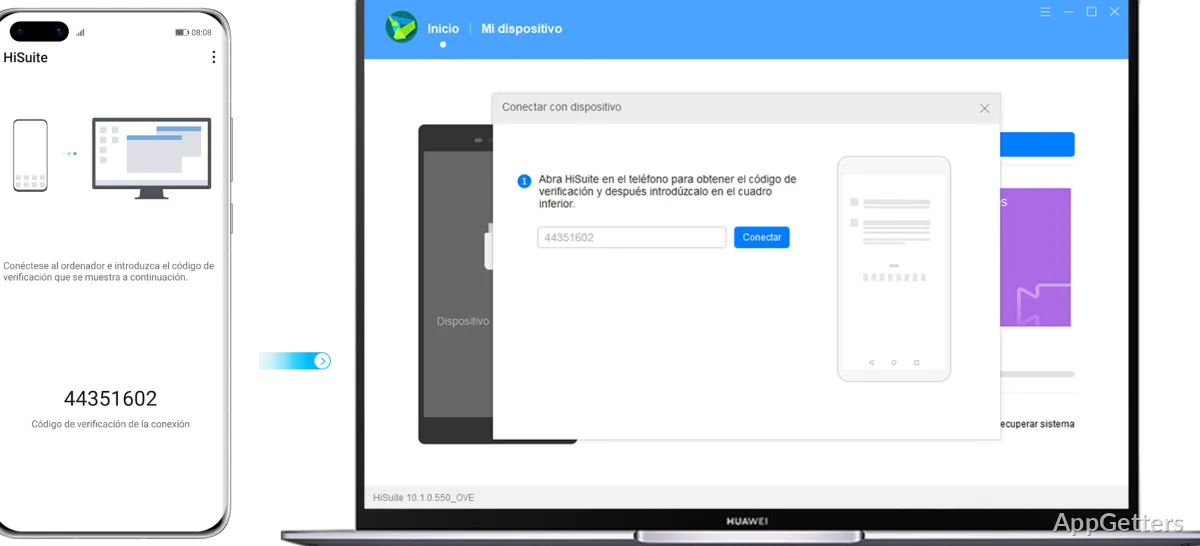
For everyday users, HUAWEI HiSuite does more of a job of bringing together all their needs to manage their device from their computer. It does this rather than merely serving as a file transfer tool. Once a connection is made via USB or a supported wireless connection, a user can, without difficulty, get to their contacts, messages, photos, videos, and application data. All of these are available through one screen. The design is nice and simple. It thereby makes it easy even for a first-time user to carry out the importing of media or organize backups.

Besides, having everything in one place means home users will hardly ever have to find a third-party program for their needs. Those who are always transferring documents from one device to another cannot fail to find this useful. During the trials, as well as general usage, the software shows its greatest efficacy and stability when it is used in conjunction with supported HUAWEI smartphones. Such devices are recognized efficiently and stably.

Backup, Recovery, and Everyday Reliability

In fact, the backup and recovery feature is among the most valuable features of HiSuite for users. Having local backup copies on a Windows PC is a further layer of protection apart from a cloud solution. Those who are factory resetting their phones, switching to a new system, or getting a new phone can always save all the important records. This can be done without using a network connection.

Normally, the steps for recovery are simple: one makes a backup and puts it locally somewhere. When one desires, one can recover the data. Also, this is a feature that can particularly come in handy to those with big libraries of media. It can also help those with limited cloud storage plans. In fact, if there is no other issue, the software’s backups are very dependable. However, there are times when the mode of the device, the quality of the cable, and the amount of stored data affect the speed of transfer. For most users, being able to rely on one personal local copy of their data has made HiSuite’s contribution worthwhile.

Software Updates and Device Maintenance Experience

In addition, HiSuite is a good tool for users to maintain their devices. Firmware updates, system recovery, and the running and managing features of the software can all be managed with the desktop app. In other words, you do not need to do every single maintenance task on the phone itself.

Experience, however, does not come without downsides. Firstly, the scope of compatibility is practically limited to HUAWEI hardware. Thus, the software becomes a no-go for households with mixed devices using multiple brands. Furthermore, the availability of certain features on different devices, versions of operating systems, or regional software restrictions causes problems. Besides, there are times when the connection fails if USB debugging has not been set up properly. Despite everything, users who remain within the HUAWEI ecosystem have generally agreed that the software is most suitable. It is particularly useful for maintenance routines and troubleshooting tasks.

Best Suited for Dedicated HUAWEI Device Owners

As a matter of fact, HUAWEI HiSuite can be more practical for Windows users who mostly use HUAWEI phones and want to manage their devices on their own. This is especially true when compared with those who use the cloud exclusively. The syncing of backups, file management, and device maintenance are what make this single set of tools most useful while using these devices.

It is entirely fine if one only transfers photos occasionally and feels that HiSuite is somewhat overkill. However, those who have their data backed up regularly can hardly ever miss the benefits of the software approach. The same applies to users who are on a firmware upgrade. The same applies to those who have more than one device. One can say that it is not one platform for the management of all smartphones. However, it is a good companion app for HUAWEI ecosystem users who want to have a management experience on the desktop.

Software Details of HUAWEI HiSuite 14.0.0.370

License
Free
Version
14.0.0.370
File Size
62.38 MB
Downloads
0
Languages
English English, Afrikaans, Amharic, Arabic, Armenian, Belarusian, Bulgarian, Catalan, Chinese, Croatian, Czech, Danish, Dutch, Estonian, Farsi, Finnish, French, German, Greek, Hebrew, Hindi, Hungarian, Icelandic, Indonesian, Italian, Japanese, Kazakh, Korean, Latvian, Lithuanian, Malay, Norwegian, Polish, Portuguese, Romanian, Russian, Serbian, Slovak, Slovenian, Spanish, Swahili, Swedish, Tagalog, Thai, Turkish, Ukrainian, Vietnamese, Zulu
Category
Op. System
Windows
Developer
Last Updated
June 19, 2026

Version History

2 versions
14.0.0.370
Latest
62.38 MB
June 19, 2026
14.0.0.320
46.31 MB
March 26, 2024

Leave a Comment

Your email address will not be published. Required fields are marked *

Software Icon
Security Report

Loading scan data...

Scroll to Top