Interaction with PDFs in Windows can sometimes be a lot more complicated than anticipated. Opening a file is hardly ever the problem. It’s when you want to edit, annotate, sign, or just smoothly scroll through a large document that things get difficult. Most users at this point resort to two or more programs or take the trouble of deeply installing the software on their computer. A portable PDF reader such as Foxit PDF Reader Portable is a great idea for people in this situation, since it offers a complete PDF reading and annotating experience without the hassle of installation. It really makes up for those who use different computers from time to time or who definitely like the lightweight ones.
Lightweight access without system impact
Having Foxit PDF Reader Portable as your PDF reader anytime and anywhere is possible. This is because you can get the entire software on a USB stick and use it without installing it on the computer. It won’t poke around in the registry or modify the system in any way. This feature is very useful in shared PCs or workplaces where there are restrictions, or when users want to keep their system clean without any doubt.
The app will be ready for use immediately, and you will not miss features because of the portable mode. Unlike most portable applications, Foxit doesn’t intensify the loss of performance. This remains true even when the size of the document becomes quite large. Working between multiple systems, like students in computer labs or professionals with managed devices, this kind of openness should be a real time saver.
Reading and navigation in everyday use
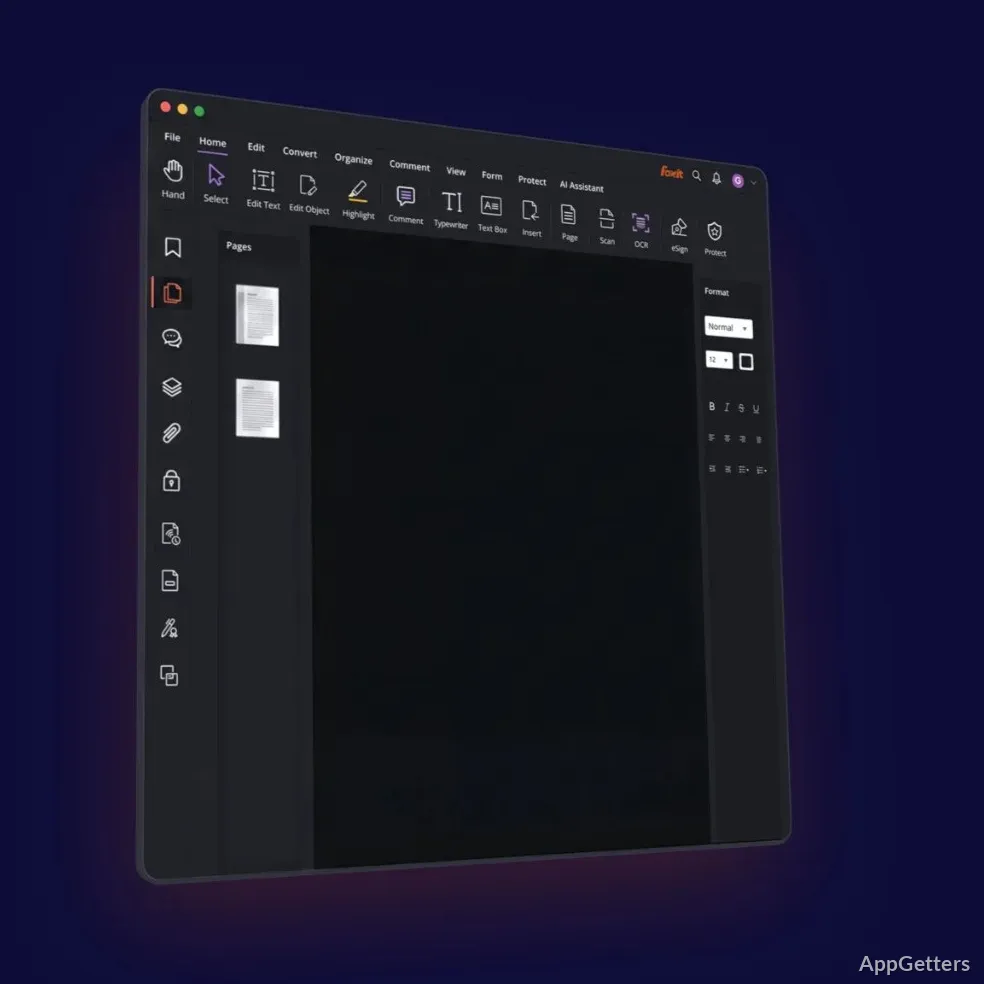
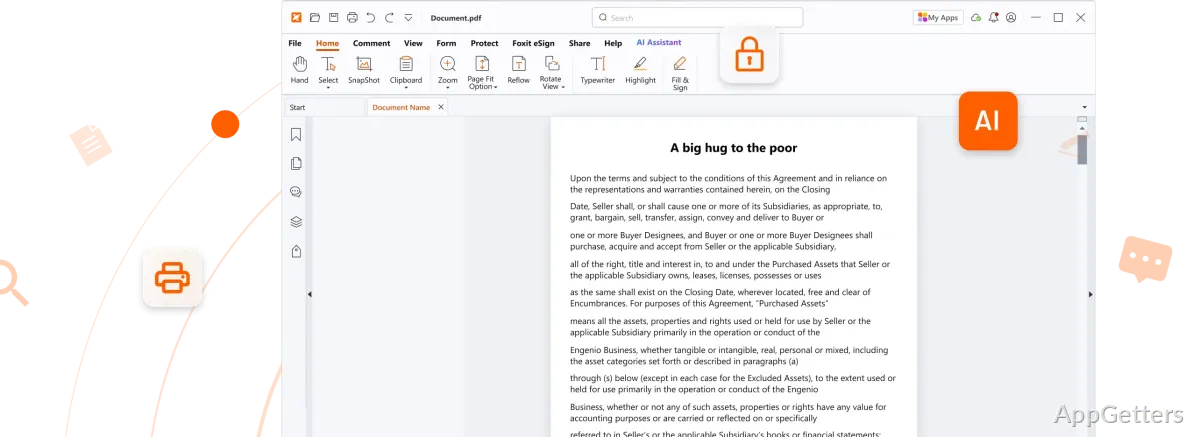
Foxit PDF Reader Portable acts as a dependable PDF reader most of the time. The files load fast, and the navigation features, consisting of thumbnails, bookmarks, and the search function, are very user-friendly, suitable for the most inexperienced users and at the same time quick enough for experienced ones.
Scrolling through very large PDFs is not at all an issue. The Zoom features are quick and efficient as well. Thanks to the tabbed interface, you can keep one or more documents open at the same time. You do not have to worry about the clutter on your screen. This is useful when you do your research or compare documents. Although the interface gives you access to numerous tools, you will not feel lost if you spend some time with it.
But just the same, those accustomed to minimal readers may initially perceive the interface as a bit too much. It is much more of a work-productivity tool than just a reader with few features, which will certainly pay off after you get used to it.
Annotation and joint effort workflow
The real strength of Foxit PDF Reader Portable lies in annotation, thus making it more than a mere reading device. You can do all marking up, including highlights, comments, drawings, etc. The tool is quite responsive and can also process large files.
This makes it an excellent learning aid for students as well as a handy document commenting tool for offices. The annotations are saved properly, and they stay compatible with other general PDF readers and editors. This helps avoid the ever-so-frequent problem of one platform marking up not working on the other one.
One shortcoming is that some of the more advanced editing features and joint functionalities are either severely limited or only available through a paid upgrade. This will not, however, influence the basic tasks. Those who want the full suite of editing capabilities will probably see these limitations quite clearly. Nevertheless, for those whose workflow is based on annotating, Foxit PDF Reader Portable is a go-to tool.
Performance balance and pragmatic constraints
In terms of pure performance, Foxit PDF Reader Portable is a perfect balance. It is not unduly demanding and not unduly feature-poor. It is a bit better than plenty of full-fledged PDF editors, but also heavier than the very minimal readers. This should not make any difference on modern machines. On older ones, the loading time with very large or graphics-intensive PDFs might be slower.
The update system is another point worth discussing. Being a portable version, the updates are manual. You have to overwrite your current files manually if you want to be up to date. For some, this is hardly a disadvantage; for others, especially those within regulated environments, it may even be a plus.
Where Foxit PDF Reader Portable fits in real workflows
Foxit PDF Reader Portable responds mainly to the needs of those who are averse to installation yet want a trustworthy PDF tool that is far more than a basic viewer. It naturally lends itself to places where flexibility is important. This includes shared systems, working on the go, or situations where installation permissions are limited.
In particular, students, freelancers, and office workers who change and add comments to their documents often will benefit from having such a tool at hand. It is in no way meant to supersede full PDF editors, but on the other hand, it doesn’t want to either. It simply represents a practical middle way: powerful enough to get the job done but portable enough to be only a minor distraction.