File renaming is something most people using Windows start with small batch files until the task becomes so boring that it is no longer manageable manually. It can be photos, downloaded files, or documents that you want to standardize the naming of. Only basic options are offered by the default tools, and you observe this more and more, especially when the means of renaming are consistent, and manual renaming cannot be done anymore. Advanced Renamer is specially designed for problem situations like this. Besides the fact that it is a batch file renamer, it doesn’t do it with one click. It’s an environment for you to edit the file names exactly the way you want. So it is particularly good for work that you have to repeat constantly or when you have tons of files to organize.
How Batch Renaming Should Be Done
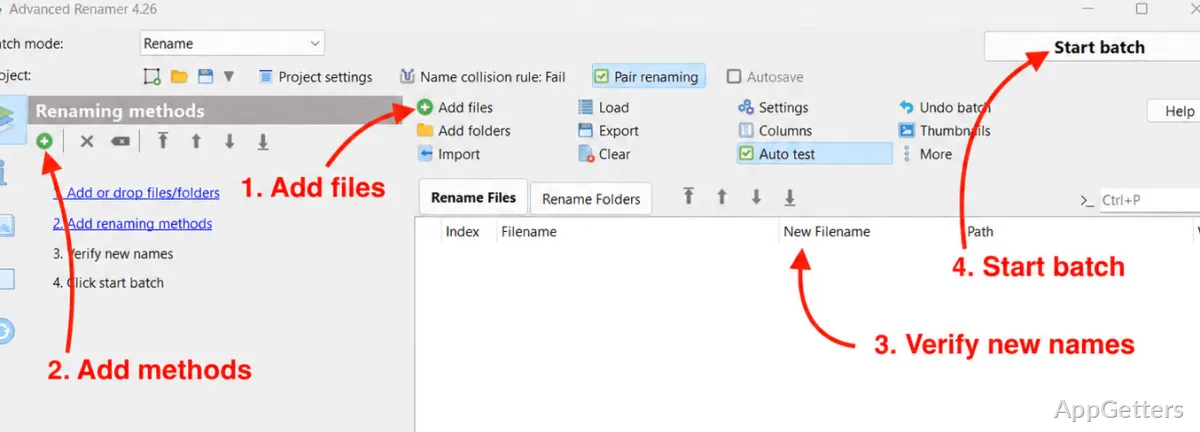
The most impressive thing about Advanced Renamer is that it separates the renaming process into several simple steps.
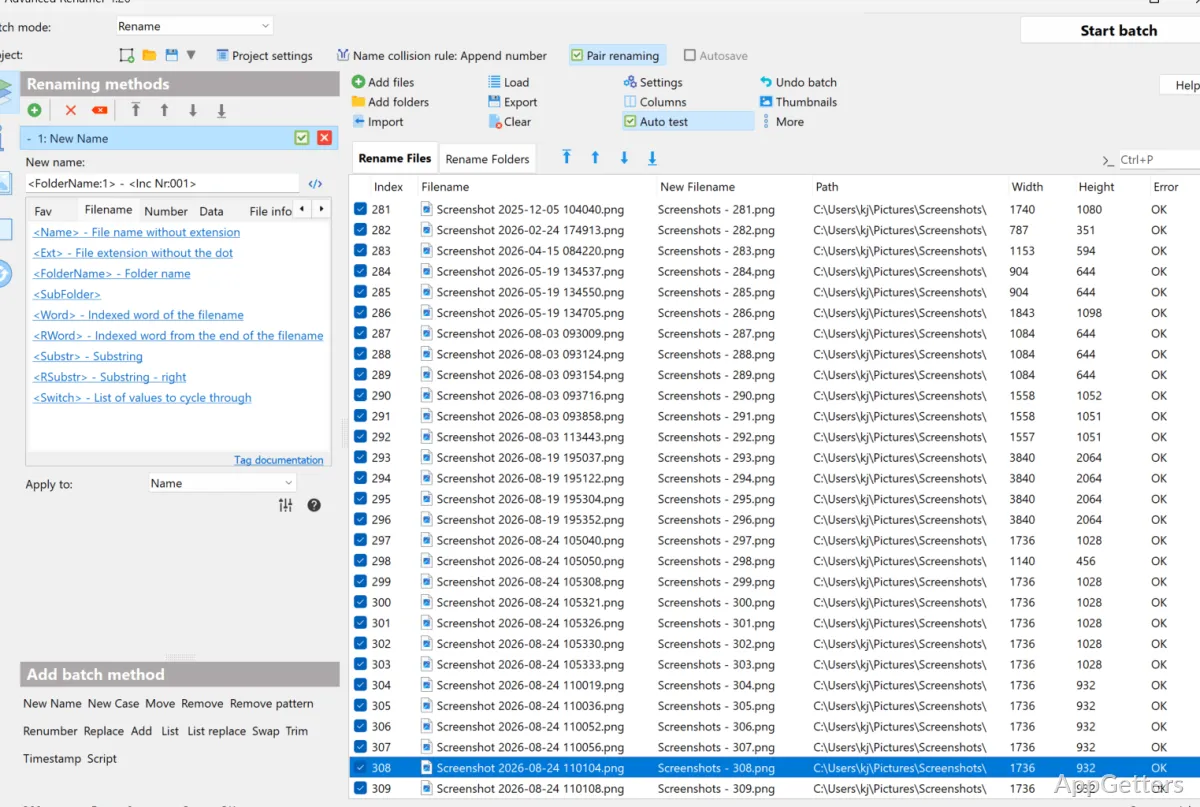
The user physically adds a group of files to a list to which he applies a few simple functions, e.g., adding text, replacing, or changing the format. Such a system-oriented approach makes one’s work less prone to errors.
Moreover, it has a “live preview” panel where you can see the new file names beforehand. This is its very strong point in actual usage. It is a tool that makes users comfortable in exploring new configurations because it is very safe in case of mistakes. This is especially true when you have hundreds of files. Less experienced users will like this feature due to the lower risk of mistakes, while pros will be assured of reproducing naming patterns faithfully.
Also, the interface will seem complex to you initially, but you will quickly become acclimated.
Advantages of Advanced Renamer in Daily Tasks
Advanced Renamer is a very efficient assistant for those who have projects or activities revolving around file management. Take, for example, the task of setting up your photo folder. This will be easier to do once you can rename photos by date and/or sequence. The same thing applies to tidying of the downloaded files, where you can standardize names quickly and comfortably.
What is really great is that you have the freedom to use (and combine) several methods for renaming files at a time. As if this were not enough, you can still keep the process of renaming very productive.
The time spent on actually doing the task will be minimal, if at all, after the establishment of a pattern. This is something that most will highly appreciate.
Trustworthiness and Some of the More Technical Features
First of all, Advanced Renamer does indeed deliver in terms of performance. You can trust it to process your file collections really fast. It also safeguards your renaming operations through the preview mechanism, which is shining even though it is quite small.
On the other hand, it is somewhat technical, more advanced software. The implementation of some functionalities, e.g., the use of advanced tags and combinations of rules. This will be a stumbling block for beginners without a tutorial.
All in all, it is basic and simple enough in its operations so that any newbie could pick it up quite fast. But the knowledge and experience in using more sophisticated features will require quite a lot of work.
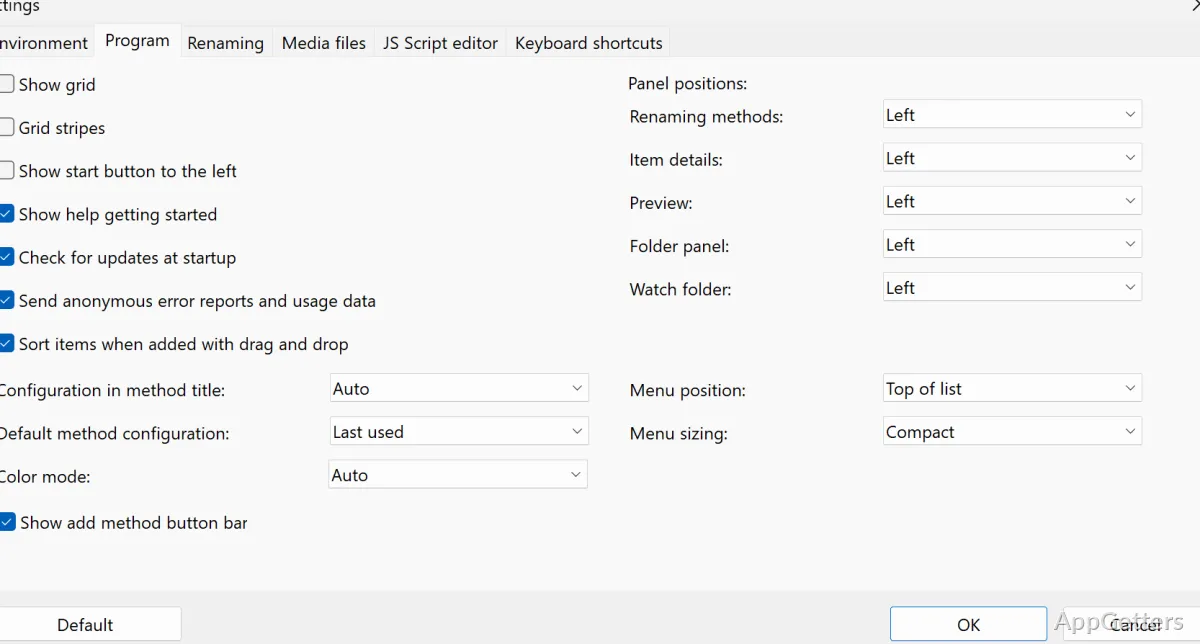
When it comes to interface design, it is made to be practical and highly capable first and foremost. Rather than to be trendy and slick. It does not sacrifice any features to improve the look or make it simple. Since, in fact, the simplicity of the UI comes at the cost of the potential power of the app. However, with prolonged use, you will, in fact, find it extremely practical.
Where and How Advanced Renamer Is Used
Advanced Renamer is perfect for a user who is not a one-time renamer, but rather, so to speak, a regular with rookie attempts. It is a great piece of software for the professional photographer who needs to organize images, students who keep coursework files, and professionals who are dealing with structured data.
If you are a casual user, the program may seem like an overinterpretation of the concept of a file renamer. But anyone who has had an experience of inconsistent filenames and/or repetitive renaming. Will also be in need of a tool of this sort. It is not meant to replace the native Windows experience completely. But rather to be a sort of third hand in situations that require exactness and efficiency.
The longer you use it, the better you realize that features are only a minor part of the value. As you rely on it for dependability. It can bring your file naming to a level of order that manual methods can hardly achieve. It can be considered a very important addition to your Windows workflow.