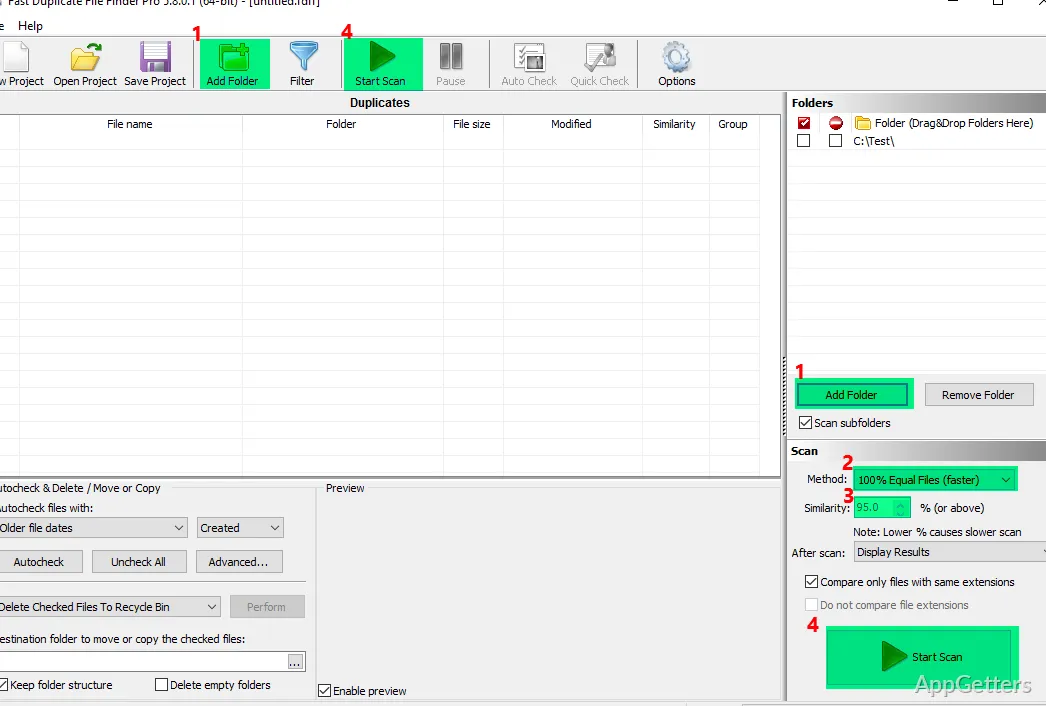
Folder selection lets you narrow a scan to chosen directories, such as your user folder, instead of searching the entire drive. Fast Duplicate File Finder from MindGems analyzes the selected locations to find duplicate files and gives you options for handling the matches.
How do you choose where to search?
Select the directories to include before starting the analysis. A focused search can cover a particular folder, while a broader selection can check more of the drive. Limiting the scan to a user folder also avoids searching unrelated system locations.
The scan examines files in the chosen directories for duplicates. This makes the folder selection part of the workflow: changing the selected locations changes which parts of the drive are included in the analysis.
What can you do with duplicate files?
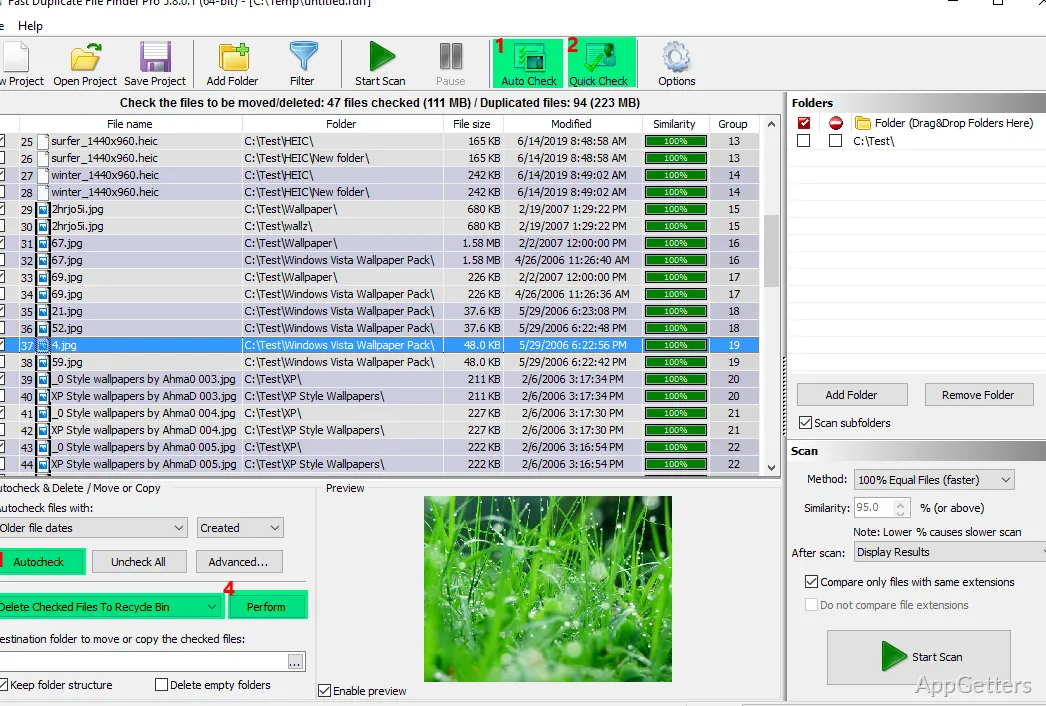
After the search, select the duplicate files you want to handle. Fast Duplicate File Finder offers two options: erase selected copies or move them to a temporary folder. Moving files keeps them accessible there if you need to recover one after the cleanup.
The choice applies to the selected duplicates, so you can decide which matches to remove and which to leave in place. The temporary-folder option provides a way to set files aside without erasing them immediately.
- Erase selected duplicate files.
- Move selected files to a temporary folder.
Can you repeat the same search later?
Save a search as a project to return to that analysis later. This is suited to recurring checks of the same selected locations: open the saved project and perform the analysis again instead of setting up the search from scratch.
A saved project preserves the search for later use; it does not remove files by itself. Duplicate selection and the choice to erase or move files remain part of handling the results.
Pros
- Limit scans to specific directories
- Move selected duplicates to a temporary folder
- Save a scan as a project for later
System requirements: 32-bit and 64-bit
Can I search only one folder?
Yes. Choose a specific directory, such as your user folder, to limit the search.
Can I keep duplicates temporarily instead of erasing them?
Yes. Move selected duplicate files to a temporary folder, where they remain accessible.
Can I run the same search again later?
Yes. Save the search as a project and use it to repeat the analysis.