EXE
Home » Disc Files » GoodSync2Go for Windows
GoodSync2Go for Windows

GoodSync2Go for Windows

  • By Goodsync
  • Free
  • Version: 12.9.22.2
  • 75.4 MB
  • Security Report:

Preserving the same version of files at various locations is a frequent problem with Windows systems, especially when external drives come into play. Manual copying is what users often depend on; however, this can result in missing some updates. It can also result in even the latest ones being overwritten, and sometimes going back to the old backup. The problem becomes very obvious when one forgets to transfer the files between the home computer and the portable external drive. GoodSync2Go can be thought of as a tool that assists in this issue through providing a portable synchronization solution. It gets executed right from the USB drive, thus avoiding having to install the program on each and every system.

Portable synchronization without installation

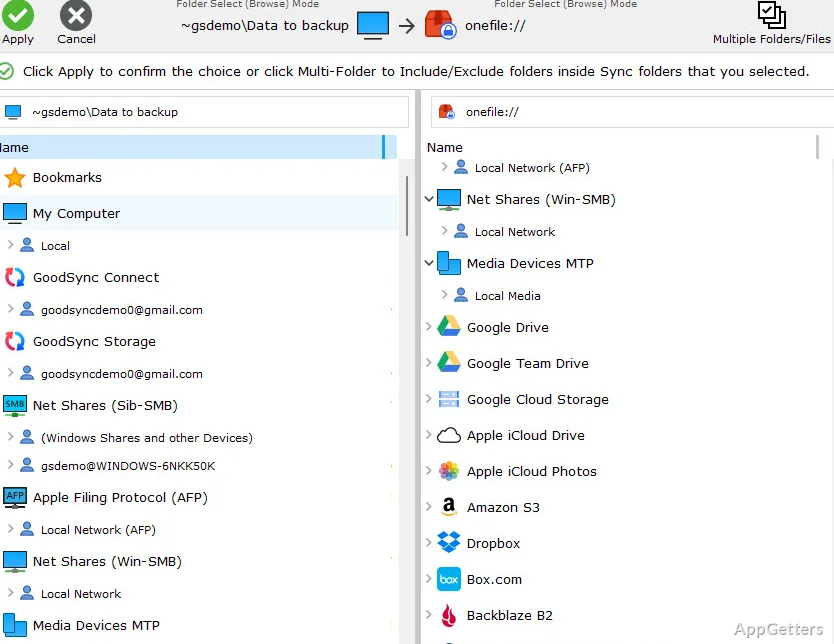
GoodSync2Go’s portability is a major feature that distinguishes it from other programs. It is not only the app, but also the synchronization settings that get stored and moved together on the removable drive. This feature enables users to switch from one Windows computer to another while they are continuing their work as usual.

This is actually a very nice and very down-to-earth feature. Say, the user inserts his/her USB flash drive, starts the program, and performs live synchronization between the computer and external storage without wasting any more time. All of a sudden, this user does not have to keep redoing the configuration ever again. The user also does not have to count on pre-installed software. File management in shared or public systems can become more controlled and less time-consuming. This is what the consistency induced by the tool will do for students or office workers who are constantly on the move.

Dependable sync solution for everyday workflows

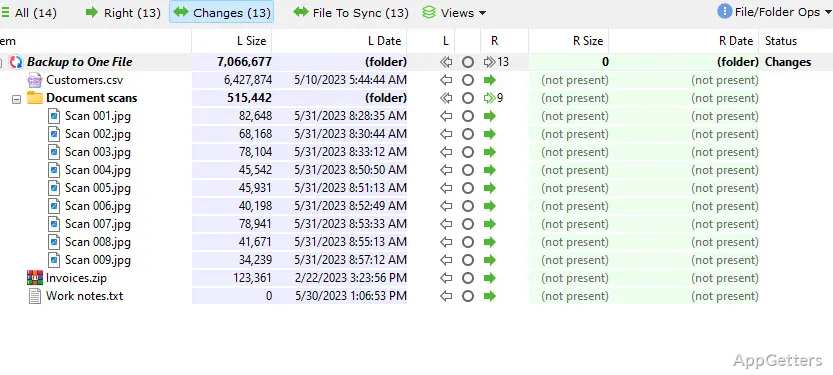
GoodSync2Go is intended for file synchronization and not for mere copying. It compares the files to the versions already present, figures out what has changed, and transfers the updated bits in the right direction. By the same token, it is capable of avoiding the usual conundrums, such as having the same files duplicated or accidentally overwriting them.

Actually, connecting to GoodSync2Go is like being at the controls of an airliner. You can decide when to take off or, in the case of a tool, when the changes get to be implemented. This really comes in handy when one works with project files that need to be updated. It also helps when one has backup copies kept at different places in mind. Apart from that, the program is skilled at fulfilling the requirements of different workflows. It can perform either one-way sync or two-way sync without leaving the user confused.

Performance and usability caveats

Nonetheless, using GoodSync2Go will be an uphill task for someone who has no idea at all as to what file synchronization is. In fact, even an intermediate user will find concepts like which way the data should be sent (direction), how to handle differences (conflict resolution), and creating sync jobs somewhat daunting. Not to mention that the interface, while doing its job, is not visually very attractive and hence less inviting to users.

When working with moderate-sized files, it can be said that the tool will be robust. Nevertheless, the duration of the transfer of large files is impacted adversely. This is due to the speed of the USB drive and the specifications of the computer employed. It is not strange at all with portable solutions, but it does call for setting one’s expectations accordingly. Here, the program intends to give priority to accuracy at the expense of speed. This is usually the trade-off one makes for defending data.

Trustworthy tool for portable file management

Devices like external USBs may be the main medium for carrying data. This is for users who also need to update files on different computers regularly. These users are the exact persons for whom GoodSync2Go is a perfect match. It emphasizes portability and consistency rather than automation or cloud integration.

Using this tool on a daily basis, one gets a smooth transition between places. It also helps keep work up to date with the latest files without downtime. It does not try to be a cloud storage or a full backup tool. Instead, GoodSync2Go focuses on the successful execution of the single task that it is designed for. Those who prefer control, accuracy, and flexibility are well served by this software. It avoids locking users into a fixed setup and offers strong portability and usefulness.

Software Details of GoodSync2Go 12.9.22.2

License
Free
Version
12.9.22.2
File Size
75.4 MB
Downloads
0
Languages
English English, Chinese, French, German, Italian, Japanese, Portuguese, Russian, Spanish
Category
Op. System
Windows
Developer
Last Updated
January 2, 2026

Version History

5 versions
12.9.22.2
Latest
75.4 MB
January 2, 2026
12.9.17.7
75.33 MB
November 20, 2025
12.9.3.3
71.65 MB
July 31, 2025
12.7.5
69.2 MB
September 9, 2024
12.7.4
69.13 MB
August 28, 2024

Leave a Comment

Your email address will not be published. Required fields are marked *

Software Icon
Security Report

Loading scan data...

Scroll to Top