Need to break a long PDF into parts or join several into one, without uploading them anywhere? Adolix Split and Merge PDF does both offline, splitting by a pattern you define. It can also add password protection or a watermark to generated PDFs, with document work kept offline.
How does the PDF splitting pattern work?
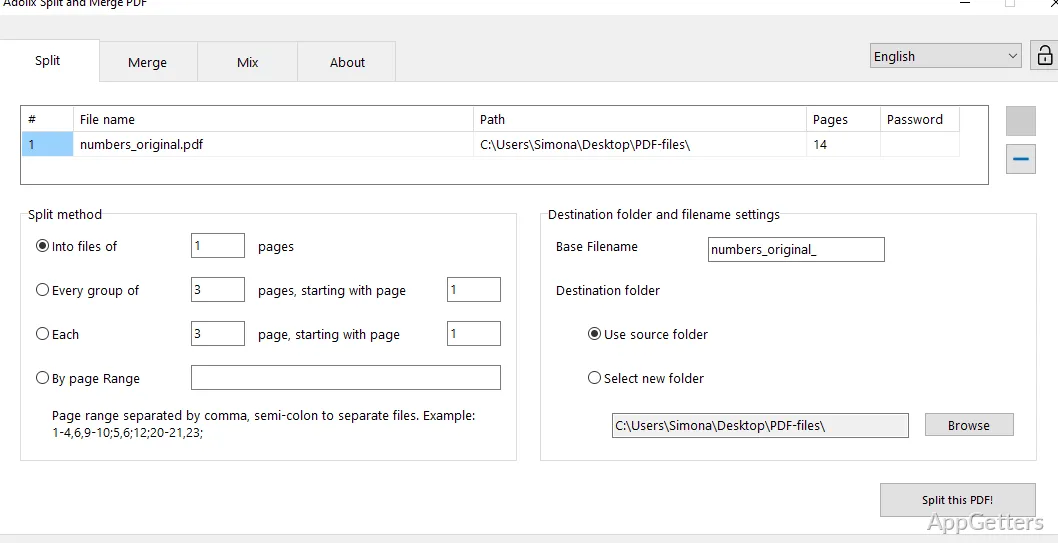
Choose a customized pattern to divide a source PDF into multiple files. This is suited to tasks such as separating a document into smaller parts; the pattern determines how the split is organized.
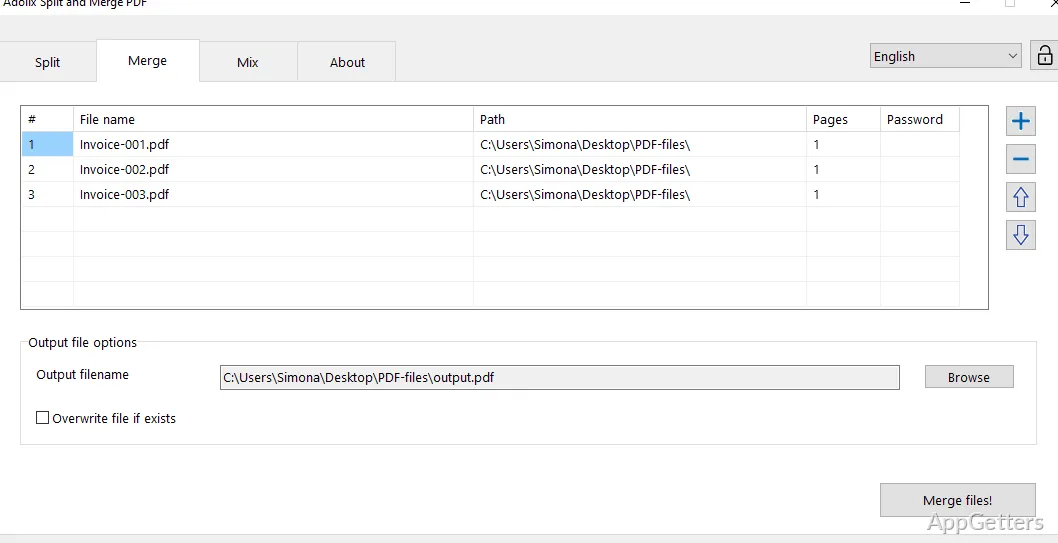
The program also combines PDFs into a single document. These two operations cover common structural changes to PDF files without requiring an online service.
Can split or merged PDFs be protected?
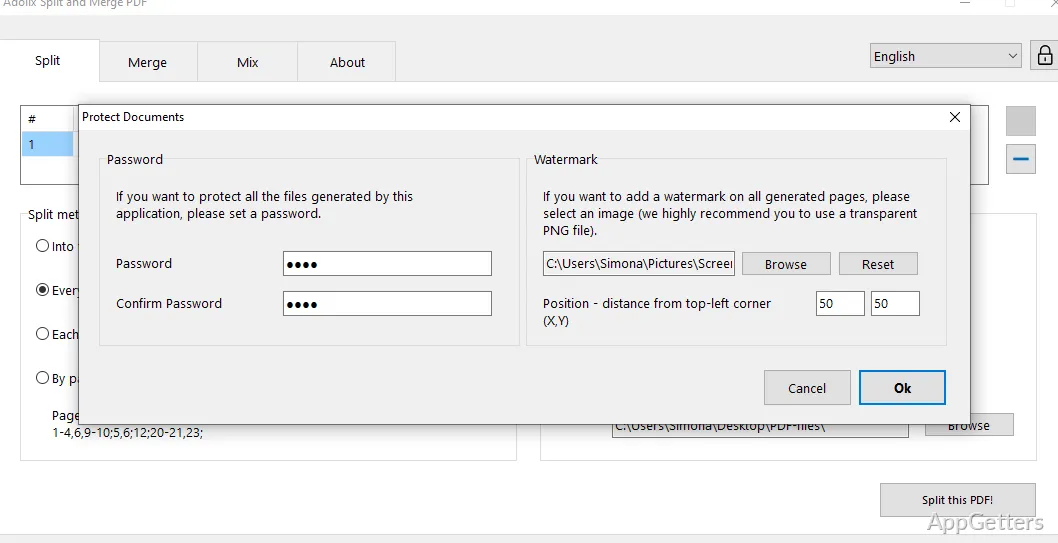
Yes. Adolix Split and Merge PDF can apply a password or watermark to generated PDF files. That means protection can be added as part of creating the output, whether the task is splitting a document or combining files.
- Use a password to restrict access to an output PDF.
- Add a watermark to mark generated documents.
Does it process documents online?
The PDF tasks are performed offline, so the documents can remain on the local computer instead of being sent to a web-based processing service.
Pros
- Splits PDFs into multiple files using a customized pattern
- Combines multiple PDF files into one document
- Can password-protect generated PDFs
- Can add watermarks to generated PDFs
System requirements: Windows 7, Windows 8, Windows 10, Windows 11
Can Adolix Split and Merge PDF split a PDF into several files?
Yes. You set the pattern, and it cuts the document into separate files accordingly.
Can it combine separate PDF files?
Yes. It merges PDF files into one document.
Can I add a password or watermark to the output?
Yes. Generated PDFs can be protected with a password or marked with a watermark.