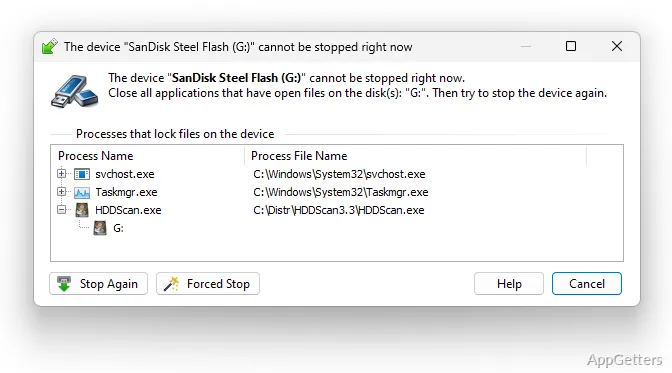
When Windows says a removable drive is still in use, USB Safely Remove can show which programs are blocking it and offer a way to stop them. The program puts connected-device controls in a tray menu, with shortcuts and naming options for handling multiple drives.
What is keeping a device busy?
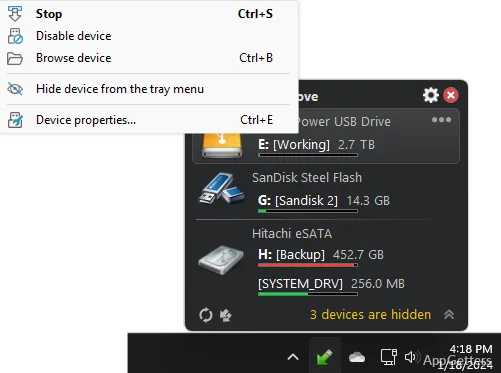
Hover over the tray icon to open a menu of connected devices. Choose a drive to attempt safe removal; if Windows cannot stop it, USB Safely Remove can show the programs preventing removal and let you stop them from the program.
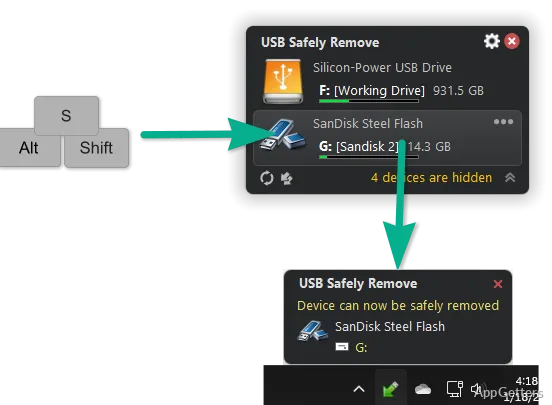
A keyboard shortcut opens the device menu, and the arrow keys let you select a device. Win+S is the default shortcut. The menu can also show the contents of a selected drive.
Device names and card readers
The menu can display device names supplied by manufacturers, making it easier to distinguish similar drives. You can assign custom names and icons, or hide devices that do not need to appear in the removal menu.
- Hide drive letters for empty card-reader slots.
- Eject an individual memory card while leaving the reader connected.
- Change a USB drive letter or volume label, or mount a device as a folder.
Connection and removal actions
USB Safely Remove handles hot-plug devices such as USB, SATA, FireWire, and PCMCIA hardware. After stopping a device that remains physically connected, you can reconnect it through the menu instead of unplugging it and inserting it again.
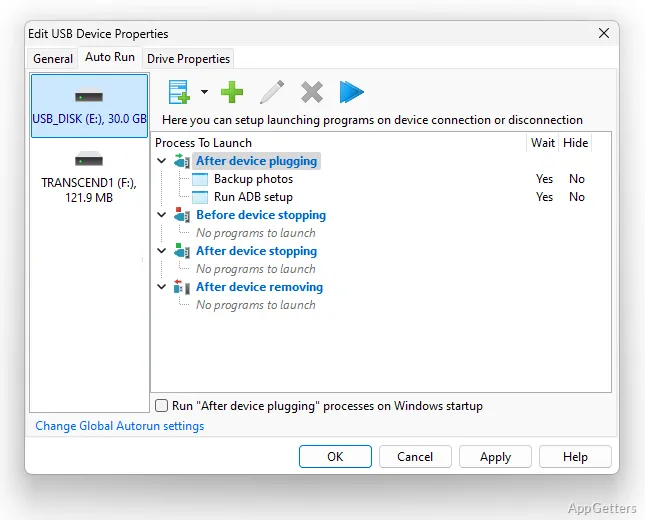
The program can launch selected applications when a device connects or before it is removed. For example, a pre-removal action can run a backup job. Command-line controls provide another way to automate device removal.
Pros
- Identifies processes that prevent a device from stopping
- Can reconnect a device after it has been stopped
- Hides empty card-reader drives
- Supports commands and programs triggered by device connections
Cons
- Some drives can still fail to stop when Windows reports a System lock
System requirements: Windows 7, Windows 8.1, Windows 10, Windows 11
Can USB Safely Remove show why a drive will not eject?
Yes. It can identify programs preventing removal and lets you stop them from its interface.
Can a stopped device be brought back without unplugging it?
Yes. Select the reconnect control for the stopped device in the program menu.
Can it hide empty card-reader slots?
Yes. It can hide the drive entries for card-reader slots that have no card inserted.