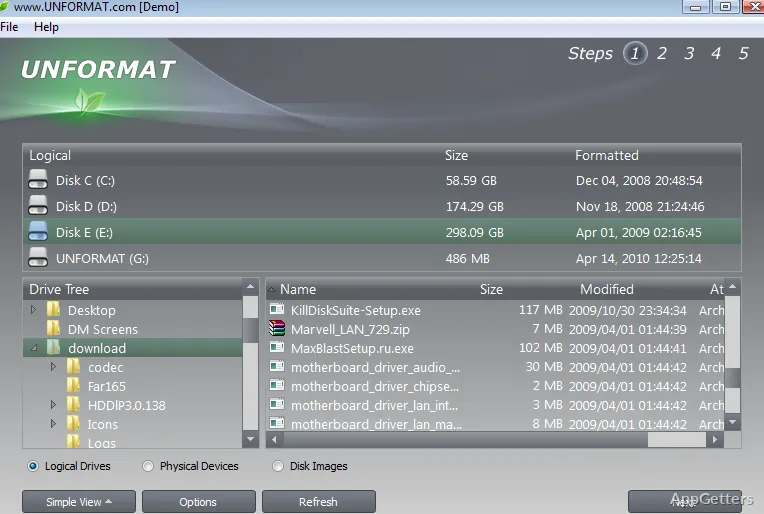
Formatted the wrong drive or camera card by mistake? Unformat searches it for files that can still be recovered. The program scans storage devices for lost data and can also look for deleted or damaged partitions.
Formatted-drive scan
Choose a device or logical drive for Unformat to scan. The advanced scan searches the selected storage and can find partitions, including volumes that have been deleted or damaged. Recovery targets include internal hard drives and SSDs, removable USB storage, and memory cards.
File-system support covers Microsoft NTFS, ReFS, FAT, and exFAT, as well as Apple HFS+ and APFS, Unix UFS, XFS, and JFS, and Linux Ext2, Ext3, Ext4, and BtrFS. This range suits recovery jobs involving disks formatted on different operating systems.
File and partition recovery
Unformat can search for deleted files on a disk and recover data after a format operation. Lost or corrupted partitions are covered too.
Recovery results depend on the storage device’s condition. If new data has overwritten the lost content, a scan cannot restore that replaced data.
Disk images and Boot Disk
The disk-image feature creates an image of a drive so recovery work can be attempted again without repeatedly scanning the original device. This is intended for cases where an initial recovery attempt does not retrieve the needed data.
For a computer that cannot start normally, Unformat includes a Boot Disk environment that starts from CD, DVD, or USB and provides access to local disks. It also includes TCP/IP network access. The boot media can be removed after the computer has started from it; booting requires suitable BIOS settings.
Pros
- Scans formatted HDDs, SSDs, USB disks, and memory cards
- Supports NTFS, ReFS, FAT, exFAT, and several other file systems
- Can locate partitions and create disk images for further recovery work
System requirements: Windows 7, Windows 8, Windows 8.1, Windows 10, Windows 11 · Pentium processor 300 MHz or higher · 128 MB RAM or more
What kinds of storage can Unformat scan?
It scans hard drives, SSDs, USB disks, and memory cards, including formatted storage and disks with deleted or damaged partitions.
Can Unformat recover files from a formatted memory card?
Yes. Memory cards are among the supported storage types, and the program can scan them for data lost after formatting.
What is the disk-image feature for?
It creates a drive image that can be scanned again for additional recovery attempts.