EXE
Home » Software » Windows » Utilities » TouchCopy for Windows
TouchCopy for Windows

TouchCopy for Windows

If you use a Windows computer, working with iPhone data often means you have to give up a lot of flexibility. Apple products and services are mostly targeted at macOS and iCloud users. This leaves Windows users with fewer tools that are easier to use. Copying the files or connecting to cloud solutions might be enough for very simple tasks. But they become inadequate pretty fast. This happens when one needs to have full access to the device content. Sometimes photos, music, contacts, and messages all become a problem to look at or transfer in a proper way.

TouchCopy is a Windows program that aims to close that gap. Thus, one does not always have to rely on cloud services or limited file access. Instead, TouchCopy lets the user see different types of data. It transfers them directly between an iPhone, iPad, or iPod. The transfer is done to a Windows PC. The main point is to allow users to better understand the content of their devices. At the same time, it makes the whole procedure fairly easy.

Access iPhone Data in a More Direct Way

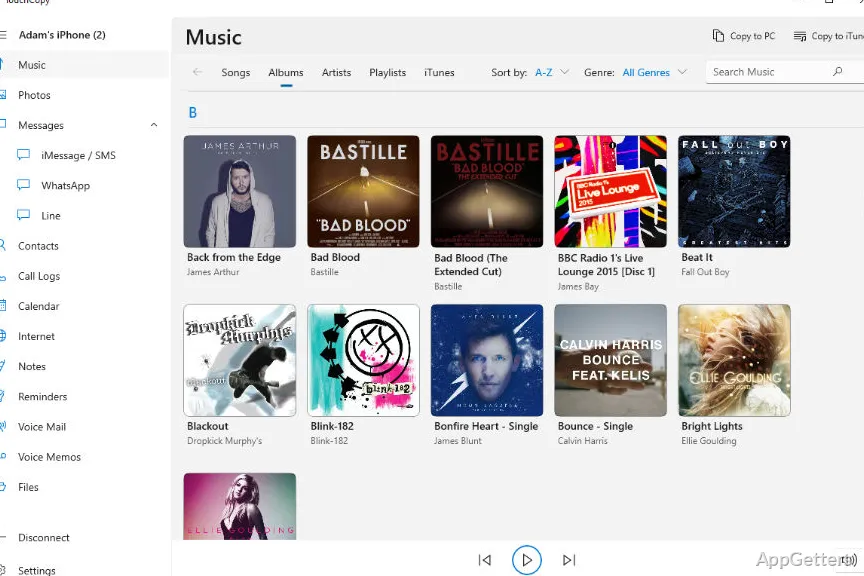
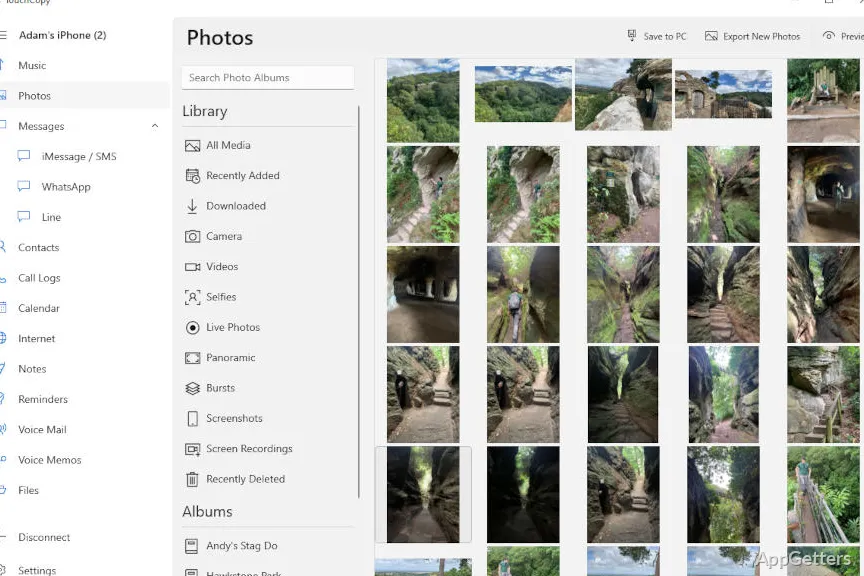
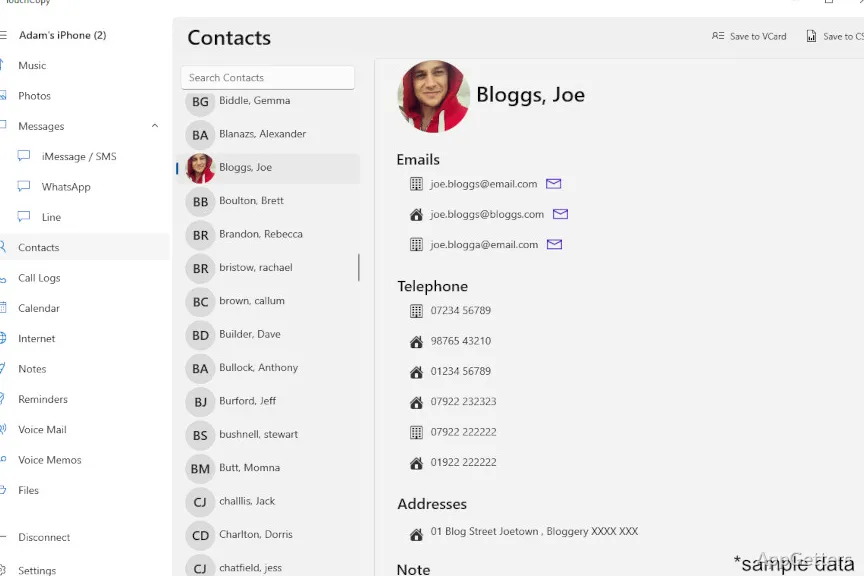
One very impressive feature of TouchCopy is how it can organize iPhone data. It is presented on a Windows computer in a neat way. Once a connection has been established, the application divides the contents into different categories. These include music, photos, messages, and contacts. This is a big step towards making it easier to search through the data. It avoids depending on multiple different apps or services.

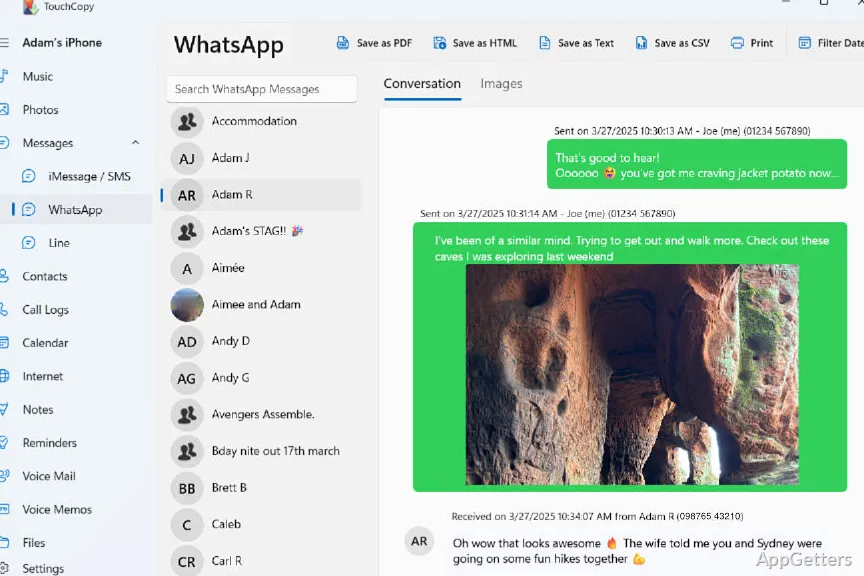
It will probably come as no surprise that, for a lot of people, the feature they use the most is transferring media and messages straight to the PC. Apart from being able to copy pictures into well-sorted folders, one can also move music files along with their metadata. The user may also decide to export SMS chats for backup or to hold a record of them. Having that type of direct access can be very handy. This is especially true if users prefer to keep a local copy of their vital information. They may prefer this rather than just uploading everything to the cloud.

Ready to Handle Selective Backup Jobs

Additionally, customer feedback indicates that TouchCopy is also a perfect fit for lightweight backup roles for certain kinds of data items. Instead of making a full backup of the device in the manner of iTunes or Finder, it gives users the freedom to hand-pick the data that they want. It might include message histories, call logs, contacts, or media files.

In the eyes of students, home users, as well as small offices, this particular backup approach will often be the most logical alternative to keeping full system backups. A person who simply wants to preserve conversations from long ago can do it with TouchCopy. One can also move photos from one phone to another storage medium. This can be done without being forced to go through a complicated backup process. The interface is all about being straightforward. Picking out the desired data and copying it to the computer is what the majority of the steps will involve.

Strengths and Pragmatic Constraints

In a more general sense, making use of TouchCopy on an everyday basis mainly means its feature to simplify access to iPhone data from Windows. It diminishes the restrictions imposed by the Apple ecosystem to some extent. It provides users with a file-like environment that they are probably more familiar with. Managing music libraries and/or keeping offline archives of personal data are good examples of cases where this can be a great help.

On the flip side, this software is, in general, more suited to the tasks of transfer and backup than full device management. It cannot be considered a substitute for Apple’s official tools. This is especially true in terms of system-level operations like device restoration or firmware updates. Also, some of the operations that might be considered advanced could require that the device be compatible. They may also require additional components installed, such as iTunes drivers.

Where TouchCopy Fits in a Windows Workflow

Most of the time, TouchCopy is the right tool for Windows users who desire to get more out of Apple device content. Therefore, instead of being solely dependent on connecting with the cloud, it makes it possible to watch and copy data directly. This is done between the devices and the PC.

People who frequently work with photos, store away messages, or curate personal media libraries will find that having such a program helpful. It can alleviate most of their daily routines. Whereas it does not try to be a replacement for Apple’s ecosystem, TouchCopy acts as a workable solution. It enables Windows users to have a more obvious means of accessing their iPhone data.

Software Details of TouchCopy 26.01.29

License
Trial
Version
26.01.29
File Size
125.05 MB
Downloads
0
Language
German
Category
Op. System
Windows
Last Updated
February 5, 2026

Version History

6 versions
26.01.29
Latest
125.05 MB
February 5, 2026
25.7.22.0
86.88 MB
August 25, 2025
24.11.20
92.05 MB
December 12, 2024
24.1.3.0
126.7 MB
February 26, 2024
23.03.09
125.15 MB
June 20, 2023
23.01.04
124.9 MB
February 3, 2023

Leave a Comment

Your email address will not be published. Required fields are marked *

Software Icon
Security Report

Loading scan data...

Scroll to Top