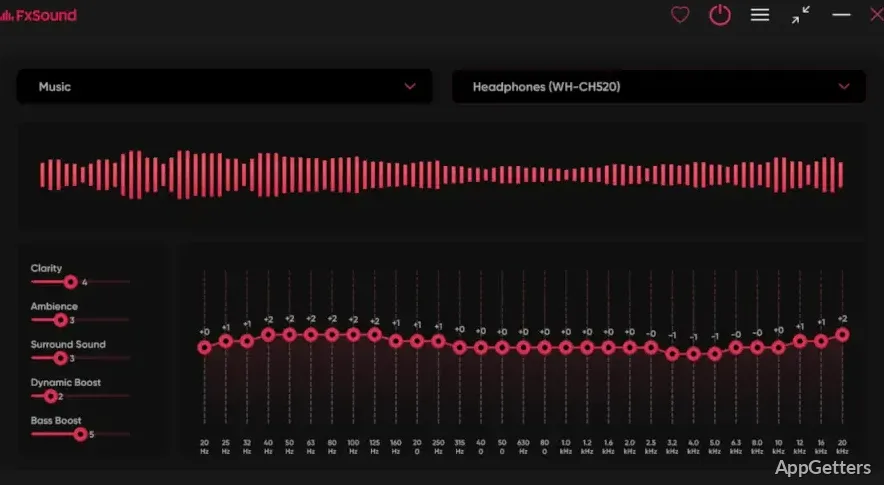
Laptop speakers sounding thin, or voices hard to make out in calls? The free FxSound processes all PC audio to add bass, clarify speech or apply your own EQ. Its equalizer, effects, and presets adjust sound across apps, including music players, video services, and calls.
Choose a preset for the audio
FxSound applies processing to sound from apps, so the selected sound profile can carry across activities such as listening to music, watching videos, playing games, and taking calls. Presets provide starting points for different listening situations; choosing one changes the way the audio is processed.
It changes the tone, loudness, stereo width and dynamic range of the sound.
Tune the equalizer and effects
Use the equalizer to shape frequency ranges, then adjust FxSound's effects to refine the sound. The Bass effect adds emphasis to low frequencies, while the other processing controls can change clarity and spatial character.
Volume control and audio routing provide additional ways to tailor playback to a particular device or listening setup. The degree of processing is adjustable, so a music profile can differ from the one used for dialogue or games.
- Start with a preset, then adjust EQ and effects to suit the content.
- Use the Bass effect when more low-end presence is wanted.
Set up sound for speech and games
For calls, dialogue, or transcription, FxSound's processing can emphasize the frequency range associated with voices.
Game audio combines dialogue, effects, and environmental cues. Presets and EQ let players shape those elements through their existing speakers or headphones, while effects can alter the sense of space.
Pros
- Presets and an equalizer offer different ways to shape sound
- Bass effect adjusts depth in low frequencies
- Volume control and audio routing support per-setup tuning
System requirements: ARM64 and x64
Does FxSound work with audio from different apps?
Yes. FxSound processes PC audio across apps, including music, video, games, and calls.
How can I add more bass?
Use the Bass effect or adjust the equalizer to emphasize low frequencies.
Can FxSound change how voices sound?
Yes. Its processing can emphasize voice-related frequencies, which can make speech clearer.