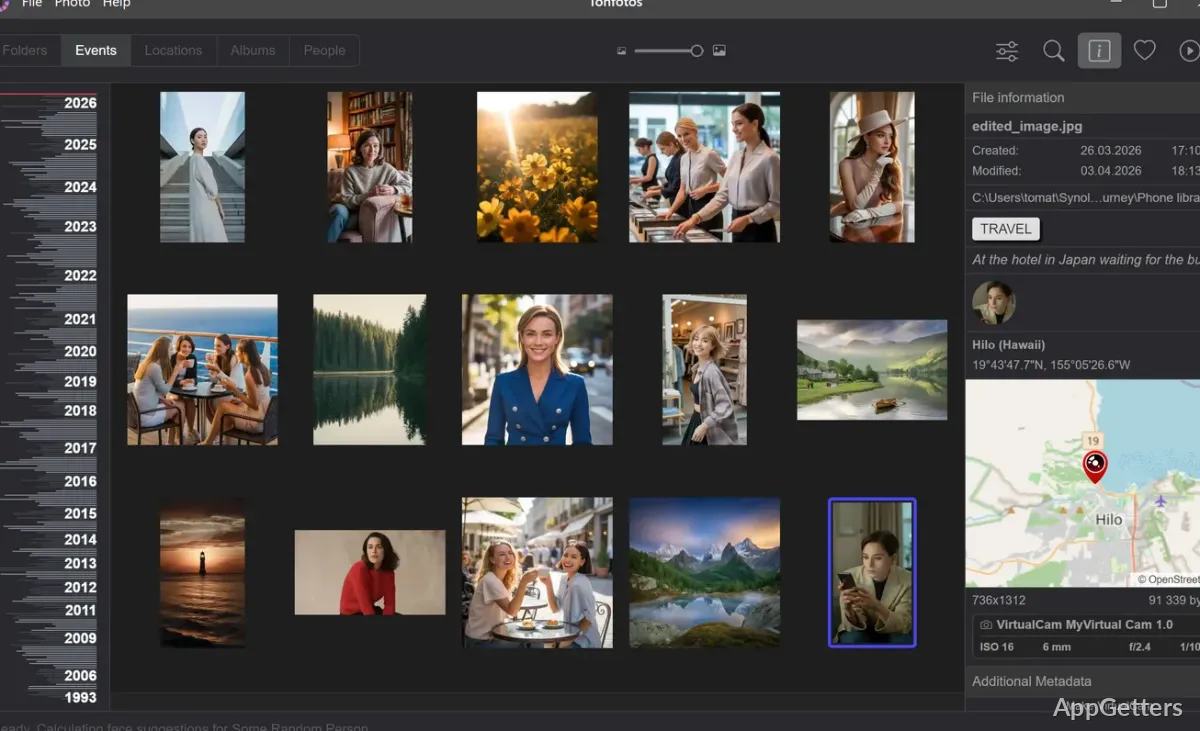
Decades of family photos spread over a PC, a NAS and old drives? Tonfotos organizes the whole archive in one place. Browse the collection by people, dates, events, tags, or shooting locations, then open images or assemble albums without changing their storage folders.
People and family connections
Face recognition groups photos by the people shown in them. After identifying someone in a photo, Tonfotos can find other images of that person, including pictures where their face is partly visible or they appear at a different age.
Add details to a person’s card and connect relatives, friends, and other contacts. The family tree displays those relationships and lets you move between people while exploring the archive.
Timeline, map, and search
Browse images and videos by date, or search with people, events, tags, and shooting locations. The timeline gives older photos a date-based path through the archive, while an interactive map groups images that contain location data.
Tonfotos can index files held in different places, including a computer, network-attached storage, and removable drives. Its offline mode keeps the archive searchable when an external drive or shared folder is disconnected.
Albums, duplicates, and formats
Create albums and mark favorites without relocating the original files. Duplicate detection can identify repeated images in the collection, and photo conversion includes options for JPEG and other formats.
The library supports video alongside still images, including RAW and HEIC files. Full-screen viewing is available from File Explorer when Tonfotos is set as the default image viewer.
Phone imports and slideshows
TonfotosSync for iOS and Android can send new phone photos straight to your PC or NAS archive. Pair the mobile app with Tonfotos using a QR code to set up the transfer.
A slideshow presents selected memories as an animated sequence. Tonfotos also includes a Telegram connector for downloading photos and videos shared with you there.
Pros
- Groups photos by recognized faces and links people through family relationships
- Maps geo-tagged photos by location
- Indexes RAW and HEIC images, as well as videos
- Albums and favorites leave files in their existing folders
System requirements: Windows 10, Windows 11 · 64-bit only
Can Tonfotos find photos of a particular person?
Yes. Face recognition groups images by person, and identifying someone in existing photos helps Tonfotos find other images of them.
Can Tonfotos organize files without moving them?
Yes. Albums and favorites group photos while leaving them in their existing storage locations.
How can new phone photos reach a Tonfotos archive?
Use the TonfotosSync app for iOS or Android and pair it with Tonfotos using a QR code.