Most people use their ears to enjoy music or any kind of audio. However, really knowing what is inside a sound recording is a completely different skill. In fact, musicians, students, and scholars require very detailed information. This information concerns the timing, pitch, and frequency of sounds. Ordinary media players cannot reveal this information. Analytical audio tools actually help here.
Sonic Visualiser answers the needs of users who need detailed hearing. Unlike a normal music player, it serves to visually aid users in thoroughly inspecting their audio recording. Through the application, the user can “open” the track. They can then see the patterns of sound. These patterns are barely noticeable by ear alone. The capacity to display the audio information visually can indeed turn what is “abstract” in the eyes of a person into something comprehensible. It is a great help to those studying the structure of sound, musical performance, or speech records.
Audio Visual Analysis at the Core
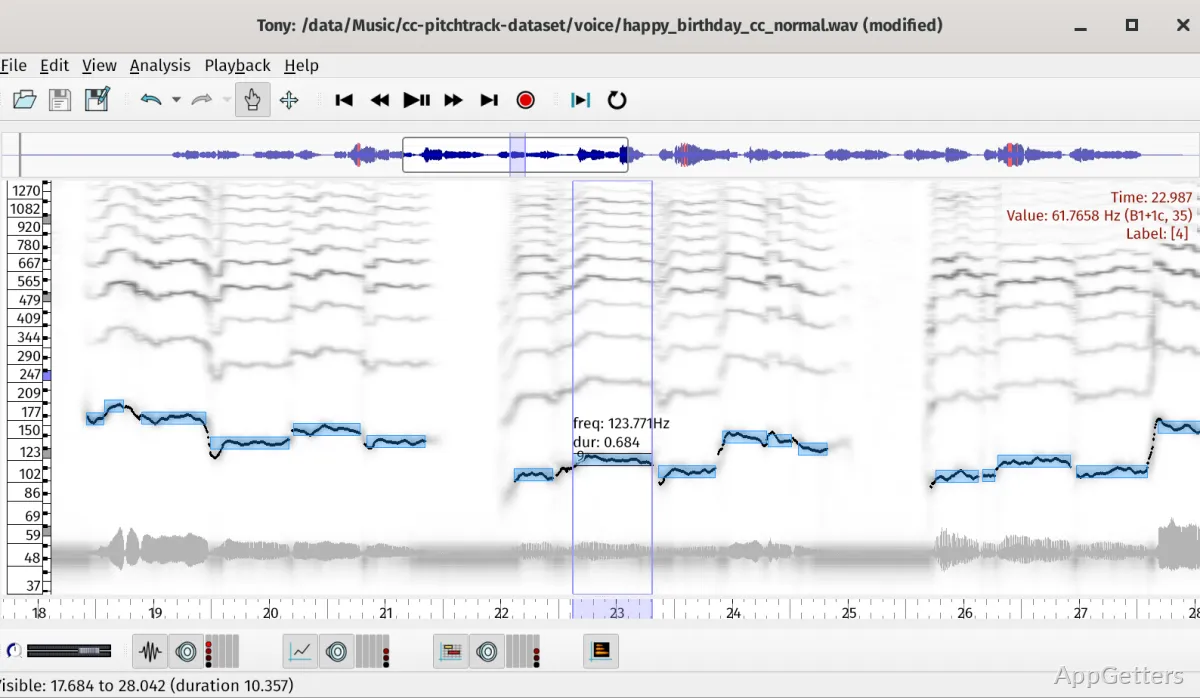
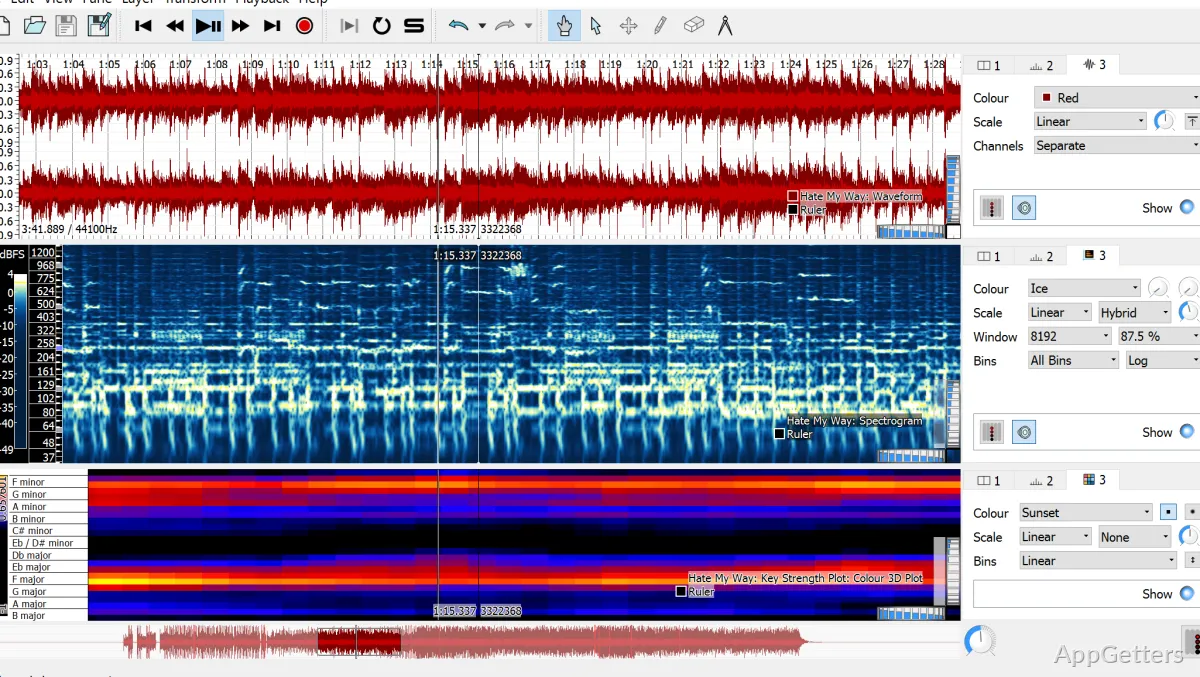
After a user installs Sonic Visualiser on Windows, it opens a work area. This work area graphically represents the audio timeline at the center of the interface. At any time, users can load a record. They can then move to different visual methods of looking at the record with one click. These displaying modes will, among other things, show waveforms and spectrograms. They also show other visual modes that expose different aspects of the sound.
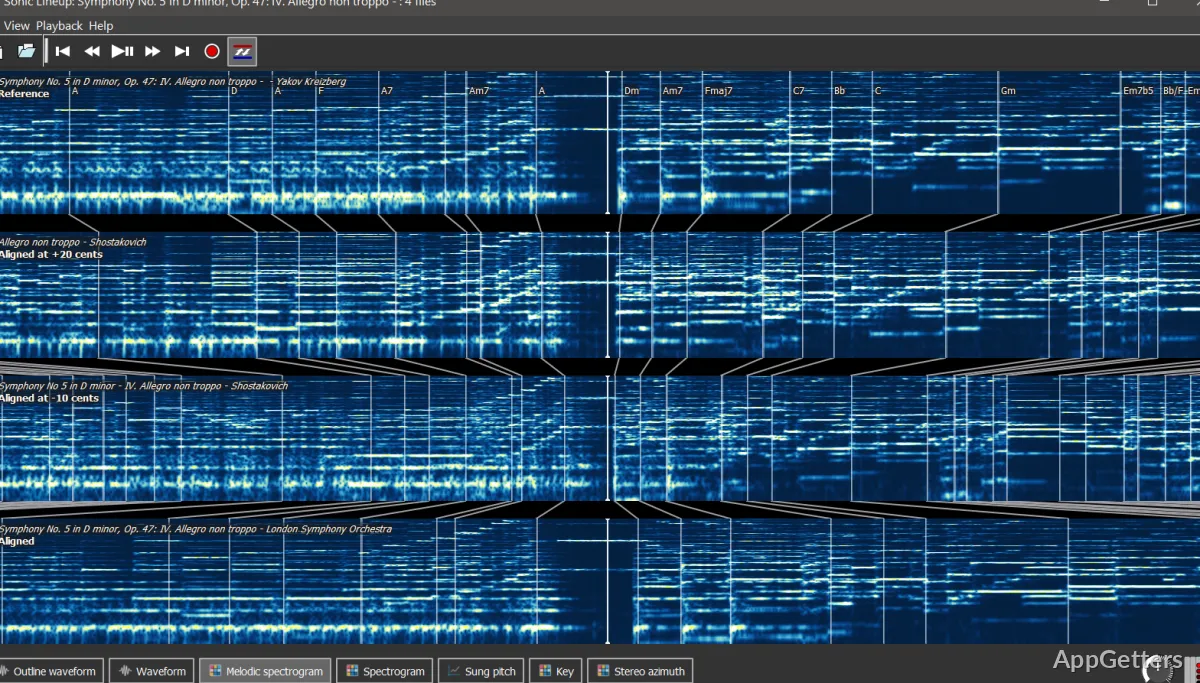
One thing that highly distinguishes this program is the analysis layout. Another is how much it can be “played with.” To facilitate users in doing a timing and frequency comparison visually, several views can be placed side by side. They can also be stacked to show an exact timeline in a recording. As a result, it is a piece of cake to examine the changes of rhythm, the voice, or an instrument in a multi-layered recording.
Though it is made for reviewing and interpreting data quite thoroughly, the user interface of this program is still relatively easy to grasp. Most of the features are lined up in menus with understandable names. The essentials, such as zooming or creating loops of passages, become natural. This happens after a short period of time using the software.
Beyond simple playing
Those who want music to be more than background and simple entertainment will probably be Sonic Visualiser’s best customers. This program is also greatly appreciated by music students. They wish to examine a musician’s timing and pitch during a performance in a recording. Those who do speech or environmental sound research regularly highlight the marking and annotating feature. This feature comes in very handy.
The attachment and notation facility is another useful feature. Users are able to add tags or write comments on the timeline itself. This allows for easy retrieval of detailed thoughts about a particular piece of music. This is especially instrumental in academic work. It is also helpful when one has to go over very lengthy recordings.
Nevertheless, almost anyone who expects a DAW at the level of mixing and production will soon find themselves disappointed. The app was not made with such features. Rather, pure observation and analysis stand out.
Software limitation areas
Sonic Visualiser, being an analysis-focused tool, might feel pretty unfamiliar to those audio geeks who are used to regular audio software. Moreover, for totally green users, encountering spectrograms or frequency-based displays could be a bit scary.
Another factor that matters is the performance of the computer, notably when handling big audio files. Note that playback and navigation can become rather sluggish on an old machine. This can happen even without the multi-layer visual display feature running. This is quite understandable, as any software with analytical purposes will put a strain on the system.
However, with the knowledge of how this bunch of visualization layers works, the user will change their initial impressions. They will see the software as a handy instrument rather than a horrific one. Much of the time in practice would be spent zooming in on the exact part. It would also be spent on the visualization comparison of the same sound in several forms.
Students, Researchers, and Hobbyists Will Find Sonic Visualiser Most Useful
Sonic Visualiser is a brilliant complement to certain types of situations. In these situations, thorough listening and detailed checking make a difference. Students engaged in the study of music technology or sound acoustics are going to derive great benefits from it. This program, in addition, can be the go-to tool for amateur users. They simply wish to learn more about how recordings are composed.
One of the main differences between the two is the fact that one may be a source of pleasure and joy. The other, instead, focuses on providing you with knowledge. Transcribing sound into a form of visual information gives you the means to examine the study of recordings. You would not be able to do this with standard media players. For anyone who wants to dissect audio very precisely and not just stream it, Sonic Visualiser is the perfect and trustworthy companion. It serves well for such a task.