Did a deleted file disappear after a format or partition problem? R-Studio scans drives for recoverable data, with tools for RAID reconstruction, file previews, and disk images.
How does R-Studio find lost files?
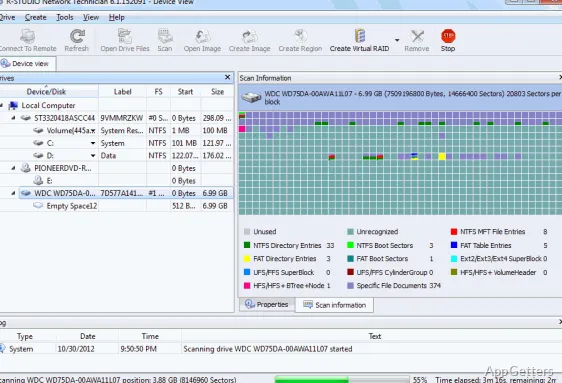
R-Studio analyzes a drive’s file-system information and can also search raw data for recognizable file types. Raw search includes built-in file signatures and user-defined types, which can help locate files when directory records are missing or damaged.
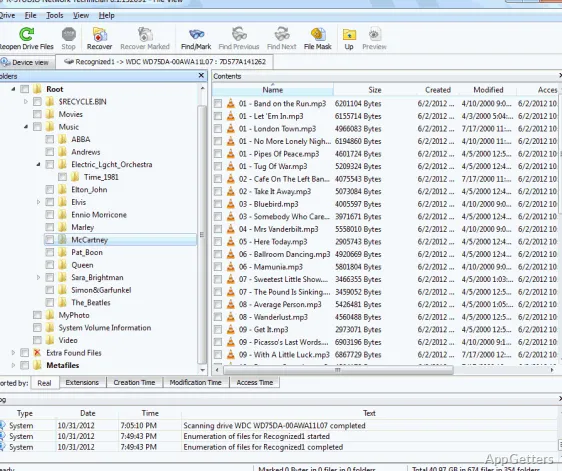
After scanning, browse the results and preview supported files to inspect their contents before recovery. The built-in hex editor provides a lower-level view of disk data for closer examination.
Can R-Studio recover data from RAID or damaged partitions?
The program can reconstruct RAID layouts and analyze common partition schemes. It can also search drives that were formatted, repartitioned, or damaged, and process sectors marked as bad.
- Supports recovery through a local network or the internet.
- Can create disk images and scan the image instead of repeatedly reading the original drive.
- Recognizes Windows, Mac, Linux, and Unix file systems, including NTFS, FAT, exFAT, HFS+, APFS, UFS, and Ext2/3/4.
What is a safe recovery workflow?
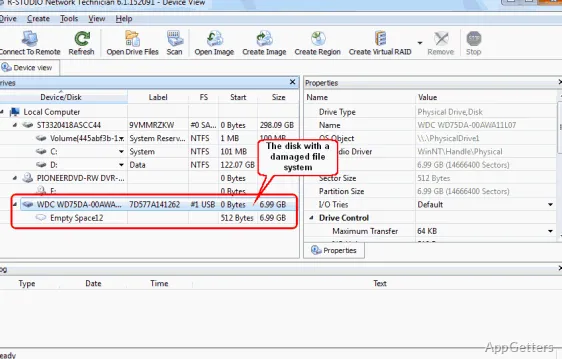
Select the drive in R-Studio and scan it, then inspect the results and choose the files to recover. When a drive may be failing, create an image and run recovery against that copy. Save recovered files and images to a different storage device; writing them to the source drive can overwrite data that has not yet been recovered.
Pros
- RAID reconstruction can work with damaged array components
- Raw search finds known file types and supports custom signatures
- Disk images let recovery work from a copy of a drive
- File previews and a hex editor support closer inspection
Can R-Studio search for files when a partition is damaged?
Yes. It can analyze damaged or formatted partitions and search raw disk data for known or user-defined file types.
Does R-Studio support RAID recovery?
Yes. It includes RAID reconstruction and can analyze array components, including components with damaged metadata.
Can I inspect files before recovering them?
Yes. R-Studio includes a file viewer for previews, along with a hex editor for examining disk data.