Want to know whether Windows is parking CPU cores or limiting processor speed during a workload? Quick CPU brings live processor monitoring and power controls into one dashboard, with settings for tuning how the CPU responds.
What can Quick CPU show in real time?
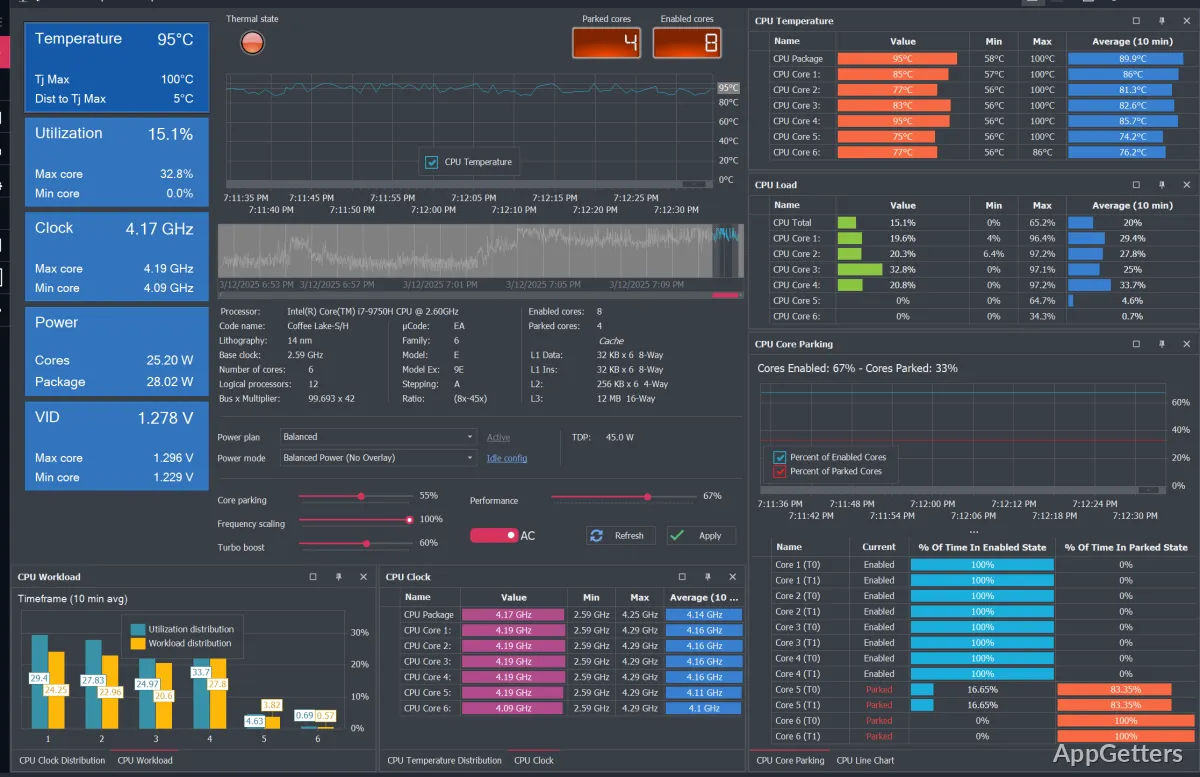
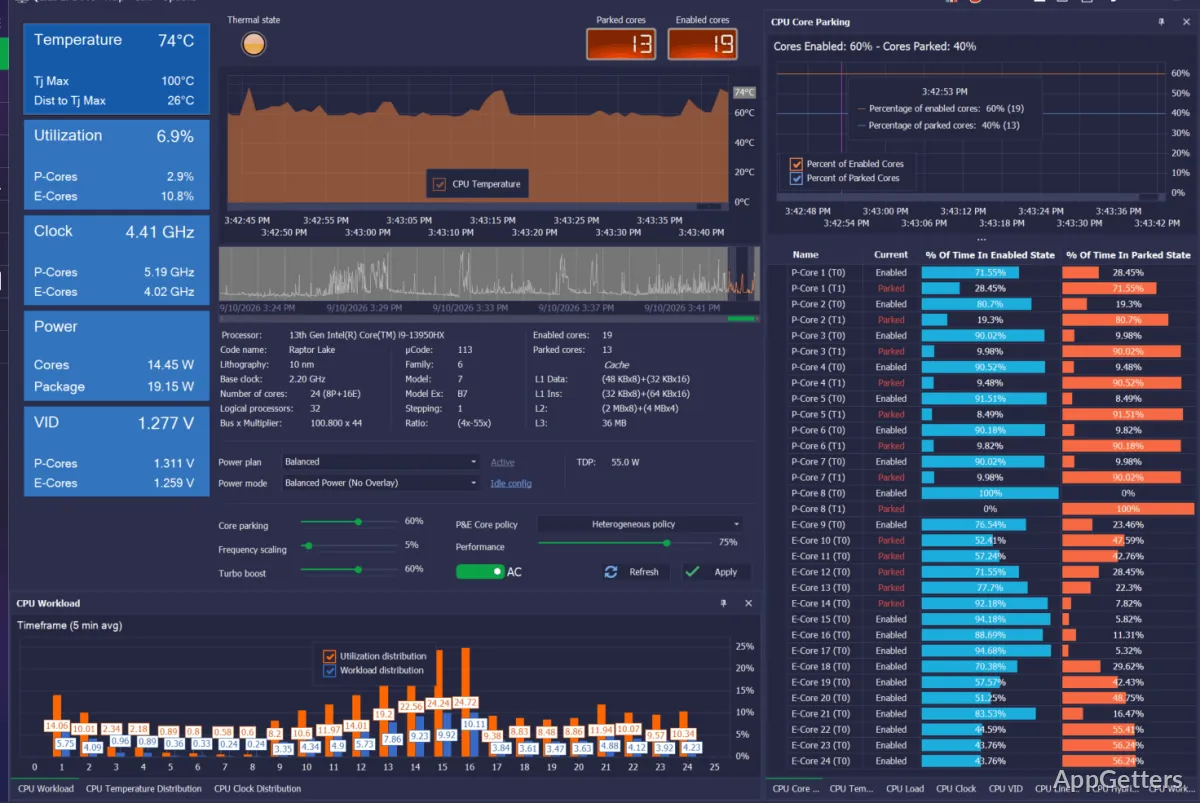
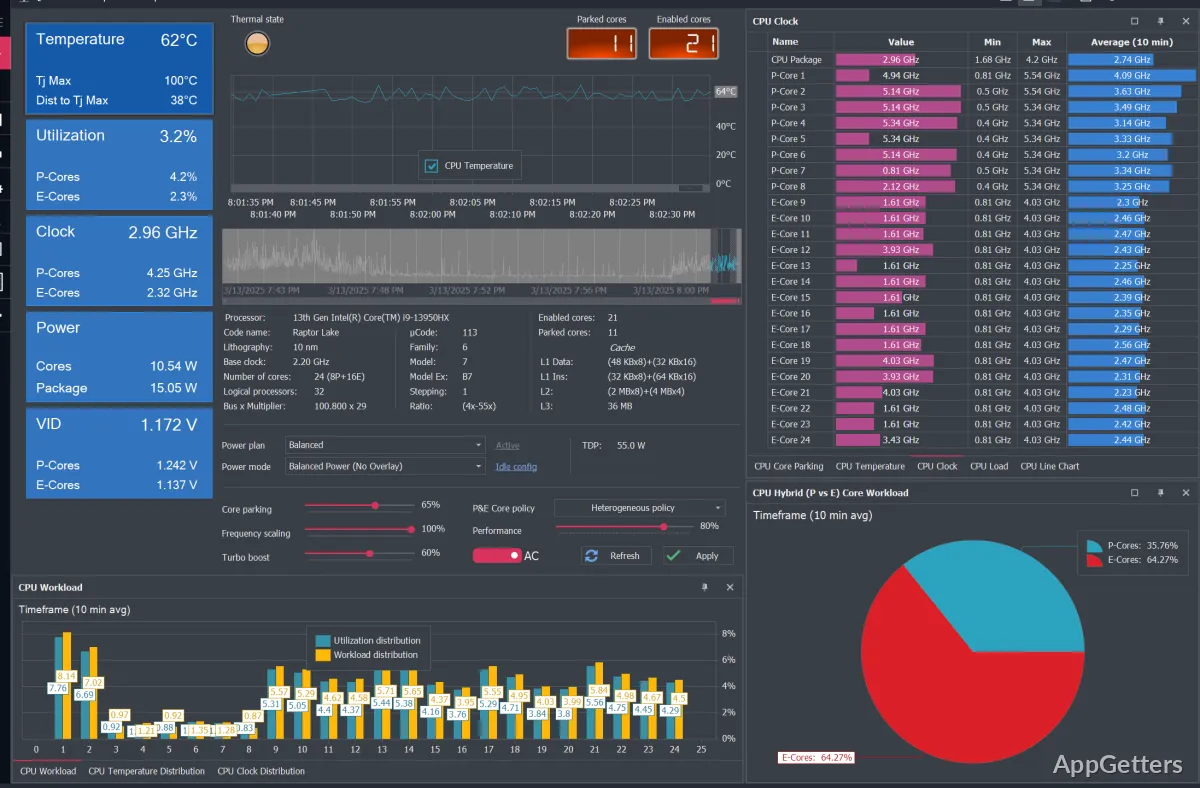
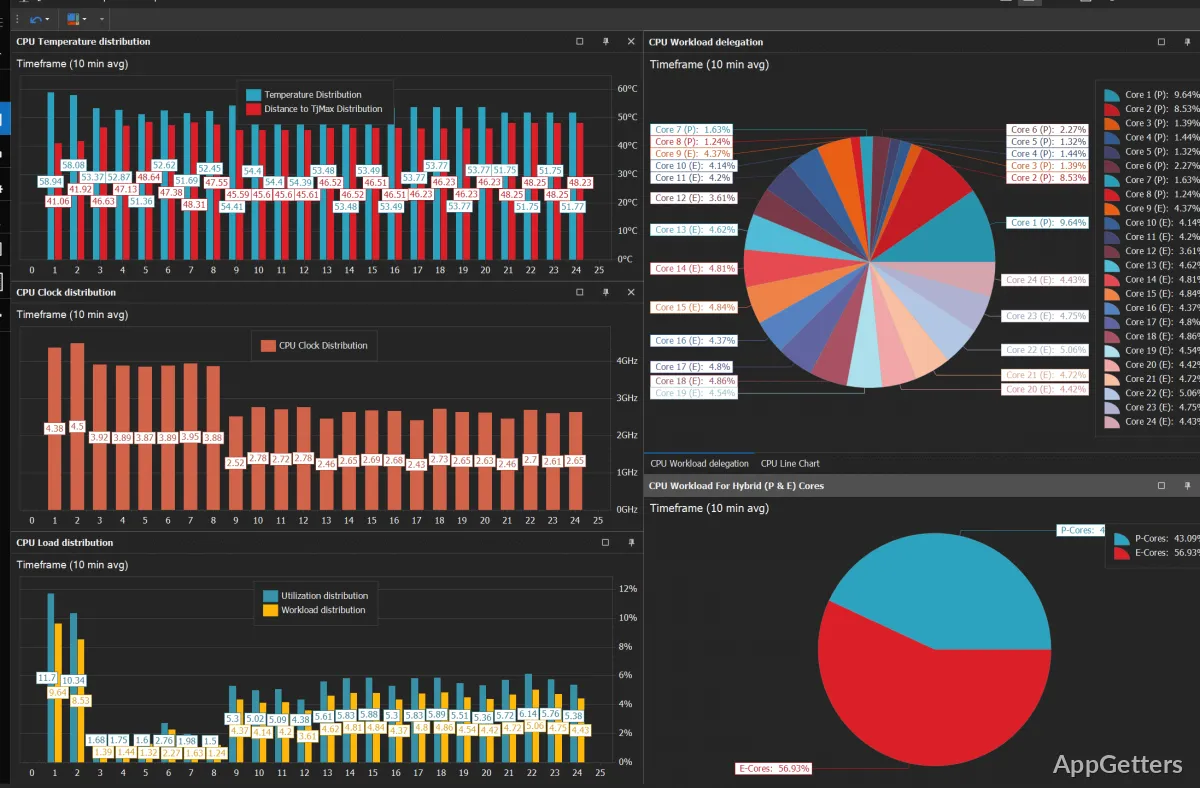
The dashboard tracks processor temperature, voltage, frequency, power, and core usage. Charts show how frequency and thermal load change across CPU cores, while core-state information makes it easier to spot parking or scaling behavior as work changes.
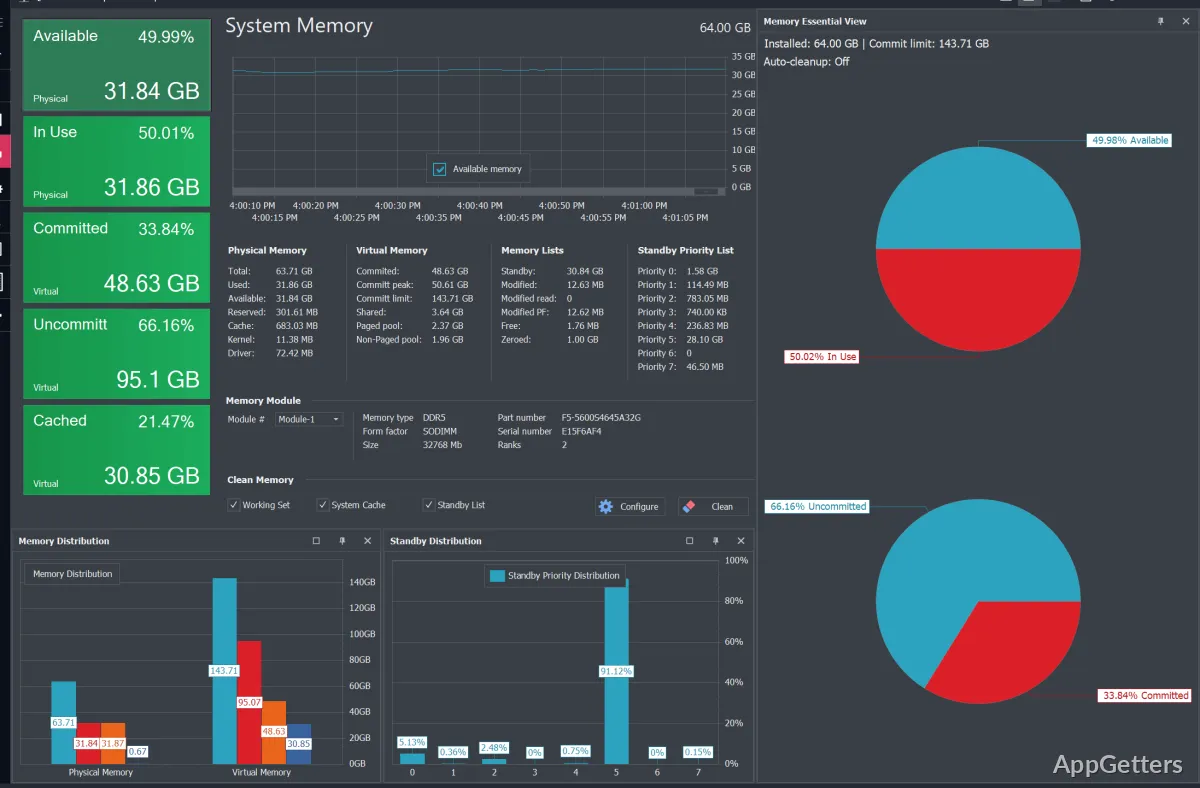
Quick CPU also offers system-tray monitoring for CPU, memory, and GPU activity. Display and interaction options can be customized, and dashboard graphs and light or dark appearance settings can be tailored to the way you monitor a machine.
Power controls and plans
Core parking controls determine how Windows parks processor cores as demand changes. Frequency scaling and performance settings let you adjust how the CPU balances responsiveness and energy use. Changes can be applied while the system is running.
Power-plan tools can create, activate, clone, and export plans. The controls include Windows performance hints and power modes, along with CPU performance states and power limits. On Intel hybrid processors, scheduling policies can prioritize or restrict Performance-cores and Efficiency-cores.
- Configure Intel Turbo Boost or AMD Precision Boost policies.
- Use Intel-specific controls such as FIVR, Speed Shift, and turbo power limits.
CPU stability testing
The stress-test module applies a controlled CPU workload to examine system stability, cooling behavior, and performance under load. Select which cores or threads receive load, then observe temperature and processor behavior during the test.
How do you restore changed settings?
If a tuning change causes unwanted behavior, Quick CPU provides options to restore CPU settings or power plans to defaults, and to return to a previous backup. Online documentation and in-app tooltips explain the available controls.
Pros
- Live charts show temperature, frequency, power, and core activity
- Adjust core parking and frequency-scaling preferences
- Create, clone, activate, and export Windows power plans
- Run CPU load tests on selected cores or threads
Cons
- FIVR and Speed Shift controls work only on Intel CPUs
System requirements: Windows 10, Windows 11 · 64-bit only · .NET Framework 4.7.2 or later
Can Quick CPU control core parking?
Yes. Its core parking controls adjust how Windows parks CPU cores as system load changes.
Can a stress test target specific CPU cores?
Yes. The testing module lets you select individual cores or threads for CPU load.
Does Quick CPU include power-plan management?
Yes. It can create, activate, clone, and export Windows power plans.