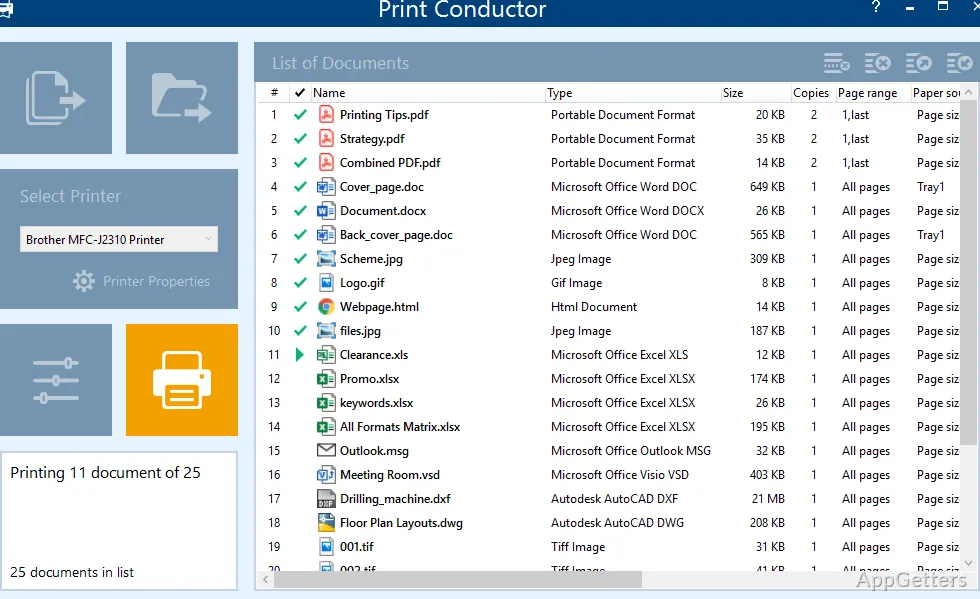
The document list is where Print Conductor gathers files for a batch print job. Add PDFs, office documents, images, drawings, or other supported files, choose a printer, and send the list to print without opening each file separately.
Print mixed-format files from one document list
Print Conductor accepts common formats such as PDF, DOC and DOCX, XLS and XLSX, PPT and PPTX, TXT, RTF, JPG, PNG, and TIFF. It also handles specialized files including AutoCAD DWG and DXF drawings, Visio files, and ZPL label files. The list can contain different file types in the same job.
Add files by dragging them into the list, using the file dialog, or selecting files from folders and subfolders. The program can also print documents stored in ZIP, RAR, or 7ZIP archives. Sort the queue by name or type, arrange files in a chosen order, or remove items that should not be included.
Choose print settings for each file or the entire batch
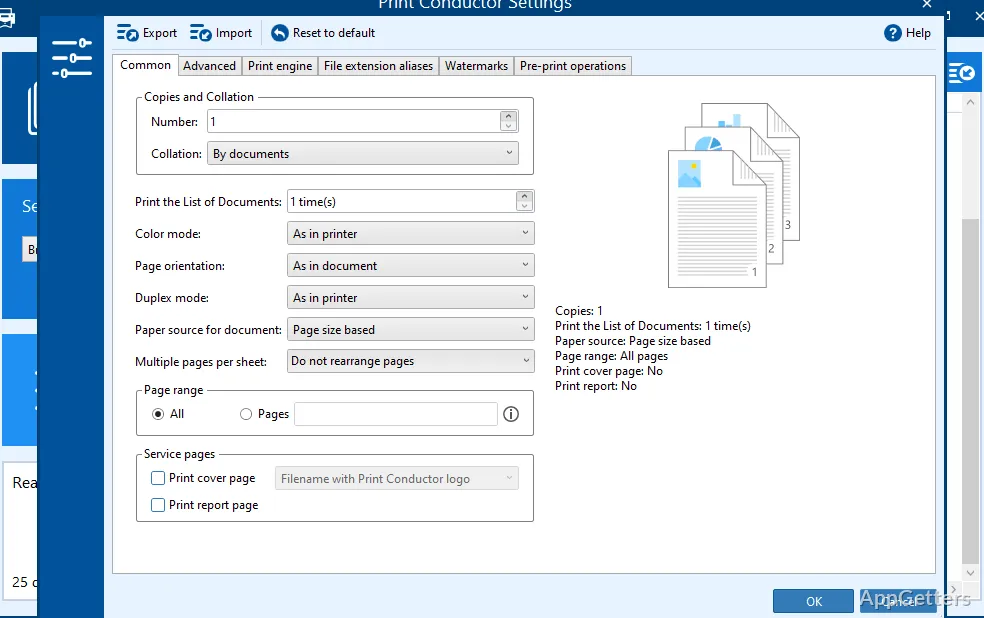
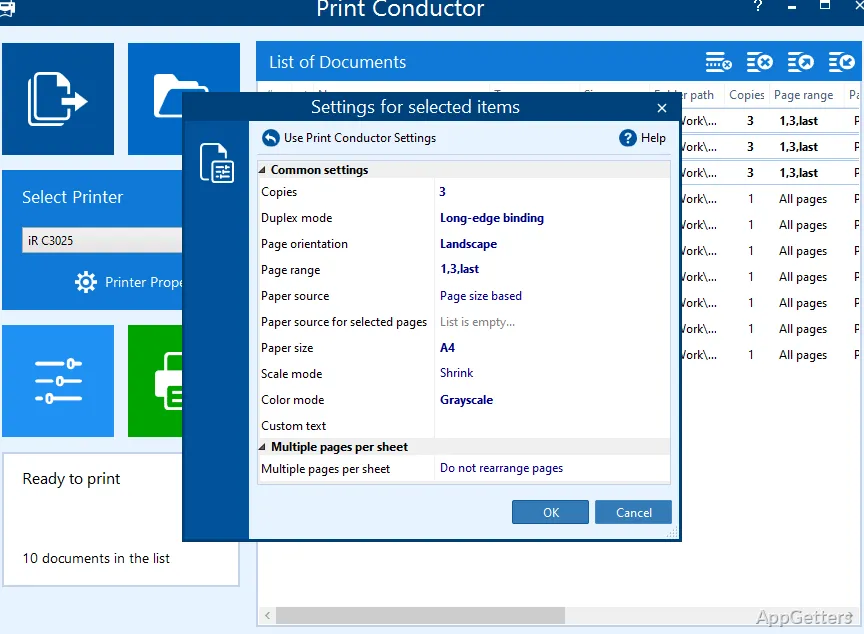
Select a printer and adjust options such as page range, copies, orientation, color or grayscale, and single- or double-sided output. Print Conductor can select a paper tray based on document page size, and settings can be applied to the full queue or tailored to individual files.
- Set image resolution and scaling for image files.
- Print password-protected PDFs by supplying their passwords.
- Control Word comments, revisions, and Track Changes markup.
- Fit multiple pages onto a sheet or add page numbers and text watermarks.
Reuse saved lists and organize printed pages
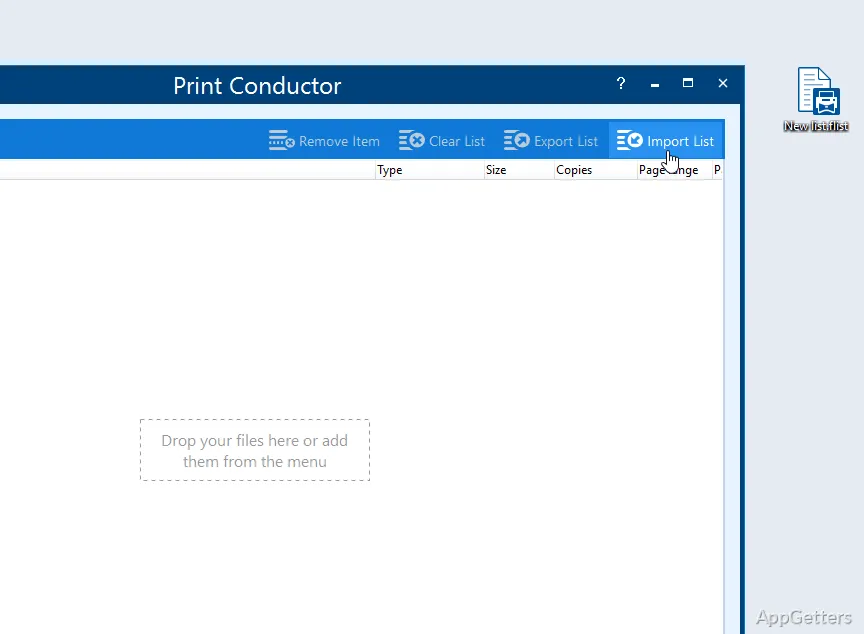
Save a document list for a recurring job, then import or export lists in supported formats such as TXT, Excel, and FLIST. A saved list can keep files in a specific order for later printing.
- Insert cover or separator pages between print jobs.
- Generate a completion report or estimate paper use before printing.
- Send output to a physical printer or a virtual printer.
Print jobs run locally
Print Conductor processes print jobs on the workstation or server, without uploading documents to the internet. For file types that need specialized handling, it routes processing through suitable methods, including a built-in PDF engine for certain print settings.
Pros
- Prints PDFs, Word files, spreadsheets, images, and CAD drawings in batches
- Supports files inside ZIP, RAR, and 7ZIP archives
- Applies print settings to the whole list or individual documents
- Saves document lists for repeated print jobs
System requirements: Windows 7, Windows 8, Windows 10, Windows 11 · 32-bit and 64-bit · Intel Core i3 or AMD Athlon II X2 processor or faster · 4 GB RAM or more · 326 MB disk space plus additional space for temporary files · Microsoft .NET Framework 4.0 or newer
Can Print Conductor print different file types in one batch?
Yes. A single document list can include formats such as PDFs, Word documents, spreadsheets, images, and supported technical drawings.
Can print settings differ between documents in the same list?
Yes. Settings can apply to the entire list or be set individually for particular files.
Can a saved document list be used again?
Yes. Save lists for repeated print jobs, or import and export them in supported list formats.