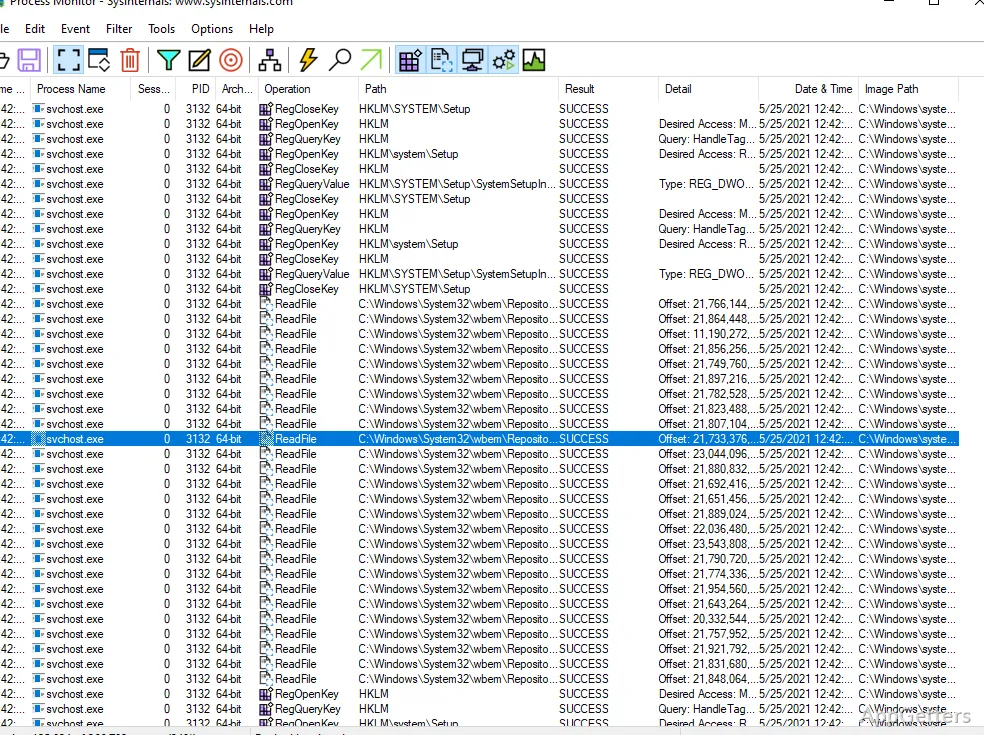
When an application fails to open without a useful error, its file and registry activity can point to the cause. Process Monitor records those operations alongside process and thread activity, giving the trace details needed to investigate what happened.
Live file and registry events
Process Monitor displays file system, Registry, process, and thread activity as it occurs. Each event can include operation input and output details, while process records provide information such as the image path, command line, user, and session ID.
Filters and event details
A busy capture can contain many unrelated events. Filters can focus the view on a process, operation, or other event field; they are non-destructive, so filtering the display does not throw away captured data. A field can be used as a filter even when it is not currently shown as a column.
- Configure and scroll event columns to expose the properties relevant to an investigation.
- Open event details to inspect formatted data that does not fit in the list.
- Use process information tooltips to see image details without leaving the event view.
Stacks, process tree, and logs
Thread-stack capture records the call stack for each operation, with symbol support to help trace where an operation originated. The Process Tree view lays out relationships among processes found in the trace, providing context around how they were started.
- Save captures in Process Monitor’s native format to retain event data for later reopening.
- Use boot logging to capture operations during startup.
- Search within a trace; the search can be cancelled if it takes too long.
Pros
- Filters narrow events without discarding captured data
- Event details include process paths, command lines, users, and session IDs
- Thread stacks can show the calls behind an operation
- Native log files preserve event data for reopening in Process Monitor
Cons
- Long captures can create gigabytes of log data
System requirements: Windows 10, Windows 11
What kinds of activity does Process Monitor capture?
It records file system, Registry, process, and thread activity in real time, including details for individual operations.
How can filters reduce a large capture?
Apply filters to fields such as process or operation. Filters change which events are shown without deleting the captured data.
Can a trace show what caused an operation?
Thread-stack capture can record the call stack for each operation, and symbol support helps identify the calls involved.