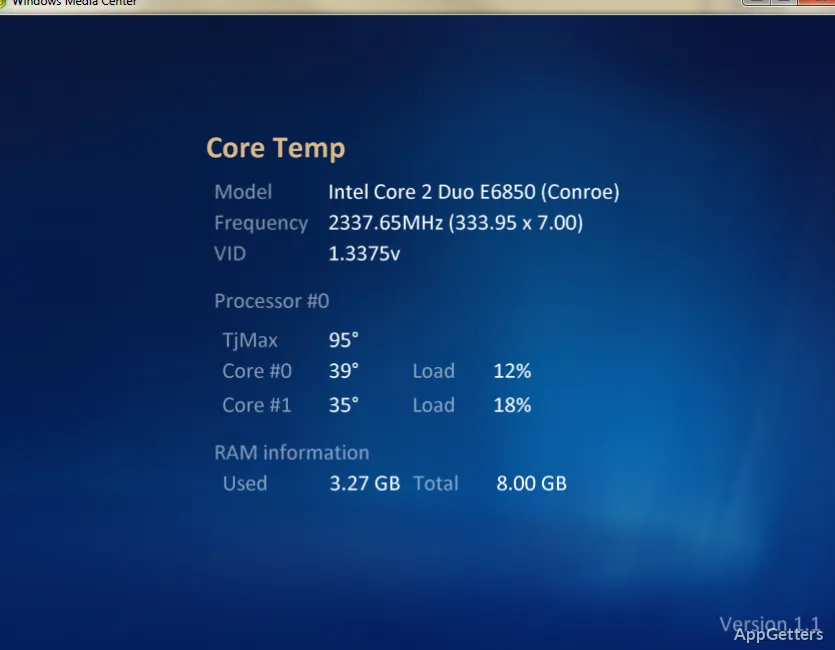
Want to know which processor core is getting hottest during a demanding task? Core Temp reads CPU thermal sensors and shows temperature readings for individual cores as they change.
Core Temp reports temperature for each processor core
The main window displays readings from the processor’s Digital Thermal Sensors, with a separate temperature for each core. This detail lets you see how readings differ across cores instead of relying on a single CPU-wide value. Temperatures update as workload changes, so you can watch the readings while running a demanding application or task.
The display also includes minimum, maximum, and average temperature values. These give context for current readings during a session, including how far temperatures have risen from their earlier levels.
The notification area can show selected sensor readings
Core Temp can keep readings accessible from the Windows notification area. Its tray configuration lets you choose which available sensors to display, so the visible indicators can focus on the information you want to follow. Mini-Mode provides another compact view, and a zoom setting adjusts the main interface.
Plug-ins can extend Core Temp
A plug-in platform lets developers add functions to the program. This gives Core Temp a way to connect its processor readings with add-ons, while keeping the main application focused on temperature monitoring.
Pros
- Shows temperatures per CPU core in real time
- Records minimum, maximum, and average temperature readings
- Notification-area settings let you choose which sensors appear
- Plug-in support allows developers to extend its features
Cons
- Requires an Intel, AMD, or VIA x86 processor
System requirements: Windows 7, Windows 8, Windows 8.1, Windows 10, Windows 11 · Intel, AMD, or VIA x86-based processor
Does Core Temp show a separate temperature for every CPU core?
Yes. It displays an individual temperature reading for each processor core.
Can Core Temp show temperatures without keeping its main window open?
Yes. Configure the notification area to display selected sensor readings.
Does Core Temp cool down a processor if its temperature gets high?
No. It monitors and displays temperatures; it does not control processor cooling.