EXE
Home » Software » Windows » CAD » Pepakura Designer for Windows
Pepakura Designer for Windows

Pepakura Designer for Windows

Making real paper models out of digital 3D models can be really confusing and slow without using the right tools. Many people think that 3D objects are difficult to change into paper templates that can be folded properly. Many even give up after doing manual tweaks, changing the size, and printing by trial and error. Pepakura Designer is a Windows program that has been specifically designed for that sort of work. Pepakura Designer has a concentration on converting 3D models into paper craft patterns that can be unfolded. It doesn’t work as a complete 3D modeling package. It works more as a link between digital designing and physical assembly. So it is really good for hobbyists, students, cosplay artists, and educational projects.

Designed for Paper Craft Process

One of the main advantages of Pepakura Designer is its being so pointedly devoted to one thing. It makes no attempt to drown users with tons of CAD or modeling tools. It only works with unfolding polygon-based 3D models into printable templates. Thanks to this particular specialization, it even has a somewhat approachable learning curve when compared to large 3D applications.

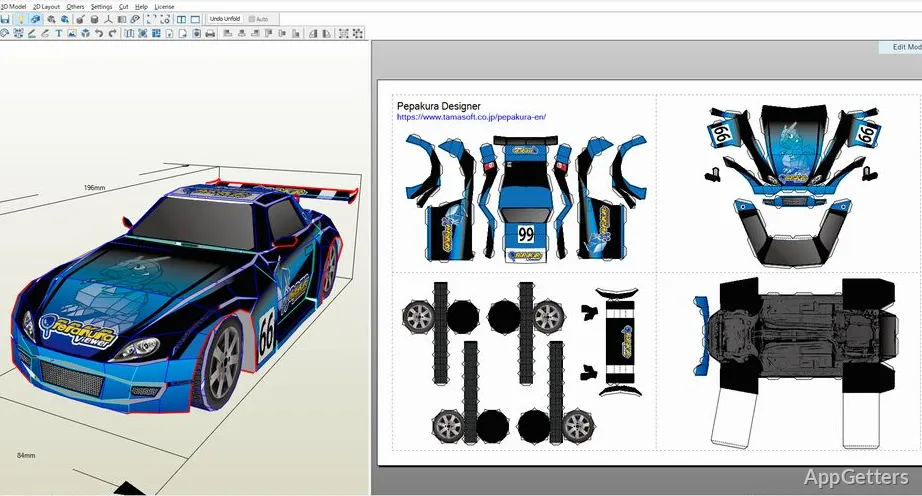
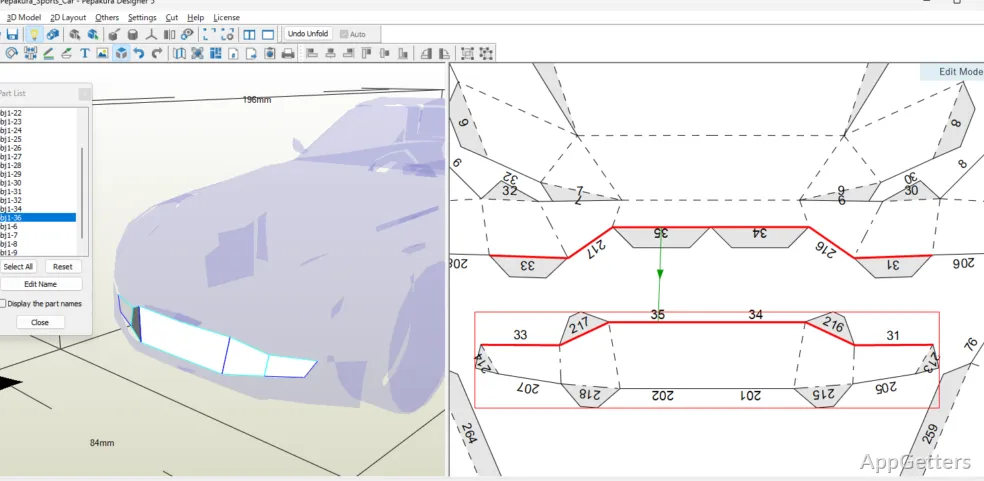
Practically, importing models from such file formats as OBJ or STL is very simple. The unfolding takes place substantially automatically. A user can spin, move, and arrange parts, et cetera, prior to printing. This allows he/she/they to realize a printout with no paper waste and less assembly confusion. The software also allows adding tabs, edge IDs, and fold indicators. These will be essential once you have taken the models from the screen and have started building physically.

Newbies will especially value the visual linkage between the 3D preview and the flat template. It cuts down on guesswork and helps turn things around more easily when complicated shapes do not fit properly after printing.

Useful for Cosplay, Education, and Hobby

Pepakura Designer has become highly popular among cosplay fabricators and paper crafts communities. This is due to its capability of handling templates for large armor and props in a very comfortable way. In fact, life-size costume projects usually require very precise scaling. The software’s scaling tools are some of its most important features in this respect.

In addition to the hobby applications, the software is quite a good fit for educational institutions as well. Educators and learners engaged in geometrical, engineering, or design visualization concept settings can use the software to build models from digital concepts. They can do this without the requirement of professional tools. Physically assembling shapes gives a concrete form to abstract 3D structures.

That being said, it will work best when teamed with 3D modeling software. If you want to do advanced editing, sculpting, or changing the base geometry, you will be out of luck with this tool alone. You are expected to import models that are already finished. So most often you will have to make changes to geometry elsewhere.

Performance and Day-to-Day Use

On Windows computers, Pepakura Designer works without a problem, even on less powerful machines. Since the software does not require high graphical power, as do the new rendering applications, you can use it on older laptops and school computers as well. The time to start the application is short. Over the years, the interface has been developed to stay lightweight.

The layout is more focused on functionality rather than modern design. Menu items and controls are mainly focused on function rather than beauty. So, for new users, it can be slightly old-fashioned. On the other hand, when they are used to it a bit, the interface is almost perfect for those repetitive tasks like moving pieces, editing fold lines, or making printouts of multiple pages.

The software is also very reliable. It hardly ever crashes or stops working unexpectedly, especially when using models of medium complexity. Very large or very detailed models can still be a challenge, however. That is more of an inherent difficulty of paper unfolding rather than a software issue.

Pepakura Designer’s Sweet Spot

The users who will find Pepakura Designer most helpful are those coming back and forth between digital 3D and tangible construction. Cosplayers, modelers, educators, and hobby designers probably will be the ones who get the most out of its narrow workflow and reliable paper unfolding tools.

As a one-stop design solution, the application does not work too well, especially for users demanding complex modeling, animation, or rendering functions. So basically, it is a specialized production tool within a large creative process.

For Windows users who are interested in making paper models that can be printed with accurate scaling and tidy assembly instructions, Pepakura Designer is still a good and sound choice. It has been around not because of feature richness. It has remained useful because it is able to accomplish a particular task clearly and efficiently.

Software Details of Pepakura Designer 6.43.0.0

License
Free
Version
6.43.0.0
File Size
17.45 MB
Downloads
2
Languages
English English, Spanish
Category
CAD
Op. System
Windows
Developer
Last Updated
March 27, 2026

Version History

2 versions
6.43.0.0
Latest
17.45 MB
March 27, 2026
6.0.9
20.36 MB
May 7, 2025

Leave a Comment

Your email address will not be published. Required fields are marked *

Software Icon
Security Report

Loading scan data...

Scroll to Top