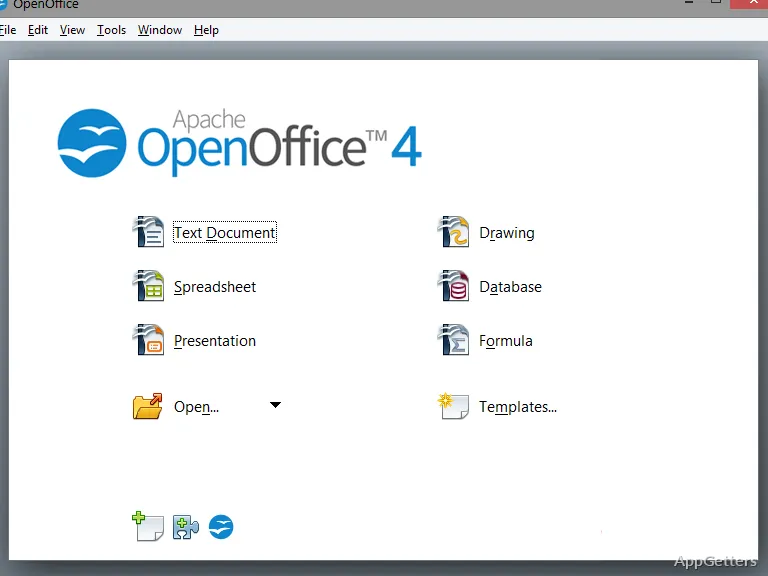
Need a full office suite on a USB stick for school, library or hotel PCs? OpenOffice Portable packs Apache OpenOffice's Writer, Calc, Impress, Draw and Base into a PortableApps.com package that runs without installing anything, and it is completely free.
Writer, Calc, and Impress
Writer is the word processor for letters, reports, and other text documents. Calc provides spreadsheet cells, formulas, and charts for organizing figures and working with data. Impress is for building slide presentations, with tools to arrange text and visual elements across slides.
OpenOffice Portable also includes Draw for diagrams and page-oriented graphics, along with Base for working with databases. These separate applications share the suite, so a spreadsheet, presentation, or database task does not require a different portable program.
USB-based document workflow
Place the portable suite on a USB memory stick or portable hard drive, then launch it on a computer where you need to work. Documents can be opened and saved on the removable drive, keeping the working files with the suite as you move between computers.
- Draft or revise text in Writer.
- Enter figures and calculate results in Calc.
- Create or update slide decks in Impress.
OpenDocument and Office files
Files are saved in OpenDocument formats (ODT, ODS, ODP) by default. Microsoft DOCX, XLSX and PPTX files open fine, but OpenOffice can only save them in the older DOC, XLS and PPT formats, so send those to Office users.
File compatibility does not ensure that every layout will look identical after editing. Documents with intricate styles, spreadsheet features, or other complex formatting may need adjustments when opened or saved in another office suite.
Pros
- Run the office suite from a USB drive or portable hard drive
- Writer handles text documents; Calc handles spreadsheets
- Impress creates and edits presentation slides
- Opens DOCX, XLSX and PPTX files
Cons
- Cannot save in DOCX, XLSX or PPTX
- Slow development compared with LibreOffice
- Runs slower from USB sticks than from an internal drive
System requirements: Windows 7, Windows 8, Windows 8.1, Windows 10, Windows 11 · Some features require a Java Runtime Environment (JRE).
Can OpenOffice Portable run from a USB drive?
Yes. It can be placed on a USB memory stick or portable hard drive and launched from there without a standard installation.
Which apps are included in OpenOffice Portable?
The suite includes Writer, Calc, Impress, Draw, and Base for word processing, spreadsheets, presentations, graphics, and databases.
Can it open Microsoft Office documents?
It opens DOCX, XLSX and PPTX, but saves Office files only in the older DOC, XLS and PPT formats. Complex formatting may shift.