When a document needs to stay available on a PC and a phone, Microsoft OneDrive keeps a cloud copy in sync across devices signed in to the same Microsoft account. On Windows, its folder in File Explorer gives synced files a familiar place to work from.
OneDrive in File Explorer
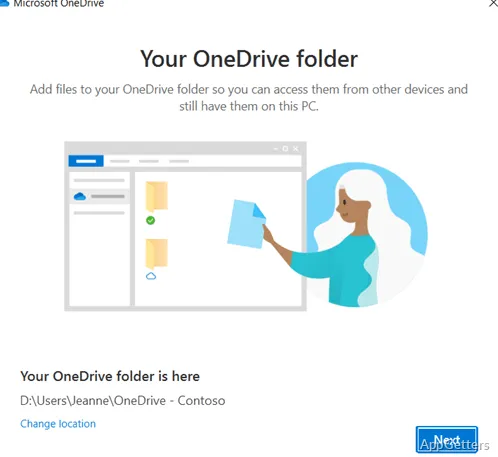
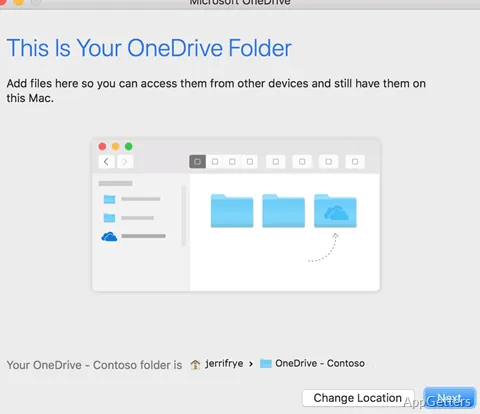
After signing in, the OneDrive folder appears in File Explorer. Save or move files there to sync them with the cloud and make them available through OneDrive on other devices using the same account. Changes to synced files are uploaded, and updates made elsewhere can appear on the PC.
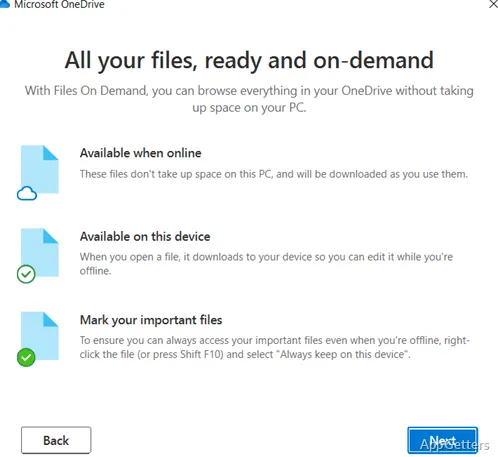
Files On-Demand lets cloud files appear in the folder without keeping every full file stored locally. Open a file to download it when needed; files marked to remain on the device can be accessed offline.
- Use File Explorer to browse and organize synced folders.
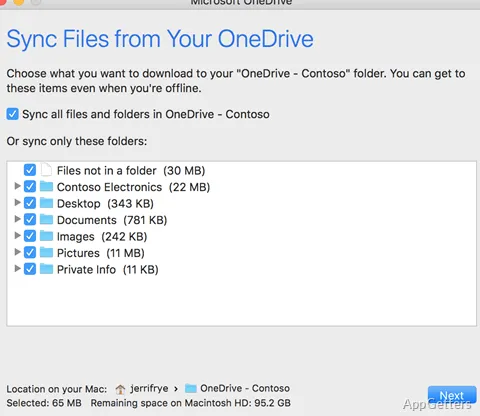
- Choose which OneDrive folders sync to the PC.
- Keep selected files available on the device when offline.
File and folder sharing
OneDrive lets you share files or folders with other people, including collaborators who need access to a shared document. A shared folder can also hold files that multiple people need to reach from their own devices.
- Select a file or folder in OneDrive to share it.
- Recipients can access the shared content from their devices.
PC folder backup
OneDrive's folder backup settings can sync supported Windows folders such as Desktop, Documents, and Pictures. Files saved in those folders then stay available through the OneDrive account on other devices. This is handy for keeping personal files in sync without manually copying them between machines.
Pros
- Syncs OneDrive folder contents across signed-in devices
- Files On-Demand can keep cloud files off the PC until needed
- Share individual files or folders with other people
System requirements: Windows 10, Windows 11 · 32-bit and 64-bit · Windows 10 version 22H2 or later · 1.6 GHz or faster processor · 1 GB RAM or higher · 1024 × 576 minimum resolution
How do files get into OneDrive?
Save or move them into the OneDrive folder in File Explorer, or enable backup for supported PC folders such as Desktop, Documents, and Pictures.
Can OneDrive files be used without an internet connection?
Files kept on the device can be opened offline. Cloud-only Files On-Demand items need to be downloaded before offline use.
How do I share a file with someone?
Select the file or folder in OneDrive and use its sharing option to give another person access.