EXE
Home » Software » Windows » Image-Viewers » Nomacs for Windows
Nomacs for Windows

Nomacs for Windows

  • By nomacs
  • Free
  • Version: 3.22
  • 44.24 MB
  • Security Report:

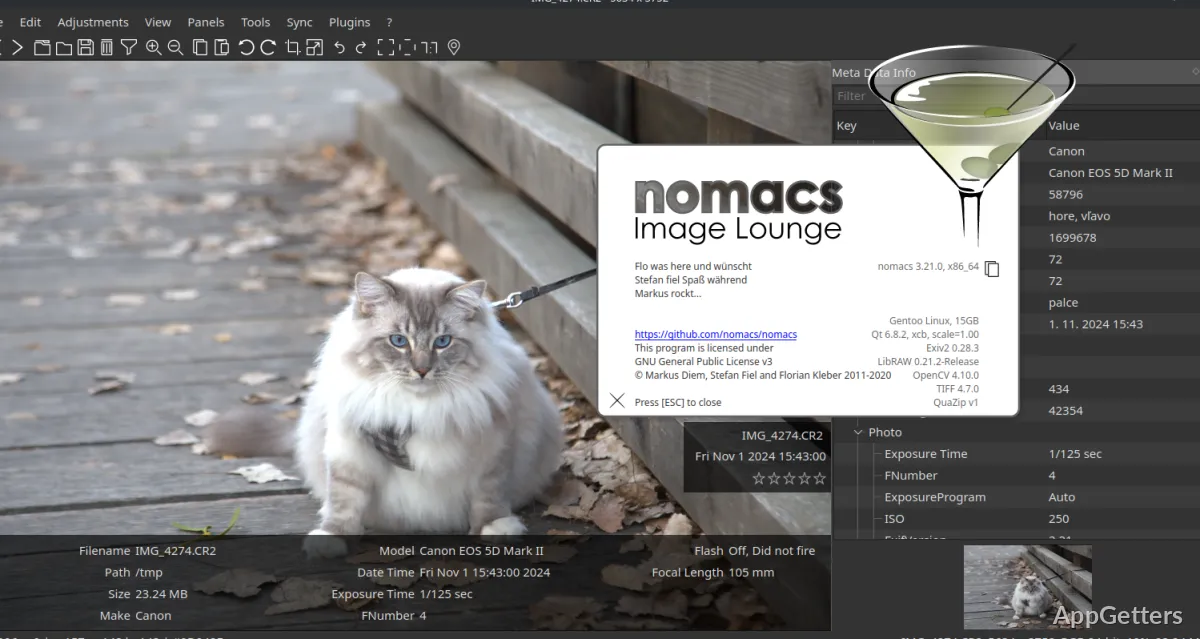
Most Windows users think about changing their image viewers only after encountering a significant slowdown of the default tool that handles even the simplest image-related activities. Tasks such as opening large folders, switching images, previewing camera RAW files, or browsing images may become a real pain if the image software is too slow or not responsive enough. Nomacs is an open-source program that has a considerably fast, intuitive, and versatile multi-format image viewer at its core. It does not lay heavy emphasis on features such as cloud integration or media management.

Nomacs, on the other hand, is capable of handling image browsing and navigation very comfortably, even when dealing with a large number of images. Rather than introducing a whole bunch of GUI layers to change the way users look at images, Nomacs opts for a relatively traditional route. This often makes things much easier for users who just want to quickly get to their files without any distractions.

Nomacs Goes Back to Basics for Image Navigation

Nomacs, in fact, feels like a handy tool rather than an all-singing, all-dancing media hub when you actually start interacting with it. You can get to your pictures at a moment’s notice. Working with folders is pretty much a breeze. The reliable keyboard shortcuts will come in really handy for power users dealing with the big collections on a regular basis. Clearly, students, office staff, photographers, or people sorting out downloaded media and screenshots will be very much aware of the benefits that this brings.

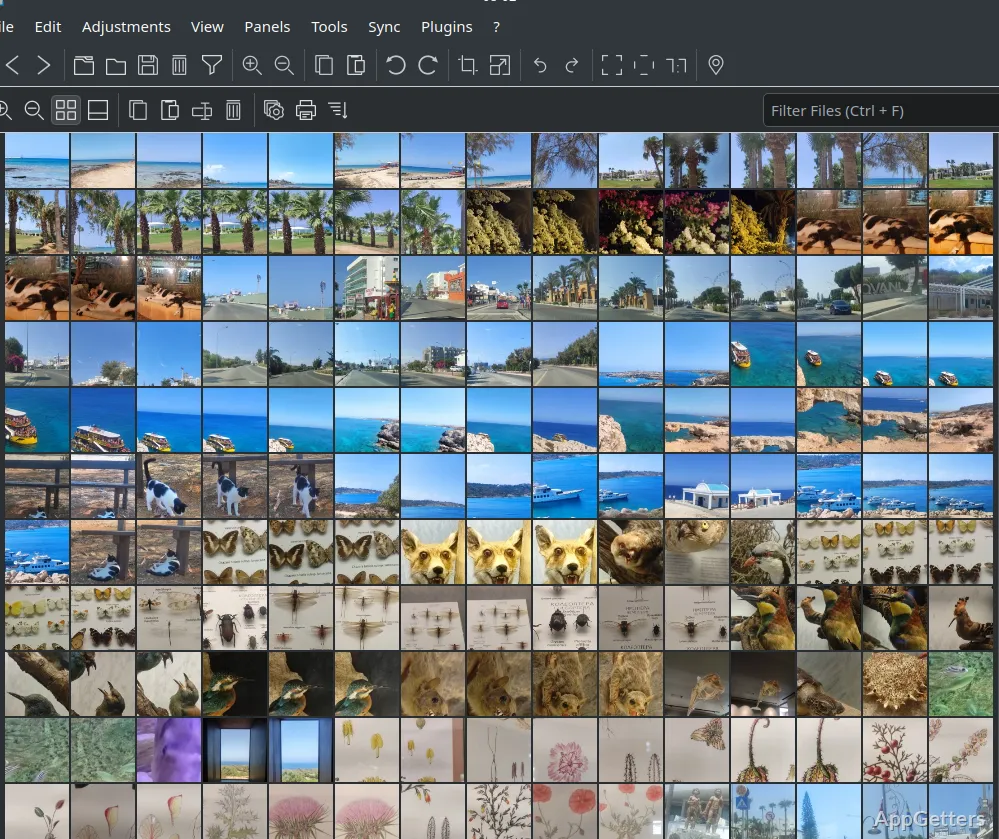
Nomacs allows you to switch viewing modes, zoom in/out, see thumbnails, and access metadata quite comfortably, all within a single application, without it seeming overloaded. Particularly, those users working with less common image formats will be happy to know that those files can be opened without an additional set of plugins or codecs.

On the other hand, the program does not try to be a one-stop solution for photo/image editing. Whilst there are some essential picture adjustments and viewing options, the program mainly serves the purpose of inspection and navigation rather than content creation.

Handling Large Folders of Images and High-resolution Ones

Many native Windows photo programs are getting slower in certain usage scenarios. This includes the handling of image files of RAW format or even plain old directories containing hundreds of images. Due to its being lightweight, Nomacs, especially on mid-range systems, will still maintain high responsiveness even under those stressful conditions.

In comparison to feature-rich photo managers, this one is modest as far as memory usage is concerned. This will be relevant for those who use old laptops, shared office computers, or systems that are already running multiple applications in the background. Side-by-side photo viewing/comparison is also a feature of the viewer. It is one that can prove quite helpful to users who are reviewing duplicate photos, exported graphics, or design revisions.

The simple approach of the program may be perceived as plain by quite a few users. They might even expect integrated cloud syncing, AI tagging, or advanced library organization.

Easy To Use, Yet Quite Powerful

There are a number of features offered by Nomacs that, in some ways, are more like hidden gems. They only reveal their value after prolonged usage, rather than being immediate showstoppers. The synchronized viewing feature, slideshow options, archive browsing, and metadata inspection have the potential to simplify repetitive tasks in one way or another. At the same time, they do not call for technical skills.

For multiple monitor users and those framing image edits, synchronized zoom and scrolling come into play quite a bit. Just the tiniest details of the workflow, like these, are what really bring the software up a notch.

Another practical side of customization is that the interface does not require users to go through complicated setup procedures. However, the application on occasion exposes its open source character by being a touch inconsistent and by having settings that are more functional than polished. Also, users new to the program will probably have a difficult time figuring out/apprehending the features. This is because the design, in general, is more utility-oriented rather than guided onboarding.

Nevertheless, most of the time, the program behaves quite predictably. By and large, this is regarded highly by users, even compared to a visually refined experience.

The Best Windows Users For Nomacs

Whoever desires a reliable local image viewer that does not come loaded with background services or the tie-in to an entire ecosystem will find Nomacs to be the ideal choice. Photographers who want to have a quick glance at photo folders, students who are organizing their project images, home users who are just replacing the default photo apps, and office workers who are working on screenshots will most likely find the software quite practical.

It is quite evident that the application cannot do justice to those people who want comprehensive photo cataloging and editing environments. There are still more in-depth media libraries and cloud-connected workflow-based applications available. On the other hand, Nomacs is a little gem that fills a space for fast, stable image viewing. It can also be flexibly extended to support heavier daily use.

This is the very reason why the program is still around and kicking. It stresses responsiveness and control rather than visual fads. It can bring everyday image handling on Windows to a level where it feels noticeably less frustrating.

Software Details of Nomacs 3.22

License
Free
Version
3.22
File Size
44.24 MB
Downloads
2
Language
English
Category
Op. System
Windows
Developer
Last Updated
December 29, 2025

Version History

2 versions
3.22
Latest
44.24 MB
December 29, 2025
3.16.1709
38.01 MB
May 7, 2025

Leave a Comment

Your email address will not be published. Required fields are marked *

Software Icon
Security Report

Loading scan data...

Scroll to Top