EXE
Home » Software » Windows » Presentations » Network Notepad for Windows
Network Notepad for Windows

Network Notepad for Windows

  • By J.A.Green
  • Free
  • Version: 6.1.7
  • 3.87 MB
  • Security Report:

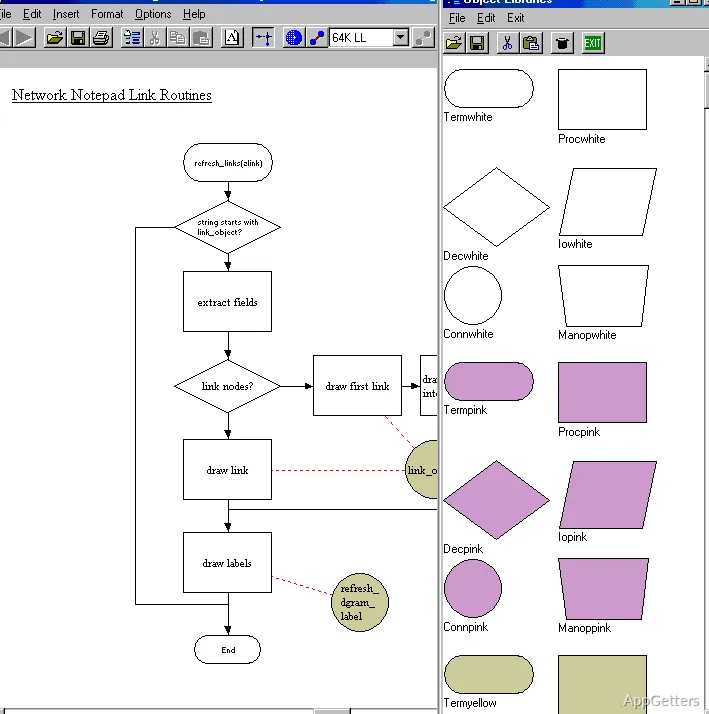
Many IT professionals, students, and network administrators find that documenting a network can sometimes be as difficult as constructing one. If general-purpose drawing applications are used for making diagrams, it is likely that these will get out of date quickly. On the other hand, if one uses complex enterprise diagramming platforms, then for a small environment, it may be overkill. Network Notepad is a Windows application that has been designed to fill this gap: it is a dedicated tool for creating and updating network diagrams. In fact, it does not even try to be an all-purpose design tool. Its main focus is on visualizing network infrastructures in an easy and orderly way.

Improved Approach to Network Documentation

What stands out about Network Notepad is, among other things, its simplicity. Having the software dedicated to network diagramming alone would mean that users spend less time lost among irrelevant design options. They have more time recording devices, connections, and layouts. This concentrated approach can even make diagram production faster in normal working conditions. It does so in comparison with the use of general diagramming tools.

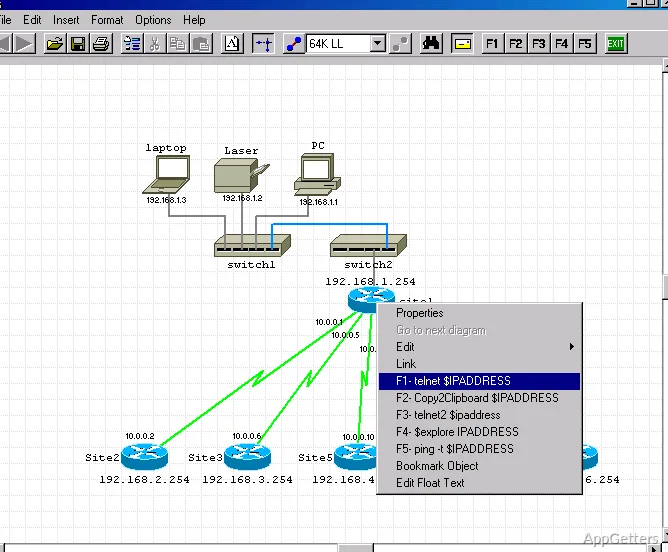
What inspires confidence is the fact that the software can quickly get users up to speed. This is especially true if they are acquainted with some basic networking knowledge. Physical or logical network structures may be distinctly represented. This is done by assembling routers, switches, servers, and other infrastructure components in different ways. Due to this workflow, the software is helpful for producing classroom projects, creating small business networks, and documenting existing infrastructure.

Functional Advantages for Everyday Work

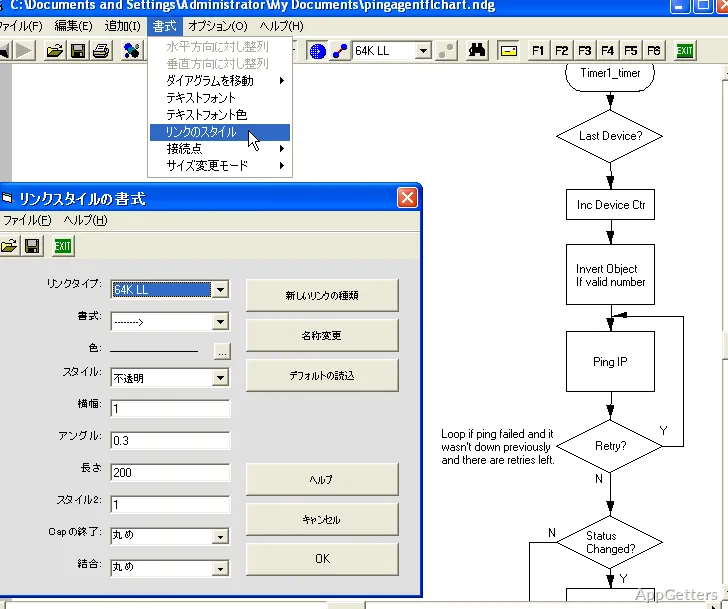
It is understood that a network diagram is not frozen in time. Devices in the network are upgraded, new systems are installed, and configurations undergo changes over a period of time. Among the positive features of Network Notepad is the ease with which users can refresh diagrams with only a minor level of redesign work. One can alter the previous layouts and add new ones as one’s premises continue to grow.

Having a correct visual representation of the network means that not only owners who are in charge of the setup, but also users, or even those who are preparing a new team of technicians, will be able to do their work faster. Besides counting solely on written documentation, the teams will be able to glance at the diagrams. They can get a real sense of device relationships and connectivity paths. The availability of this kind of visual representation is very handy in smaller organizations where the documentation may be lacking because of limited resources. Members of staff may often be performing several tasks simultaneously.

Detecting Weaknesses in the Software

Network Notepad works well as a network diagramming-only tool, yet it was not developed to be on the same level as big enterprise design platforms. If one is interested in advanced collaboration features, cloud-based workflows, or extremely elaborate diagram automation, then it is very likely that one will have to put up with a limited set of features.

The software still sticks to the traditional desktop application model. Those users who have become used to working only with modern web-based collaboration tools may find that the user experience is efficient. However, it is not always up-to-date. Nevertheless, many network professionals would be willing to make this compromise. This is because the software has consistency and performance as its main goals, not visual complexity. The level of difficulty is quite low for the majority of documentation tasks.

Perfect for Network Infrastructure Mapping

Network Notepad can be of great assistance to anyone who is looking for reliable network documentation, while also hoping to avoid the complexity of larger design suites. Students can make use of the software to create simple lab diagrams. Home users who understand and have set up advanced home networks may enjoy the fact that it is only a tool for a specific purpose. Besides, small businesses and IT departments will find it necessary to have such software in their toolkit. Network Notepad can be used for keeping records of the infrastructure.

It derives its usefulness mainly from helping users organize and save networks. It does not derive it from presenting features that are spectacular. For places where one needs to rely on diagrams not only to troubleshoot but also to plan and communicate, Network Notepad is a good Windows application. It can do the job excellently. Instead of trying to replace enterprise-grade design platforms, it is simply a solution that is limited in scope. Yet it is very effective in daily network mapping and documentation needs.

Software Details of Network Notepad 6.1.7

License
Free
Version
6.1.7
File Size
3.87 MB
Downloads
7
Languages
English English, Spanish
Category
Op. System
Windows
Developer
Last Updated
May 12, 2026

Version History

6 versions
6.1.7
Latest
3.87 MB
May 12, 2026
6.1.5
3.85 MB
August 4, 2025
6.1.4
3.83 MB
November 8, 2024
6.1.3
3.79 MB
October 17, 2024
6.1.1
3.78 MB
September 12, 2024
6.1.0
3.78 MB
September 5, 2024

Leave a Comment

Your email address will not be published. Required fields are marked *

Software Icon
Security Report

Loading scan data...

Scroll to Top