EXE
Home » Software » Windows » Presentations » IceCream Slideshow Maker for Windows
IceCream Slideshow Maker for Windows

IceCream Slideshow Maker for Windows

Putting together a slideshow may seem very easy until you want to mix photos, music, transitions, and export options to make something that really looks good. Most users learn by experience that those little photo viewers have only basic presentation options. On the other hand, the software video editors often seem so overwhelming, to the point of making projects even more occasional. IceCream Slideshow Maker is one of the choices that lie between. It is made especially for Windows users who want to transform their photo thickets into shared video slideshows. It is more about simplicity rather than video production. To the greatest extent, the software intends to shorten your photo arrangement and presentation creation time without the difficulty of a new learning curve.

A Simple Approach to Slideshow Creation

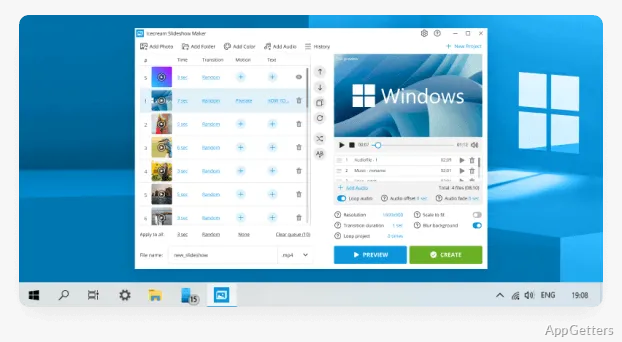
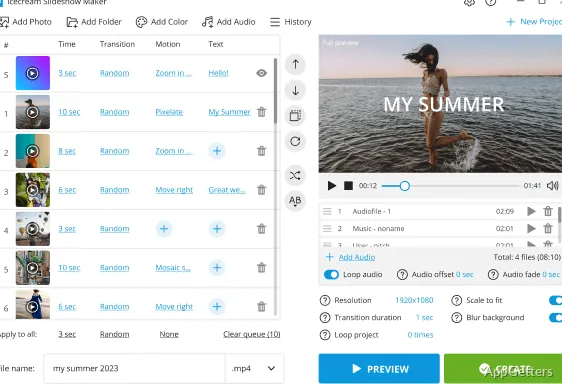
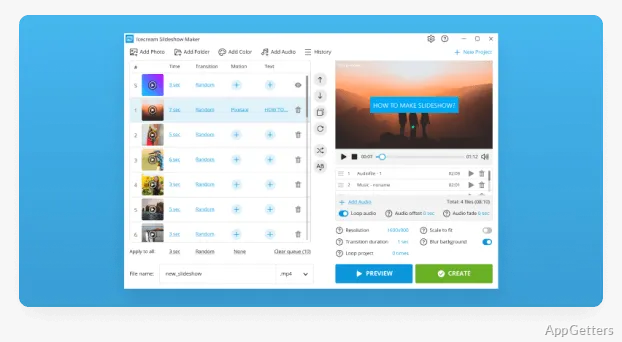
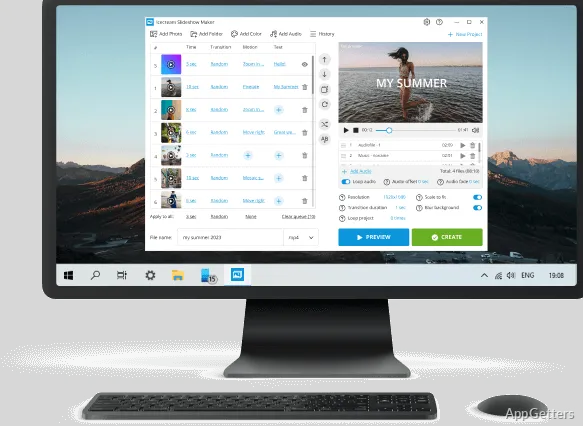
It’s very likely that the first thing you’ll see about IceCream Slideshow Maker is the main focus of the developers on ease of use. The minimalist look of the app gathers almost all the essentials on one screen. So even you, as a beginner, can easily import your pictures, reorganize them, and add some basic effects. You won’t really need to have the previous editing knowledge to get the workflow.

It is even better because you don’t have to use it for the complex stuff to appreciate the benefits. Also, at this point, simplicity is a big helping hand in a way, making you easily complete a slideshow. On the other hand, it might be a challenge for you if you are looking for many configuration options.

Practical Tools for Everyday Projects

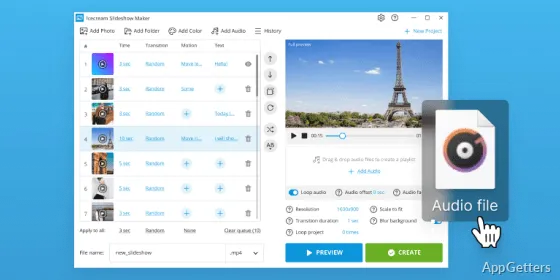
To be useful in a real-life situation, the slideshow app should be able to assist the users in storytelling without overloading them with the technical side of things. IceCream Slideshow Maker offers the usual package of transitions, image duration settings, text additions, and background music support. This will work excellently for most users who create personal or educational projects.

Photo collecting and organization, which is a must for classifying different occasions like vacations, birthday parties, or graduations, can be done effortlessly. You can convert your creations into videos, so they work well with different devices or platforms. Plus, sharing doesn’t require the other side to have a special program. And when you are one of the users who just occasionally create content, you may find the features more than enough without feeling burdened.

Where the Software Feels More Limited

Being simple is definitely one of the most valuable features of the application. At the same time, it’s what can limit it. If you have been in the video editing environment for a while and know your way around the tools, you might be left disappointed. The options for animation, effects, or sequence editing may feel limited. Customization is still concentrated on the usual slideshow stuff rather than cinematic production.

Handling overly ambitious projects that require complex editing would be one more scenario. It would reveal the limitations of the software. IceCream Slideshow Maker is not a replacement for a highly featured video editor. It works well for personal presentations and memory collections only. Those of you who have a high interest in frame-level editing, color grading, or motion graphics would be wise to look for other tools. Realizing this difference is the right way to avoid disappointments when setting out on large projects.

A Sound Selection for Personal Presentations and Photo Stories

The key features of IceCream Slideshow Maker are such that it allows users to get their job done fast, easily, and from anywhere. The advanced modifications and in-depth features are available at a low cost. For those who want to make a visual item for a class project, the list of advantages can be very long. The same applies to relatives wanting to preserve a special day’s memories. It also applies to a regular person who is organizing the photos.

Most of its power comes from being able to convert a still photo collection into a single video-like presentation with minimal work. It may be the case that the experts find it insufficient for them as they get more experience. However, everyday users will probably enjoy the neat and simple approach, as well as the friendly-looking interface. Those running on the Windows platform who are in need of a reliable way to produce photo-based presentations will find IceCream Slideshow Maker practical. It is also a reasonable option. They can do so without having to spend a lot of time learning a complicated piece of software.

Software Details of IceCream Slideshow Maker 5.19

License
Free
Version
5.19
File Size
22.9 MB
Downloads
6
Languages
English English, Afrikaans, Arabic, Armenian, Belarusian, Bulgarian, Chinese, Croatian, Czech, Danish, Dutch, Estonian, Finnish, French, German, Greek, Hungarian, Icelandic, Indonesian, Italian, Japanese, Kazakh, Korean, Latvian, Lithuanian, Malay, Norwegian, Polish, Portuguese, Romanian, Russian, Serbian, Slovak, Slovenian, Spanish, Swedish, Tagalog, Thai, Turkish, Ukrainian, Vietnamese
Category
Op. System
Windows
Developer
Last Updated
February 16, 2026

Version History

6 versions
5.19
Latest
22.9 MB
February 16, 2026
5.18
22.85 MB
December 12, 2025
5.16
22.85 MB
March 10, 2025
5.15
22.85 MB
December 2, 2024
5.12
22.41 MB
March 8, 2024
5.11
22.41 MB
February 14, 2024

Leave a Comment

Your email address will not be published. Required fields are marked *

Software Icon
Security Report

Loading scan data...

Scroll to Top