EXE
Home » Software » Windows » Presentations » EDraw Max for Windows
EDraw Max for Windows

EDraw Max for Windows

  • By edrawsoft
  • Free
  • Version: 15.0.6.1445
  • 160.7 MB
  • Security Report:

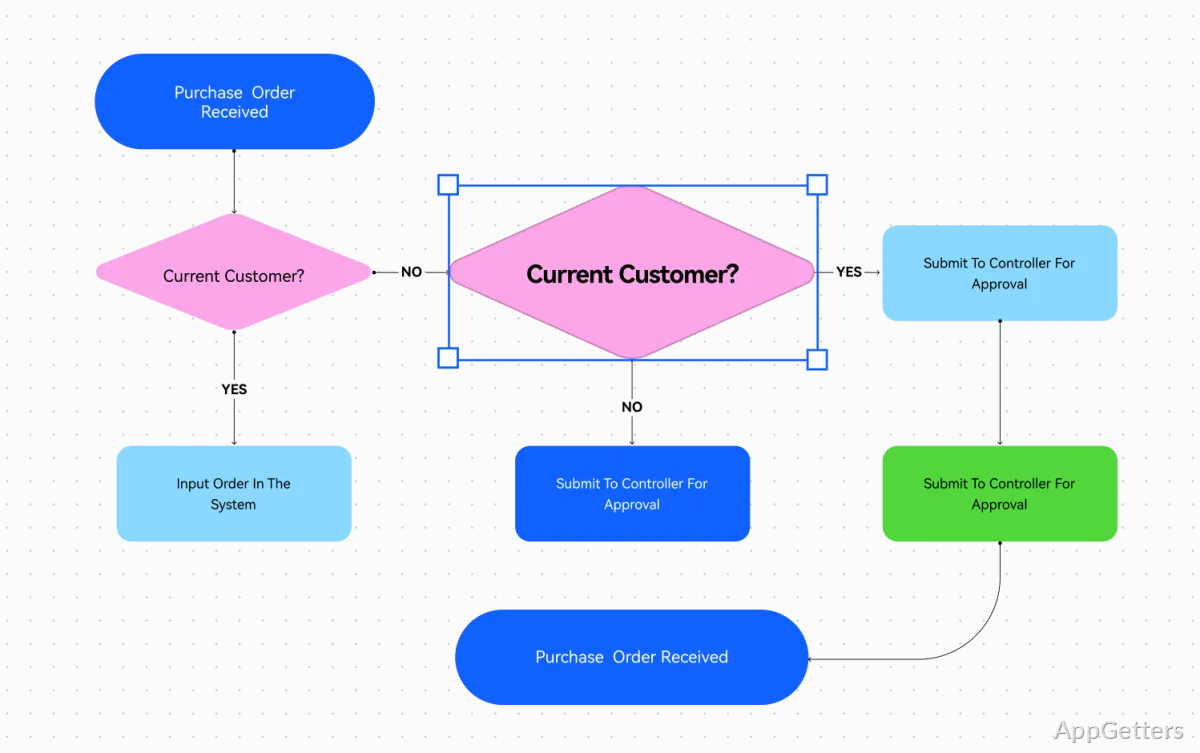
Designing various types of diagrams, such as flowcharts, org charts, and technical illustrations, can be quite a time-consuming task. This is especially true for non-design professionals. Quite often, people are looking for a user-friendly tool that doesn’t necessarily require them to know graphic design at an advanced level. They still need to visually present ideas. EDraw Max is a Windows diagram and visualization software. It is being marketed as a tool that helps simplify this process. It pairs a wide assortment of diagram templates with an interface that is not only good for professionals but also great for occasional users. Actually, from a practical standpoint, the software’s main focus is on assisting users with creating well-structured visual documents fast. The curve to learn the software is not steep.

A Familiar Workspace for Visual Planning

At first glance, the big thing that stands out about EDraw Max is the design of its workspace. The interface makes use of the Windows user interface motifs. Most people who have used Windows would already be familiar with them. So it would not be very difficult to get around. Templates have been categorized so that users may be able to pick one and start from there rather than having to stare at the empty canvas.

In routine use, starting with a template might cut down the time needed to draw typical business and teaching diagrams. No matter whether workflow is being laid out, project structure is being mapped, or the creation of a presentation aid for the classroom is the goal, the software helps in visualizing the notion to the end product rapidly. The dragging of elements from a floating toolbar onto the workspace sounds like a no-brainer move, at least for beginners. They, up until now, may not have even had the slightest thought of using diagramming tools.

Practical Tools for Different Types of Users

EDraw Max meets a very large group of people. Students could use the software for mind mapping, project showing, and studying diagrams. Corporate employees could use this tool to help them with process documentation, organizational charts, and planning materials. Technically inclined users can use the software to visualize networks, floor plans, and systems.

Actually, the advantage of the program does not lie in the provision of the most innovative features. It lies in allowing the users to create a diverse set of diagrams with the help of one application only. So, instead of being forced to keep switching from one specialized program to another, users will most probably be able to finish the various visualization tasks within one environment. Such multi-functionality, apart from other things, will help to make work processes more consistent, especially for small groups or individuals who make regular use of visual records.

Performance, reliability, and daily limits

Generally speaking, when running under Windows operating systems, the program does stand up well to the task of delivering a reliable performance. This remains true even if the projects grow up to medium size. There is no longer a delay when opening the documents; it is very responsive to editing actions, and exporting the diagrams to the most commonly used formats is a piece of cake. These down-to-earth functional features often matter to no one but the users. For them, frequent sharing of visual content with colleagues or classmates is their way of life.

Still, limitations definitely exist. As the number of elements on such a panel grows, so does the difficulty in locating the elements. The same applies to large and very complex diagrams. Those power users who depend on highly specialized engineering or enterprise-level modeling tools might discover certain advanced functions to be less comprehensive than those that various dedicated professional platforms deliver. When considered from a general-purpose perspective, however, the present toolset remains both sufficient and easy to work with.

Where EDraw Max Fits Best

As such, a flexible diagramming solution that does not require users to spend a lot of time learning complex software is the segment EDraw Max is most naturally aligned to. This blending of templates, visual editing tools, and comprehensive diagram support should be a good fit for students, educators, home users, project coordinators, and many office professionals.

So, what really makes the software a good pick for the average user is that it has the capacity to make communication through charts and graphs a cinch. This is far from being a hollow attempt to offer the user the most innovative graphical design features. They might, anyway, be beyond what the user truly needs. For Windows users who are into charts, workflows, mind maps, or plan-making, EDraw Max is a sensible compromise of the two aspects, ease of use and usefulness.

Whilst it is true that some users with highly specialized needs will at some point turn to more advanced alternatives, most of the regular users will keep relying on it for their everyday visual communication tasks.

Software Details of EDraw Max 15.0.6.1445

License
Free
Version
15.0.6.1445
File Size
160.7 MB
Downloads
7
Languages
English English, Chinese, French, German, Italian, Portuguese, Spanish
Category
Op. System
Windows
Developer
Last Updated
February 6, 2026

Version History

6 versions
15.0.6.1445
Latest
160.7 MB
February 6, 2026
14.1.0
2.01 MB
September 26, 2025
14.5.1
298.65 MB
June 6, 2025
13.0.7
336.75 MB
June 7, 2024
13.0
1.87 MB
December 15, 2023
12.0
334.56 MB
June 27, 2023

Leave a Comment

Your email address will not be published. Required fields are marked *

Software Icon
Security Report

Loading scan data...

Scroll to Top