Producing animated videos can be a real struggle for users without the design talent or video editing skills necessary to handle advanced software. Quite a few animation software solutions are either too complicated for a beginner to grasp. Others are very limiting when it comes to creating top-quality results. Mango Animation Maker has been developed with the purpose of making the creation of animated content accessible by supplying a visual animation environment.
People will have the ability to produce presentations, explainer videos, and advertising materials. They can do so without having to struggle a lot at the start. This Windows application mainly targets the simplification of the animation-making process. On the flip side, it offers enough flexibility with various kinds of projects. For those who prefer motion graphics to static slides for their presentation of ideas, it could be a welcome compromise between regular presentation tools and fancy professional animation packages.
A Workspace Built for Visual Narration
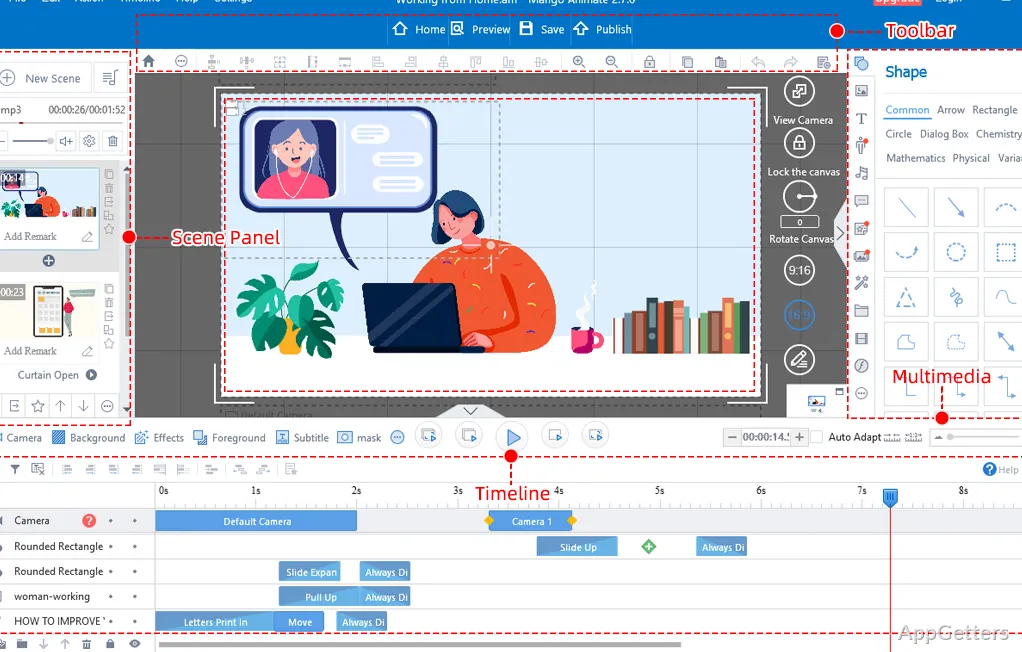
Mango Animation Maker comes with the timeline-based editing concept implemented right from the start as one of its biggest charms. It does not ask its users to explore animation coding or advanced motion design techniques. It only asks them to rearrange drag-and-drop elements and use simple visual adjustments. Because of this, it is a good fit for students, teachers, marketers, and small enterprises that are frequently in need of animated visuals but don’t have formal design skills.
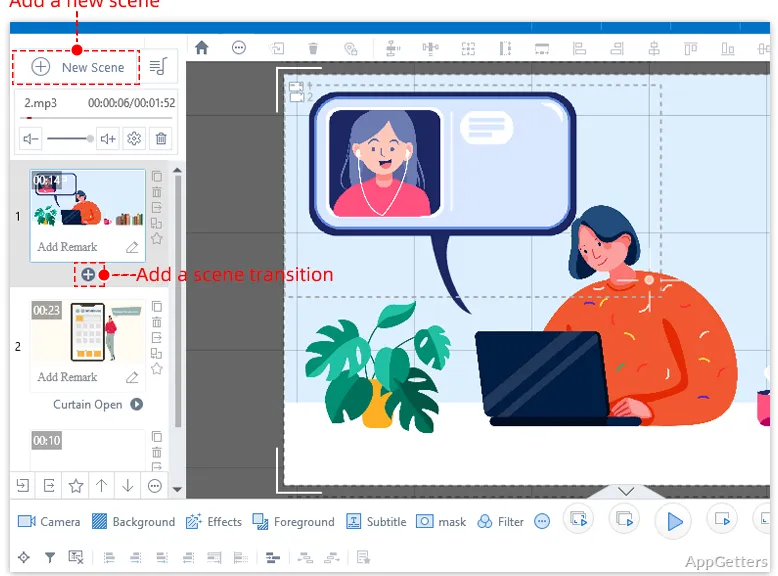
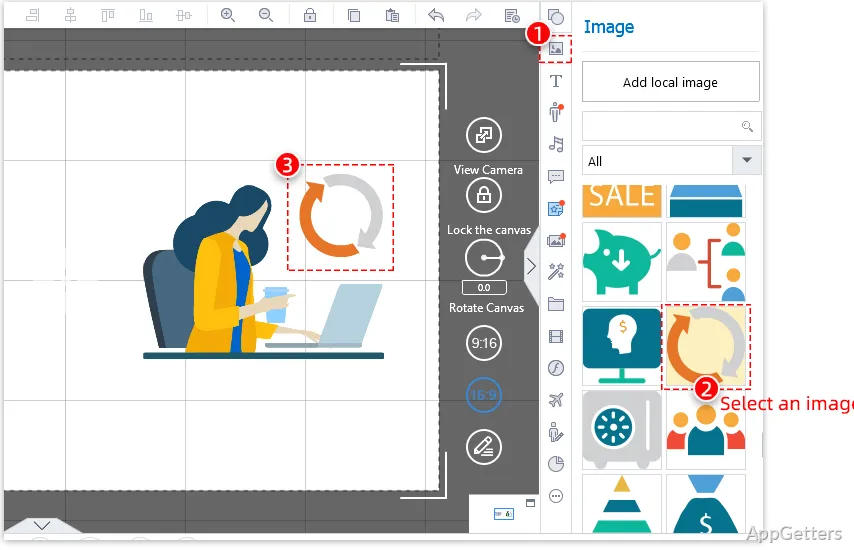
On a day-to-day basis, the UI tends to be organized and focused on specific tasks. You can add different types of media, such as text, pictures, symbols, and characters, to your workspace and set their animation on a timeline. In fact, the whole process is somewhat akin to creating a presentation. This, on the one hand, makes things easier for total beginners. On the other hand, it allows for the production of more exciting and diverse visuals relative to static slides.
Hands-on Appearance and Routine Work
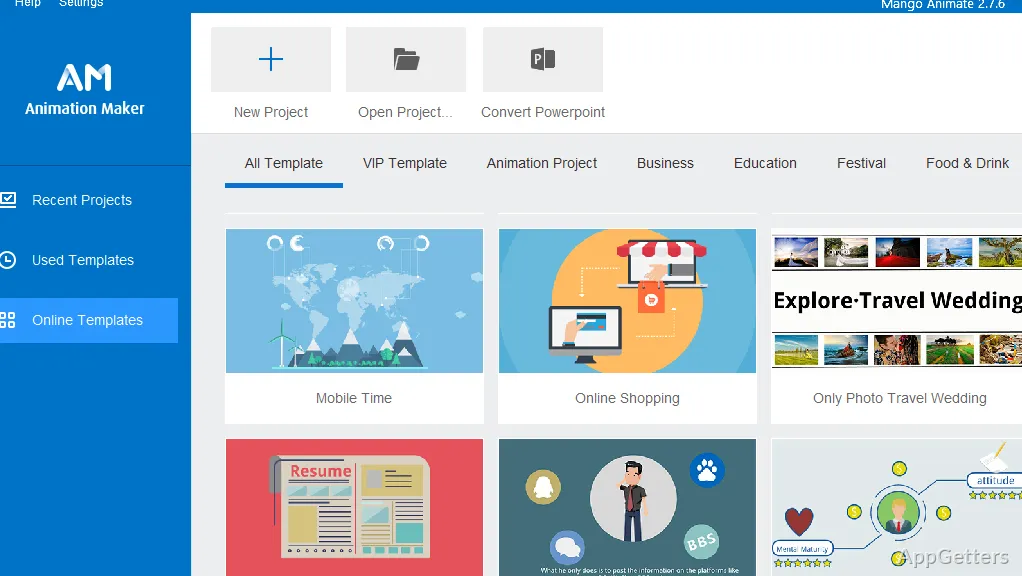
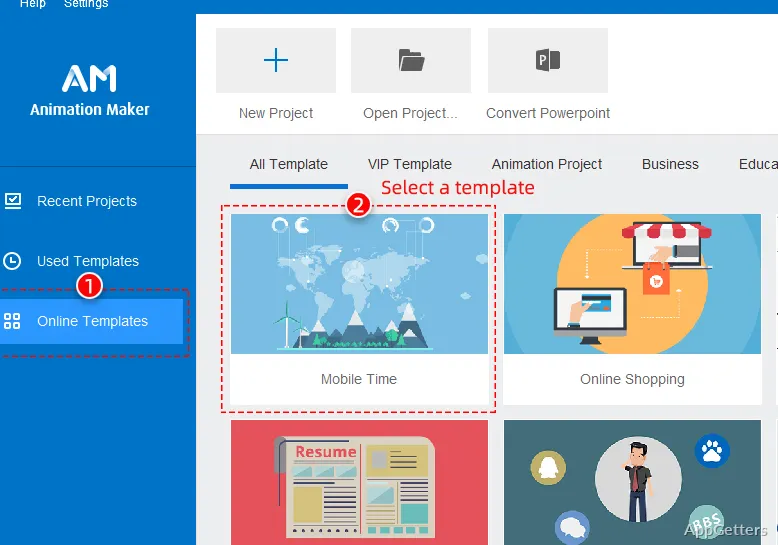
Given the fact that Mango Animation Maker offers a great deal of features that serve educational purposes, it can also be used to prepare a video about a product. It can also be used for social media content or training materials. For the ones who are frequently involved in creating animated shorts, the program enables minimizing the amount of time that has to be spent on the assembly of video sequences. Thanks to the resource-rich library and ready-made templates, the production will go at a faster pace. This is especially true if the time frame is very limited.
Alternatively, with a fairly recent Windows configuration, one should not expect any issues in performance for ordinary projects. Small and simple scenes or videos usually keep the program responsive during editing. However, when dealing with heavy and complicated projects with many animated objects, there might be some waiting for the rendering of previews and final export steps. Those who are accustomed to multimedia programs would see this as a natural development. Therefore, it would not take them by surprise. The usability of the tool is maintained at a consistent and reliable level for most home and office settings.
Advantages in the Midst of Reasonable Disadvantages
Accessibility is one of the aspects where Mango Animation Maker scores big. Creating good-looking animations becomes possible for users. This is true even without going through the ordeal of learning the super-complex motion graphics software used by professionals. Templates, character models, and tools for building scenes that the program provides can help a lot. They can help users get around the time-consuming parts of the project.
On the other hand, it has not been designed to replace high-end animation platforms used by highly skilled motion designer professionals. It is quite probable that some users will be somewhat disappointed with the range of creative options they get. This applies particularly to those expecting to do frame-by-frame animation, create highly sophisticated visual effects, or perform complex compositing. As regards export and customization, the program is good enough for dealing with the usual stuff. However, it is quite likely that seasoned animators engaged in the production of very specialized animation projects will find that they have outgrown it. Keeping this in mind will help one understand and manage expectations. It will also expose the segment of users where the software fits in quite well.
Those Who Benefit Most from Mango Animation Maker
Anyone who is interested in getting the most out of their time while working on an animated project should probably consider Mango Animation Maker as one of their options. This applies to those who do not want to be carried away playing with a tool. Those who are serious about animation studio services should also consider it. As far as the educational sector is concerned, it makes lesson preparation easier for the teacher. It additionally enhances presentation making by the student. Small businesses find it useful in producing marketing videos. Content creators depend on its ability to come up with animated visuals in the simplest way possible. It is less of a technical goliath and more of a tool that emphasizes time-saving for users of all sorts on the road to animation.
If you are a Windows user and looking for some no-nonsense way of converting your ideas into animated presentations, Mango Animation Maker might just be the right pick for you. This is especially true if you want to avoid investing a monstrous amount of time in learning complex software. Even though it falls short in many aspects when compared to the top-end professional animation suites, the user-friendliness of its workflow and the concentration on getting tasks done efficiently make it a useful tool for a multitude of communication and storytelling scenarios.