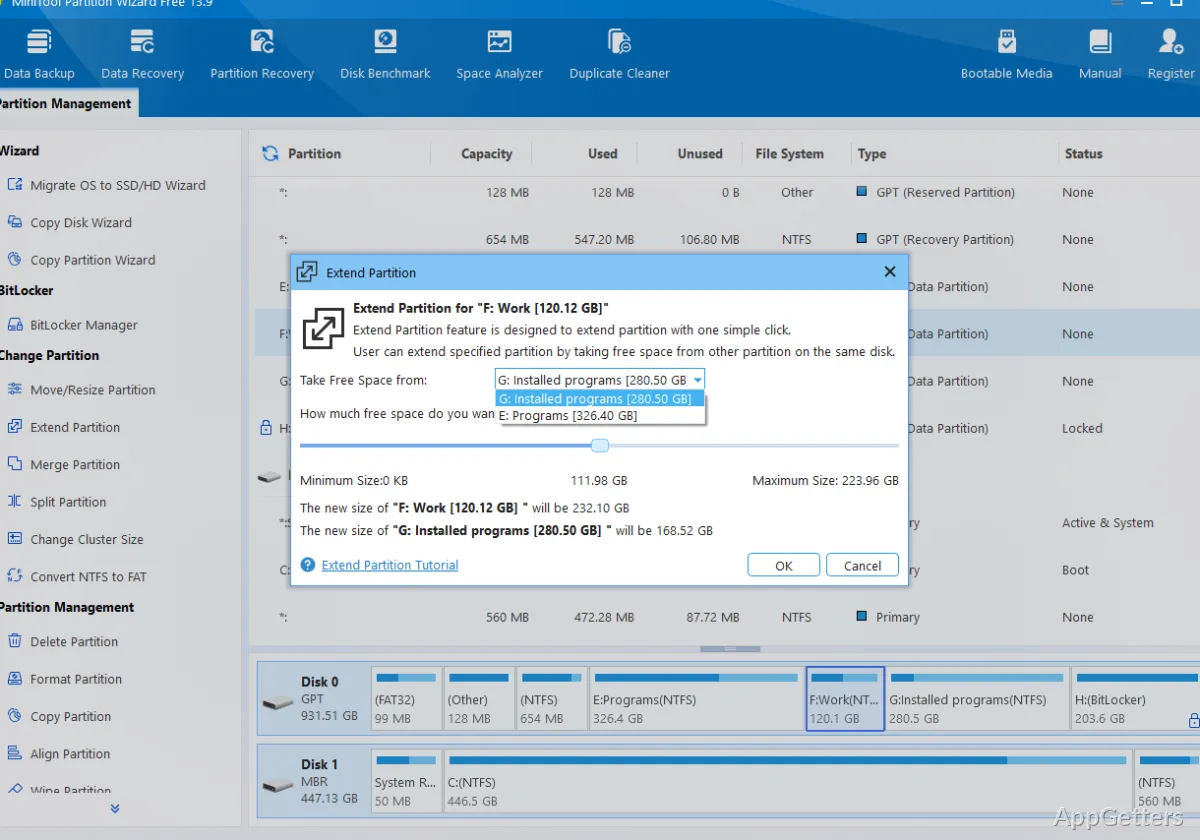
Disk partitions can be resized, moved, merged, and split through MiniTool Partition Wizard Free's visual disk layout. It queues selected changes so you can review the planned layout before applying them.
Partition map and operation queue
The main disk view shows partitions arranged across each disk, giving you a visual way to identify where space is allocated. Select a partition to choose an operation such as resizing or moving it. The layout makes it easier to see how changing one partition affects the space around it.
Selected operations appear as pending changes. You can line up several tasks, inspect the proposed arrangement, and then apply the queue. This separates planning from execution, which is particularly helpful when a space adjustment involves more than one partition.
Resize, move, merge, and split
Resize or move a partition to change its dimensions or position on the disk. These controls let you redistribute storage when one partition needs more room and another has space to spare. The visual layout shows the planned sizes and positions as you adjust them.
For broader reorganizing, Partition Wizard can merge partitions or split one partition into two. Merging consolidates partition space, while splitting creates separate areas for files that you want to keep organized independently. The right operation depends on the layout and how you want to arrange storage.
- Resize a partition to change its allocated space.
- Move a partition to reposition it on the disk.
- Merge or split partitions to create a different layout.
Applying disk changes
After choosing operations, review the pending list and confirm that the resulting layout matches the intended changes before applying it. Some changes to a Windows system partition may need a restart to complete, since Windows cannot alter certain partitions while they are in use. Keep important files backed up before changing partition layouts; an interruption during disk work can put data at risk.
Pros
- Resize and move partitions from the disk map
- Queue several layout changes before applying them
- Merge or split partitions to reorganize disk space
Cons
- Applying changes to a system partition may require a restart
System requirements: Windows 7, Windows 8, Windows 10, Windows 11
Can MiniTool Partition Wizard Free move a partition as well as resize it?
Yes. It provides separate move and resize operations for changing a partition’s position and size.
Can I plan more than one partition change before applying them?
Yes. Operations can be added to a pending queue, reviewed together, and then applied.
What does splitting a partition do?
It divides one partition into two, creating separate areas on the disk.