EXE
Home » Software » Windows » Image-Viewers » Microsoft Photos for Windows
Microsoft Photos for Windows

Microsoft Photos for Windows

Over time, for many Windows users, the main concern with managing photos becomes less about the available storage space and more about organizing the photos properly. The pictures and screenshots get mixed. The photos that have been edited get placed next to the fresh ones, directly imported from cameras. The least opened and oldest ones get buried and become quite hard to find. Thus, the role of a photo app transcends merely being an image viewer. It should be responsive, capable of trustworthy media organization, and fit in naturally with the everyday workflow. The user should not have to do a lot of setting up. Microsoft Photos is built very much for that typical, casual use on a day-to-day basis.

Instead of trying to be a fully-fledged professional editing software, it is positioned as a simple viewing and organizing tool that comes pre-installed with the Windows OS. For many users, especially those already embedded in the Windows ecosystem, that tight integration with the OS turns out to be one of its biggest useful advantages.

Designed to Complement Daily Windows Use

Perhaps the biggest thing that strikes you about Microsoft Photos is that it is just a natural part of Windows. When you open an image that is lying in File Explorer, the app launches immediately. Often, it will be ready to use without you configuring it at all. Pictures that are saved on the system, transferred from phones, or accessed through cloud services can be displayed in the same library. This goes a long way to solving the problem of photos being scattered all over the folder locations. One might have accumulated them over the years on a PC.

It is this neatness that is a real deal to a certain set of users, as opposed to a feature-packed control panel. Students who want to arrange their class lecture screenshots stand to gain the most from a user-friendly UI. Families who create albums from their holiday pictures and office users who want to have reference pictures handy also benefit from it. Even users who rarely use dedicated media software won’t be intimidated by the navigation.

Microsoft Photos can also be used for managing big image libraries. However, depending on the computer’s hardware and the cloud synchronization settings, the performance may be different. Execution of loading large collections may often be sluggish even on less powerful machines.

Photo Viewing and Organization Made Easy

Microsoft Photos is all about making photo viewing comfortable and airy while still providing basic means for organizing media items. The pictures are presented in a neat way. Using a timeline as a browsing method also makes it very convenient for users. They can reminisce over their old photos time and time again. Besides that, search and grouping options can minimize the necessity of manual organization, especially if a user has piles of photos accumulated over many years.

Windows folders and mobile imports collaboration is yet another handy feature. Almost always, photos that are transferred from cell phones won’t be an issue. The import will also be a very simple and beginner-friendly one. This helps in getting the user acquainted with their images being in the exact same spot. Thus, the steep learning curve gets reduced quite substantially.

On the flip side, those who want a professional-level digital library system, the likes of those embedded in exclusive photography software, will certainly find the organizing features rather wanting. Control over folders, management of metadata, and advanced tagging are only available, albeit in simplified versions. Nevertheless, the balance of simplicity and functionality is usually spot on for everyday home use.

Simple Editing for Doing a Bit More Than Just Viewing

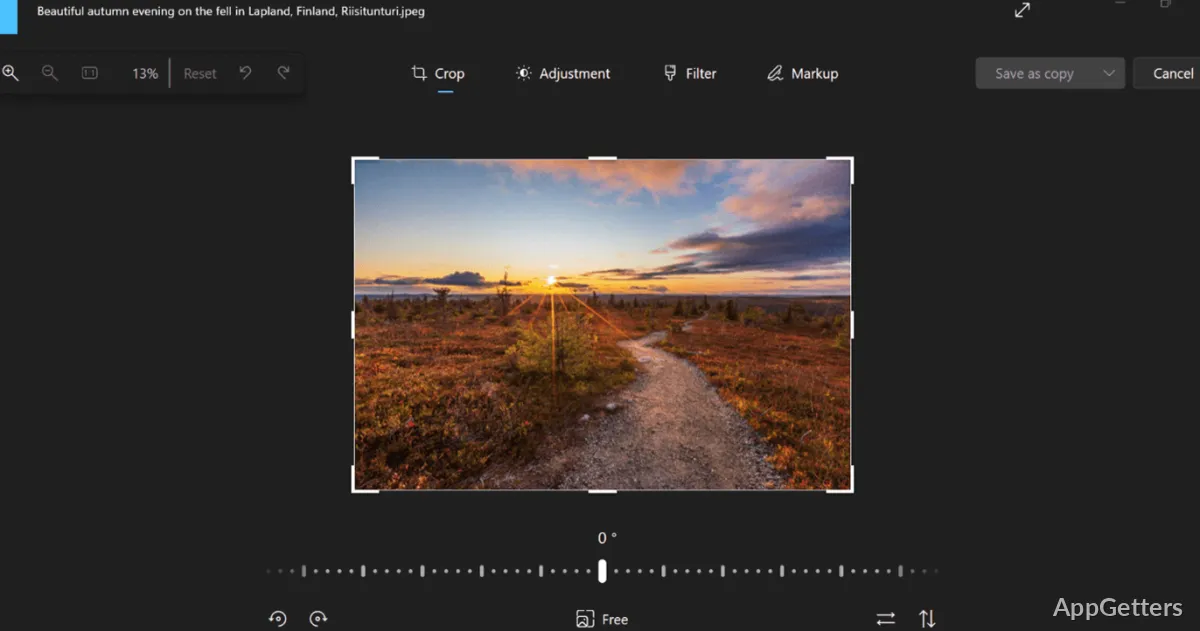
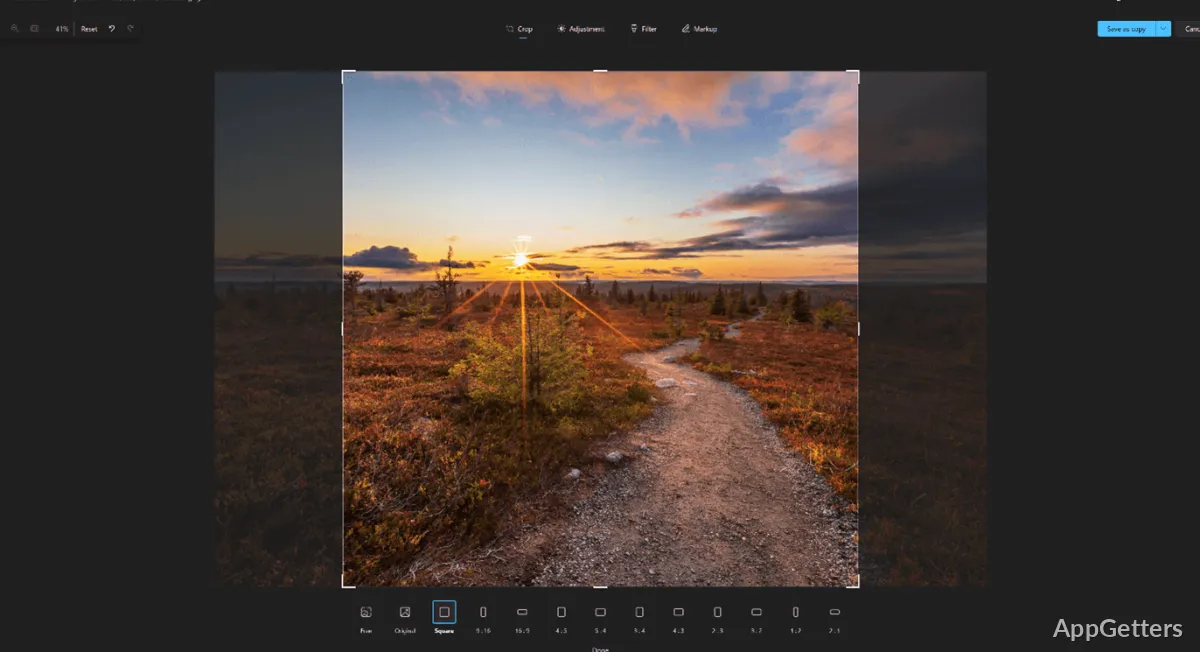
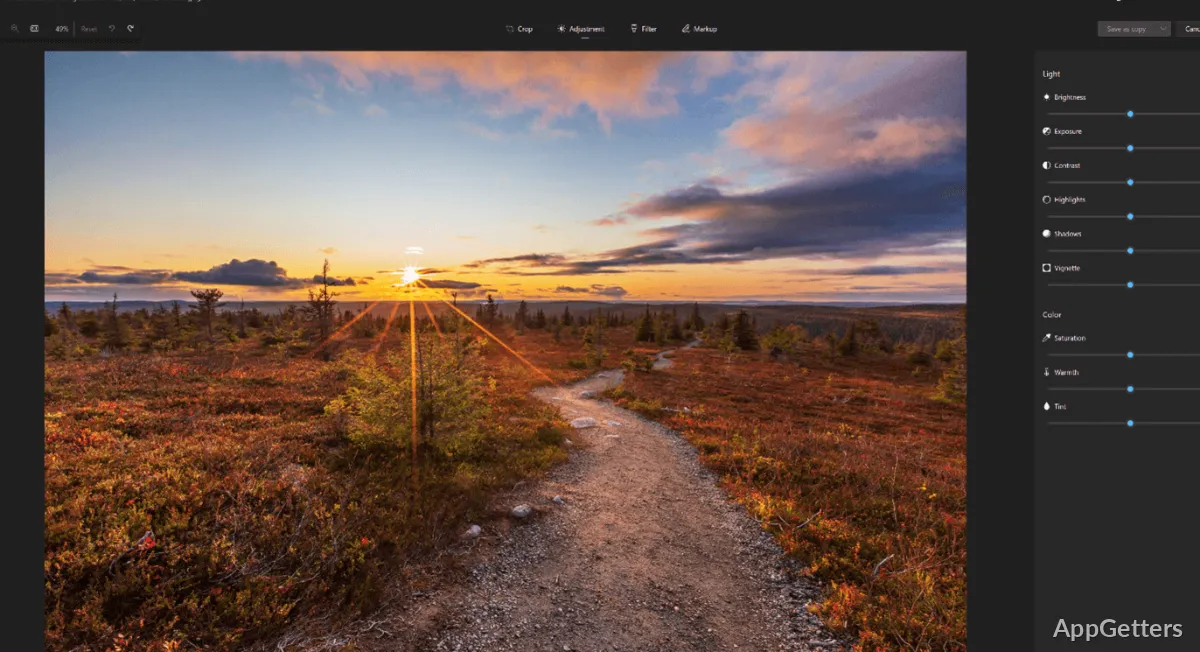
Microsoft Photos doesn’t aim to be a professional image editor at all. However, it has quite enough functionalities for everyday corrections. It can also prepare the photos ready for sharing on social networking sites. Besides the standard rotation and crop features, it also has brightness adjustment, filters, and simple markup functions. These can be reached directly while viewing. This is the reason for not having to launch another app that is solely intended for editing in order to make minor changes.

Editing comes into its own when one just wants to make the picture presentable or suitable to be pasted in a document. For example, the page features a resized image for the purposes of the presentation. It also touches up this casual smartphone shot. All three can be accomplished fairly quickly without the user being an expert in technical matters. Most of the time, the workflow is so simple. Even having lots and lots of advanced controls wouldn’t be as good a thing as the set of them that is in the Microsoft Photos app.

On the other end of the spectrum are those few people who edit layers, color grading, or do RAW-heavy photography projects. Actually, they will quickly move on to the other software. It is more geared toward photographers and offers only a lack of features for export and full precision controls alongside some level of complexity. When depth in creativity is sacrificed in favor of speed and convenience, then Microsoft Photos is a good fit.

Who Is Microsoft Photos Intended For?

Microsoft Photos is great at being a solid image platform for everyday use for Windows users who appreciate getting things done easily without the extra complication. It doesn’t throw out one particular feature to the sky as an advantage. But the fact that it can be smoothly fit into the usual use of a PC is important. Getting pictures in and getting them out can still happen while you are in a familiar environment that requires little maintenance. Looking through them gently, performing some minor editing, and organizing everything also remain simple tasks.

In many cases, home users, students, and a typical office environment will suffice with that dependability. On the other hand, the application steers clear of providing too many choices. This helps serve most of the tasks imagined as being carried out by the majority of users. At the same time, the photographers who are more demanding or the media professionals will likely go for the ones with deeper organizational and editing capabilities eventually. Being a Windows photo app for all purposes, Microsoft Photos wins the majority of the time. It demonstrates that it can be accessible, stable, and easy to live with for a long time.

Software Details of Microsoft Photos 2026.11020.20001.0

License
Free
Version
2026.11020.20001.0
File Size
1.07 GB
Downloads
1
Languages
English English, Afrikaans, Amharic, Arabic, Armenian, Belarusian, Bulgarian, Catalan, Chinese, Croatian, Czech, Danish, Dutch, Estonian, Farsi, Finnish, French, German, Greek, Hebrew, Hindi, Hungarian, Icelandic, Indonesian, Italian, Japanese, Kazakh, Korean, Latvian, Lithuanian, Malay, Norwegian, Polish, Portuguese, Romanian, Russian, Serbian, Slovak, Slovenian, Spanish, Swahili, Swedish, Tagalog, Thai, Turkish, Ukrainian, Vietnamese, Zulu
Category
Op. System
Windows
Developer
Microsoft Corporation
Last Updated
February 24, 2026

Version History

1 version
2026.11020.20001.0
Latest
1.07 GB
February 24, 2026

Leave a Comment

Your email address will not be published. Required fields are marked *

Software Icon
Security Report

Loading scan data...

Scroll to Top