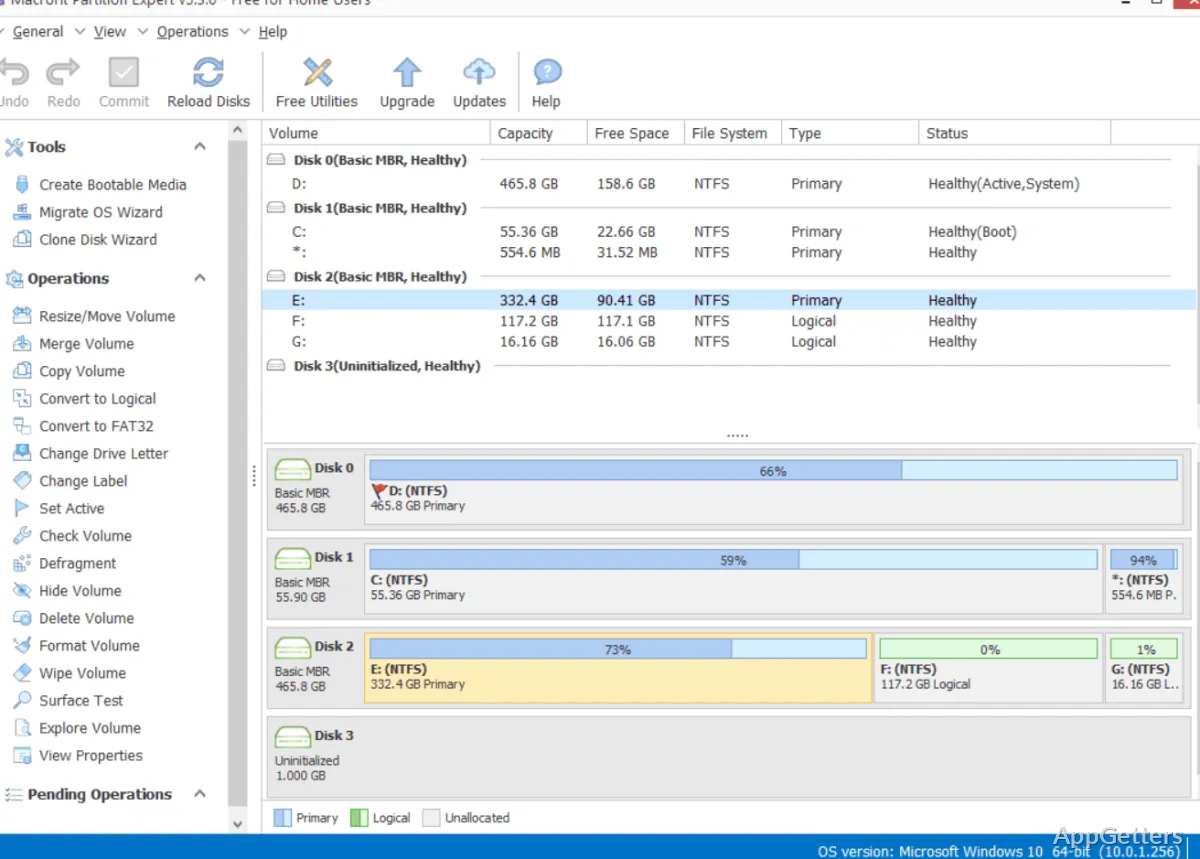
C: drive full while D: sits half empty? Macrorit Disk Partition Expert Free resizes and moves partitions, and also creates and formats them. Its controls include undo, redo, and commit, so changes can be organized before they are applied.
Partition resizing and creation
The program works with both MBR and GPT disks. It can extend, shrink, and move system or data partitions, as well as create primary and logical partitions. The undo, redo, and commit controls let you manage the operation sequence before committing changes.
- Format partitions, including converting NTFS to FAT32
- Change a partition between primary and logical status
- Change drive letters, labels, and active status
Filesystem and partition tools
Disk Partition Expert Free includes controls for hiding or unhiding a partition, setting it read-only or writable, and viewing its properties. It can also wipe a partition or free space; wiping is intended to prevent recovery of the erased data.
- Resize FAT and FAT32 partitions
- Format FAT32 drives up to 2 TB
- Explore a partition and check its properties
Surface testing and disk cleanup
A partition surface test scans a selected area for bad sectors and can locate them. Separate wipe and cleanup commands cover partition data and free or unallocated space.
Pros
- Resize and move system or data partitions
- Work with MBR and GPT disks
- Check partitions for bad sectors with a surface test
- Convert NTFS partitions to FAT32
Cons
- Does not support Apple BOOTCAMP partitions
System requirements: Windows 7, Windows 8, Windows 10, Windows 11 · 100 MB of hard drive space · 512 MB of RAM · 1024 × 768 display resolution or higher · 500 MHz CPU
Can Macrorit Disk Partition Expert Free resize a partition without deleting its data?
Yes. Partitions can be extended, shrunk or moved while their files stay in place, though a backup beforehand is always wise.
Can it work with GPT disks?
Yes. The program supports both GPT and MBR disks.
What does the surface test do?
It scans a chosen partition area for bad sectors and can locate them.