Windows maintenance is often a reactive type of maintenance that users only notice when the computer has become slow. Letting temporary and system files accumulate, as well as other software-related inefficiencies, can potentially make a system sluggish. Besides that, users may typically resort to seeking help only when the problems have mortally affected their Windows, such as a system being very slow, the computer turning off unexpectedly, or an application crashing unexpectedly. After that, the users can think of fixing Windows utility maintenance. It is worth mentioning that despite the fact that Windows supplies the maintenance utilities, the majority of them are limited and not enough for users who want to have more monitoring and automated maintenance. Kerish Doctor handles this issue as a full-time maintenance tool instead of just a cleanup utility.
The program is very down-to-earth and is designed for those who prefer the ongoing background work of a computer to the occasional running of repair tools. It combines system cleanup, optimization, and monitoring functions all in one place. The aim is to significantly lessen the amount of maintenance tasks that the users had been doing.
More Automatic Maintenance, Less Manual Cleanup
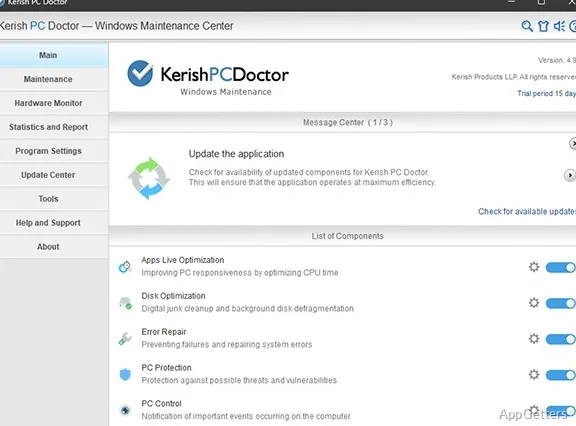
Perhaps the most dominating feature of Kerish Doctor rests in its focus on automation. It is a different approach from the utilities that expect users to manually scan and repair the system every few weeks. This software is created around the concept of continuous background maintenance. For many home users, such a method is more comfortable. The system remains under monitoring without constant user involvement.
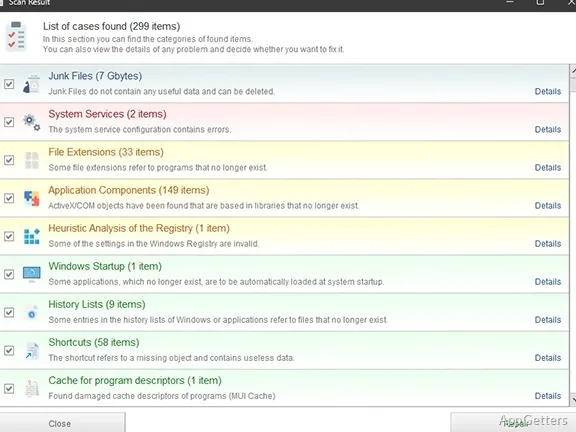
Considering the numerous included features, the interface is quite user-friendly. Maintenance categories are well separated, and almost all user engagements on the software are explained in everyday language instead of specialist terms. When using the software normally, it works as a background, almost invisible, process. Though users are regularly informed by the software of areas that can benefit from optimization, invalid shortcuts, or entries that start unnecessarily.
This auto-mode has its benefits for those who seldom do the manual maintenance. Still, the ones who like to have the final say over any change happening to the system may be surprised by the level of activity of some automated choices. Luckily, the majority of the features are modifiable or can be disabled completely.
Performance on a Daily Basis and System Dependability
Kerish Doctor is likely to be extremely handy for systems facing intensive daily use over long periods. A frequently used family computer, an older Windows laptop, and a student’s system with frequent software installations are a few examples. These systems can benefit hugely from cleanup and monitoring rounds.
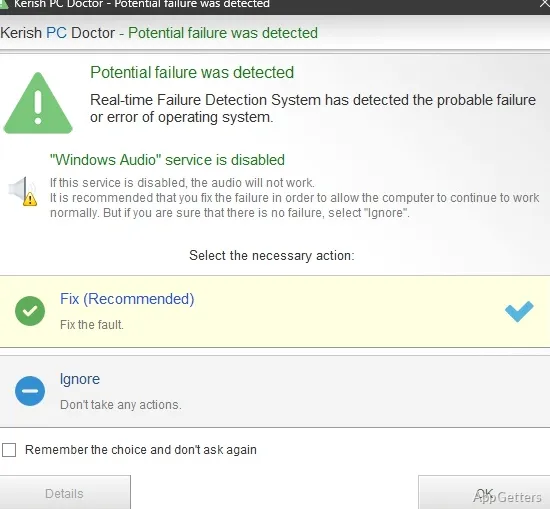
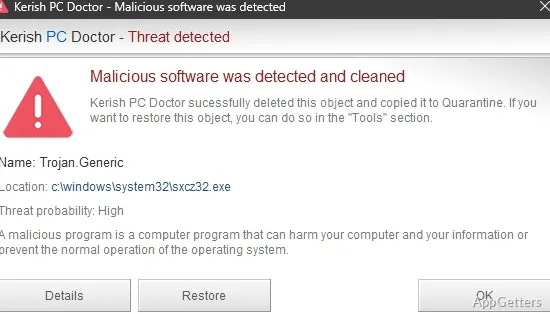
In practice, through its cleanup and monitoring cycles, the program aids in lessening the noise that accumulates unnoticed. Boot optimization tools help keep boots predictable, and cleaning temporary files is a great way to retrieve more storage space without much input from the user. In addition, the program is able to detect stability-related issues and, in some cases, even before they become evident.
What is striking is not the tearing-the-roof-off-the-house-style speed increase, but a lengthy period of smooth system operation. A system that had previously seemed mired in disorder or lack of consistency can become significantly less complex after regular automated maintenance. However, users who are expecting instant performance enhancements may get their hopes dashed. After all, modern Windows systems are pretty good at handling optimization operations. This is especially true when the hardware is more up-to-date and equipped with an SSD.
Trustworthiness and limitations of reality for Kerish Doctor
Kerish Doctor, in fact, is mainly a tool aimed at PC upkeep, but not at radically increasing performance. To raise the level of safety when making registry changes or fixing system parts, backing up and restoring are processes. They are part of most maintenance work.
However, there is no software that claims to make your computer run better with no risk. Automated cleaners will always require some degree of end-user trust, especially when performing registry changes. More technically skilled users might want to go through the recommendations and choose which ones to execute.
An additional practical point is the resource demand. Since the software has been implemented as an uninterrupted monitoring service running in the background, users with very low-end systems could, at times, see mild resource consumption. Though it is not very obvious during the test, this is a matter that users of lightweight systems may want to think about.
In general, the interface, although quite easy for the user overall, also has plenty of tools and notifications. Some newcomers may find themselves playing catch-up in comparison with those who only do simple cleanup of temporary files.
Perfect for Those Who Prefer Systems That Look After Themselves
If you want your Windows maintenance to always be done without you even noticing it, Kerish Doctor is just what you need. It works well with home users, students, and those who have older PCs. Those systems usually accumulate a lot of unnecessary files.
Its biggest selling point is being so user-friendly and requiring such minimal involvement. Secondly, it does not encourage the user to have occasional deep-cleaning sessions. Instead, it sticks to protecting system soundness and neatness little by little in the background.
Even when the software packs great technical information, it is easy to use without knowledge of those advanced features. For newbies, it is a much more managed maintenance tool than many other Windows optimization tools. To sum up, Kerish Doctor is not a single-time fix tool but a friend for periodic maintenance.