EXE
Home » Software » Windows » Download Managers » HTTP Downloader for Windows
HTTP Downloader for Windows

HTTP Downloader for Windows

  • By erickutcher
  • Free
  • Version: 1.0.6.9
  • 577.56 KB
  • Security Report:

Downloading files via a web browser may seem effortless until it really isn’t. For instance, huge ISO images could break down at 90 percent. If a connection is slow, then one is forced to restart over and over. At the same time, multiple downloads fight for bandwidth, and thus the system becomes very slow. For a great number of Windows users, this turns into a normal daily annoyance. It becomes more than a one-time glitch.

HTTP Downloader deals with the issue in a simple but efficient manner: reliable and controlled file transfers over HTTP and HTTPS. It does not try to be a media manager or torrent client. Hence, it focuses on stability, queue management, and productive processing of direct links. Users who habitually download large files would find its minimalistic approach most attractive.

A Lightweight Alternative to Browser Downloads

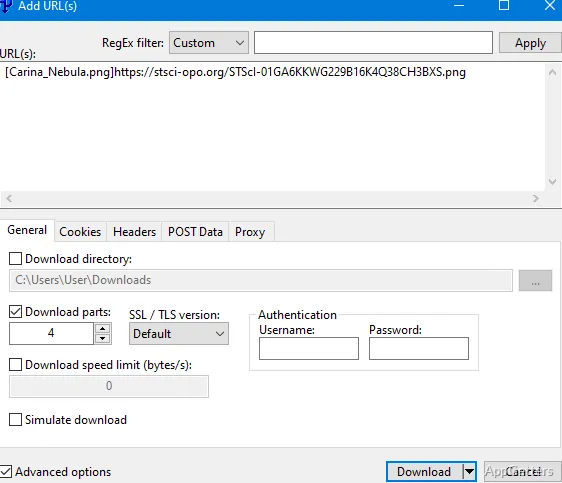
At first sight, one of the advantages that HTTP Downloader brings about is the great feeling of being ultralight. This is noticeable when working with it on a daily basis. The application is quick, and the GUI is minimalistic. It is not one of those whose readability is obscured by some hidden tips, speeches, and “extras.” You paste a URL and pick a folder for the download to get started.

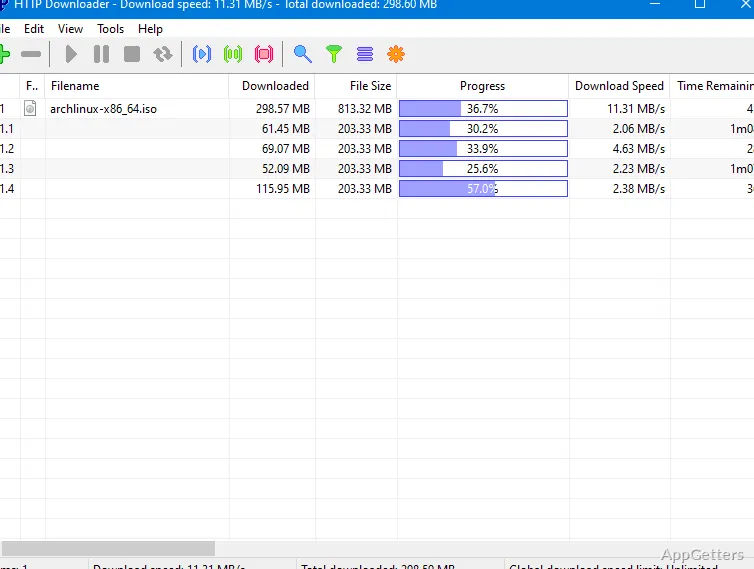
This minimalism practically means reducing the resistance of the users. Students spreading various Linux flavors, programmers downloading the SDKs, or simply home users copying different large archives can all wait in the same queue. The files will be downloaded while they do other things. The program includes a segment downloading feature. It is capable of fast-tracking the download when the server allows it. Even if the connection is questionable, pause and continue features are really well handled compared to many browsers.

Managing Bandwidth and Large Queues

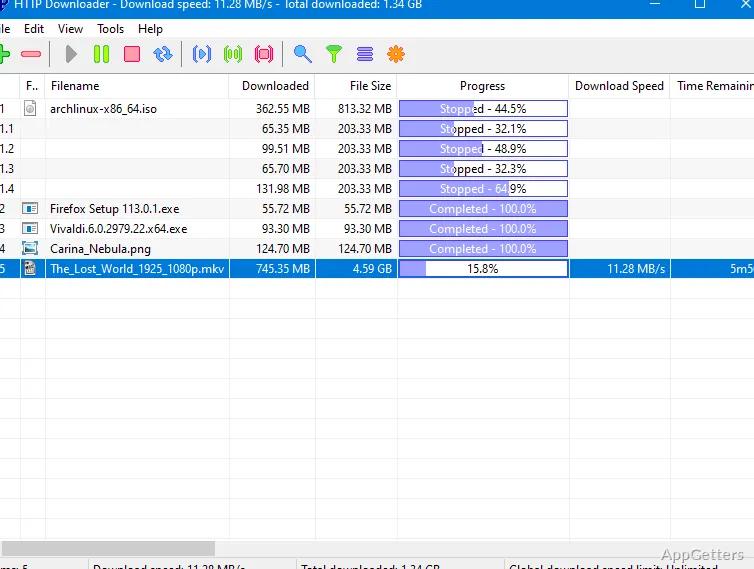
The niche where HTTP Downloader becomes an amazing tool is bandwidth management. One big download in a shared home network can easily result in devices going down. It can also cause unimaginable interruptions in streaming or online meetings. The program lets users draw speed boundaries. It also lets them set the number of downloads to be performed simultaneously. Nobody has to make round-the-clock rounds to the system because of the real-time status here.

Besides, the management of the queue is clear, simple, and yet efficient. You can reposition the downloads that you consider more important. You can schedule those to be downloaded within time slots of your workflow. Even in a session lasting for hours and involving many multi-gigabyte files, the application remained stable. It remained predictable. Besides, it does not consume such a big chunk of system resources. This could unnecessarily arrest one’s attention. This is why the program is as suitable for use on legacy Windows computers as it is on the latest model of modern systems.

It is designed for users who have at least some knowledge of direct download links. It might not grab all the downloads from the browser automatically. And it might not deeply integrate itself into all websites. Those users who want full automation in just one click for complicated web platforms might find it more of a bother than help.

Practical Strengths and Realistic Limits

The reality is that HTTP Downloader is best if it is used in combination with simple download links. Software packages, game patches, documentation bundles, and ISO files are good examples. Its capability of segmented downloading can give a very noticeable speed improvement. This happens when the servers are receptive to multiple connections. On servers that are not configured for this, it is not a problem for the utility. It simply reverts to a normal download without breaking down.

Yet, it is a far cry from a one-stop shop universal solution. HTTP Downloader is not a full replacement for specialized downloader clients for torrent, streaming, or cloud. As for its interface, even though it is rather clean, it may be overwhelming or scary for total newbies. After all, it rather lacks charm.

In fact, the program neither features many calls nor any aggravating advertising elements, as the majority of computer applications do nowadays. People who cannot focus in a noisy environment will appreciate the fact that the program does not source distractions. Once configured, it actually gets out of your way.

Best Suited for Users Who Value Control Over Automation

HTTP Downloader suits best a situation where, instead of a couple of convenience shortcuts, one needs reliability and control. This steady and dependable behavior of the tool can be enjoyed by students downloading research data sets. It can also be enjoyed by IT specialists who have to take care of a number of large deployment files. It can even be enjoyed by residential users with the problem of unreliable internet connection.

While it may not be the most automated Windows downloader nor the most visually refined, it still holds the middle ground between usability and performance. If one often deals with large direct downloads and wants extra stability besides that offered by a browser, it will be an extremely low-key helper in the daily workflow. It doesn’t demand much attention.

Software Details of HTTP Downloader 1.0.6.9

License
Free
Version
1.0.6.9
File Size
577.56 KB
Downloads
3
Language
English
Op. System
Windows
Developer
Last Updated
January 1, 2026

Version History

6 versions
1.0.6.9
Latest
577.56 KB
January 1, 2026
1.0.6.8
572.75 KB
November 9, 2025
1.0.6.6
571.67 KB
January 25, 2025
1.0.6.2
522.83 KB
June 23, 2024
1.0.6.0
522.75 KB
June 8, 2024
1.0.5.9
522.06 KB
May 25, 2024

Leave a Comment

Your email address will not be published. Required fields are marked *

Software Icon
Security Report

Loading scan data...

Scroll to Top