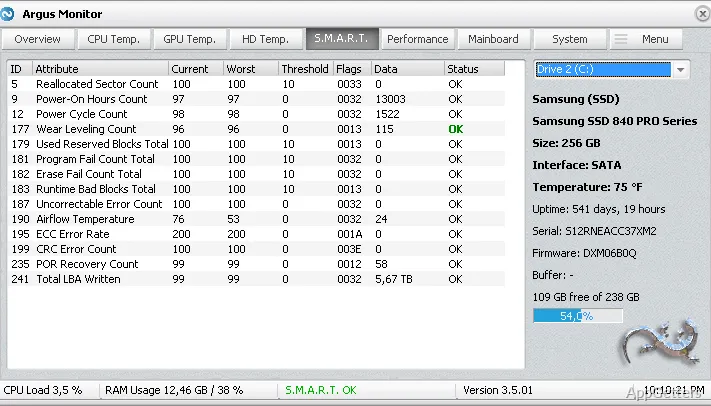
Windows nowadays run a complex mixture of intensive applications, background operations, and hardware components that produce heat and are physically affected over time. The majority of users fall back to using system controls at their face value only, but these controls rarely give sufficient information. It rarely shows what is going on inside the PC at the hardware level. For example, overheating itself, or even drastic changes in fan functioning, may lead to system failure. This can remain entirely unnoticed until the user faces some performance or reliability issues. Argus Monitor was developed to fill this gap.
Understanding system health beyond basic indicators
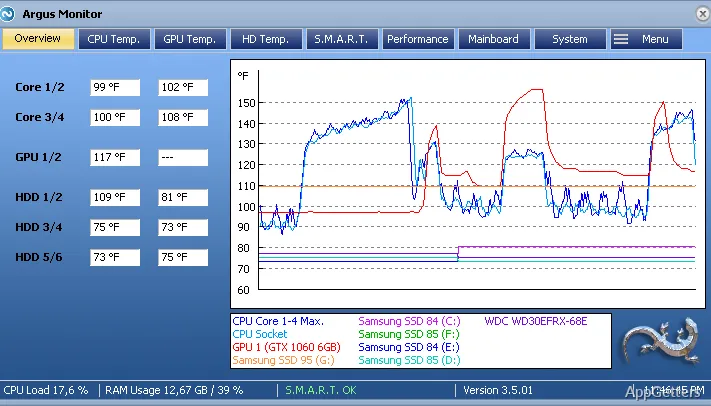
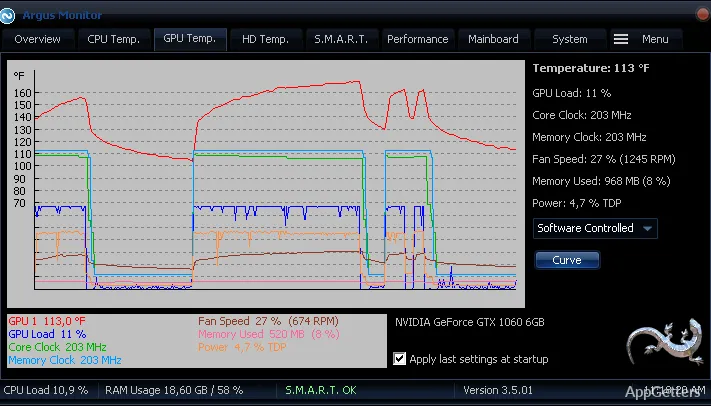
Argus Monitor makes hardware tracking presentable and captivating. It does this without reducing it to a barebones and boring enumeration of numbers. It includes inside the presentation a lot of additional information. This includes CPU and GPU temperatures, hard drive and SSD health, and system voltages at different points. All together, this creates a rather complete image of system state.
Turning to practice, what may probably be taken as one of the biggest pros is that it not only shows raw data but executes calculations. It gives interpretations like the estimated remaining lifetime of the disk. This is turning out to be most useful. It helps especially novices who hardly ever deal with BIOS or advanced tools. They can spot problematic signs right ahead at their earliest stages, such as a failing disk or a continuous presence of quite high temperatures. They are very often the main causes leading eventually to major breakdowns. These alerts may become real life savers for many users.
Fan control and everyday system operation
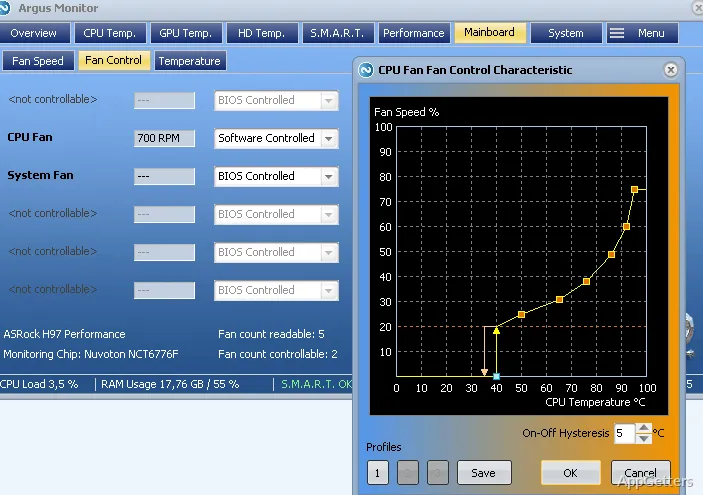
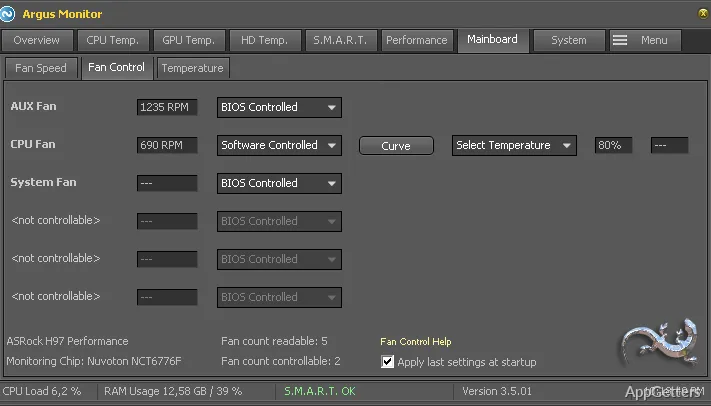
It is not without reason that among the features of Argus Monitor, fan control gets special mention here. To begin with, instead of basing the whole thing only on the use of system profiles for fans, they let users come up with their own comfortable curves. These depend on certain changes in the temperature. This may result in a still quite silent running of the machine while doing some light work. At the same time, the cooling system will react immediately and very efficiently when you put the system under heavy load. Of course, this will be the most effective way of operating a fan. It will require a certain level of acquaintance and understanding, especially from a non-experienced person.
Argus Monitor fan control can be mastered, and then daily usage becomes an automatic part of one’s workflow. People who work long hours might be aware already of the least annoyance and the fan noise changes being terribly disruptive and distracting. Their being able to reduce both at once leads what actually is fan control to become something like a saving grace or a new lease on life for many. The idea of having fan settings control at the highest level possible is really something that lots of users have always dreamed about. They will be glad to have it in their arsenal from now on.
Strengths and functional limitations of use
One of the main things about Argus Monitor that appeals most to users is the fact that it combines both monitoring and intervention at the user interface level. Thus, it does away with running around through different software applications. This happens when one needs to do temperature measurements, drive health diagnostics, or even fan speed adjustments. This will bring great relief to maintenance procedures, particularly for those who want a single comprehensive product only. But on the other hand, this is not exactly a product that anybody could take and start from zero flawlessly. This is especially true without any form of assistance right away.
By the way, the control and configuration of fans and the interpretation of sensor details might pose problems for some. This is because of their limited knowledge of hardware operations. Quite a few aspects of their workings are also very much inaccessible and imperceptible for everyday users. Furthermore, as a matter of fact, even though it will bring alerts and disclose insights, the extent of help it is capable of will stop far short. It will not substitute professionally designed tools devoted exclusively to stress testing or benchmarking. Argus Monitor should be a tool used on a regular basis for monitoring and tuning. It should not be relied on just for a one-time audit of the system.
Where Argus Monitor fits in everyday PC management
If, at the end of the day, you still want to be in the loop with your system health or to have hints at least, but prefer not to engage with hardcore technical tools, then maybe you need Argus Monitor. Despite their limitations, home users can still get a reasonable degree of benefit from it. This is thanks mainly to the implemented, timely, and well-targeted warnings related to storage health or overheating. In addition to the above, plain users of bulk machines used primarily by students and remote workers will definitely appreciate this tradeoff between production and noise control.
From the same perspective, it is the case of users who cannot afford to unexpectedly shut down the systems they develop or modify for their work. This is due to their being exposed to certain limitations of raw performance. At the moment, Argus Monitor doesn’t quite look like sophisticated or detailed engineering software. But it certainly meets a very down-to-earth and realistic set of requirements. It will serve its users very well toward maintaining a PC that operates stably, silently, and predictably. This is made possible through its better visibility and controlled hardware response.