EXE
Home » Software » Windows » Download Managers » Imaget for Windows
Imaget for Windows

Imaget for Windows

Bulk downloading images is something that sounds very easy to do. Until users realise how difficult it is when they are actually going to do it. For instance, students collect material for their research, designers save visual references, and small business owners archive product photos. At first, they may start off sporadically by right-clicking and saving the files one by one. However, that method is extremely slow and inconsistent. Furthermore, broken links, files that are left out, and folders that are messy are the most common problems encountered when using this method.

Imaget, being a Windows-based image downloader, has been developed to solve this gap. It focuses more on collecting multiple images from web pages in a structured and more efficient way. It can be much less of a hassle because it saves each file automatically. Users can capture whole sets of images in a few simple steps. Thus, repetition becomes significantly easier to handle.

Streamlining Bulk Image Downloads

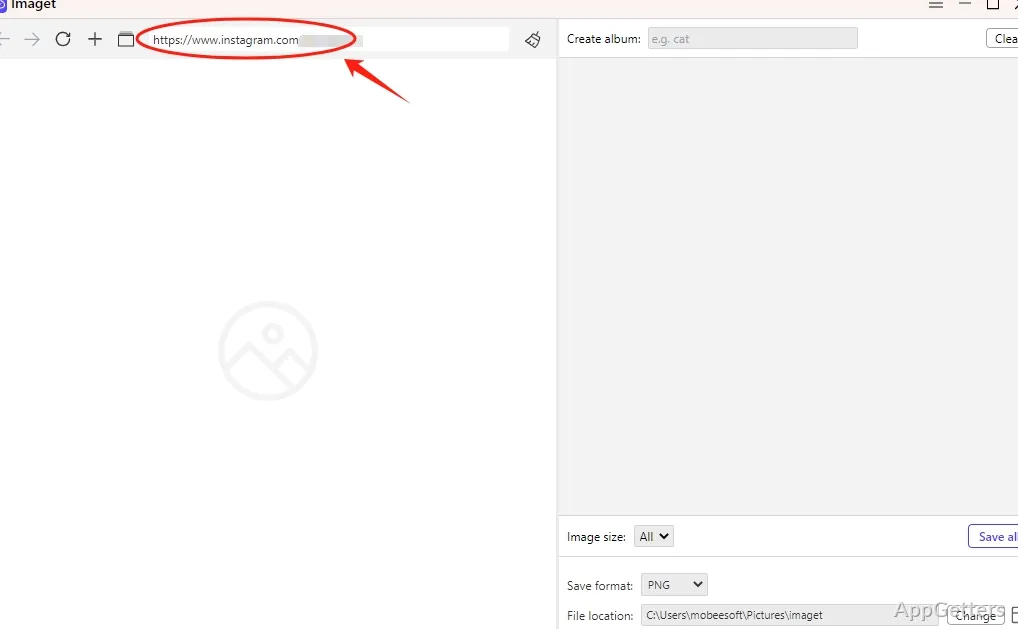
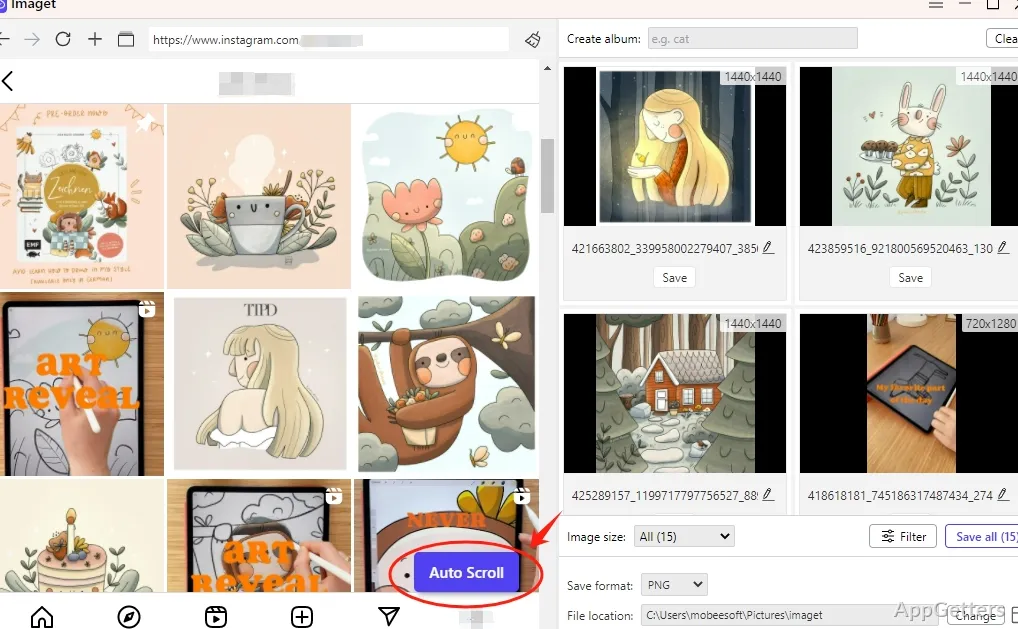
In daily use on Windows, Imaget focuses on finding and extracting pictures from a given webpage. When the software is instructed with a URL, it immediately scans the page. It shows the images available in a gallery-like preview. That’s a great idea because it helps the newbie by reducing the number of possibilities. You can basically download the images you want and be happy with that. No more surprises!

For example, conducting a research project requires you to acquire visual references for academic purposes. You may also need to make a mood board from pictures. You would get visibly longer times to work. A user would have to open a new tab or two, save images, and get the info. Repeated work is normally done when the task becomes a manual chore.

Performance, however, may vary depending on the website layout. It is normal that highly dynamic or heavily scripted pages will not give you neat results. That goes for tools in this category as well.

Everyday Workflow on Windows

Imaget doesn’t ask for technical background knowledge, and yet it perfectly fits into a common Windows environment. Installing the program is no different than installing any other program. Its interface is made according to Windows design standards. It keeps things understandable for non-technical people by just showing the directions. This is quite a natural way of doing things: to label the buttons.

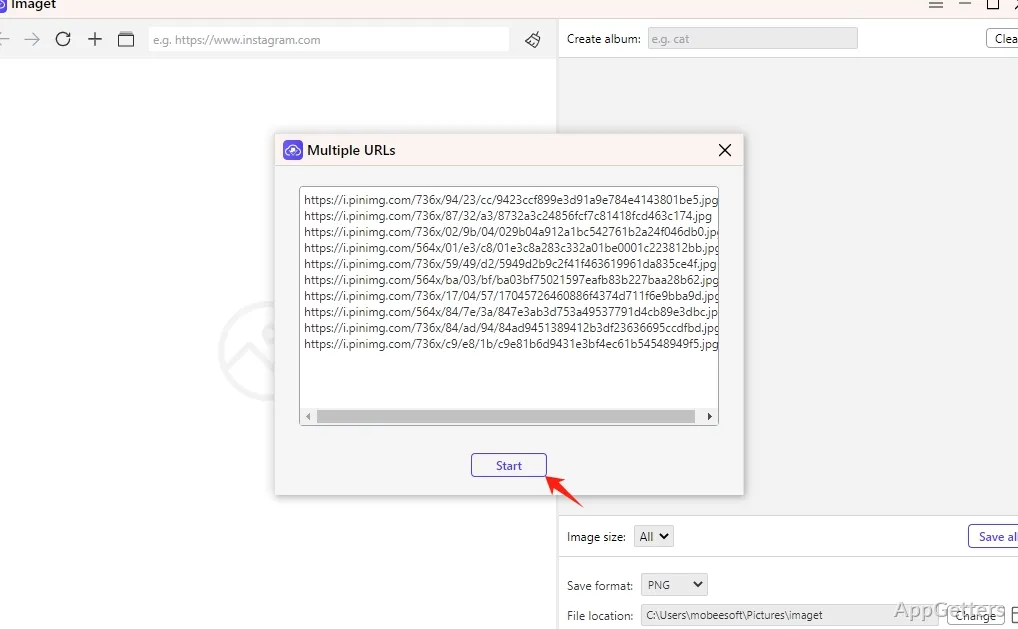
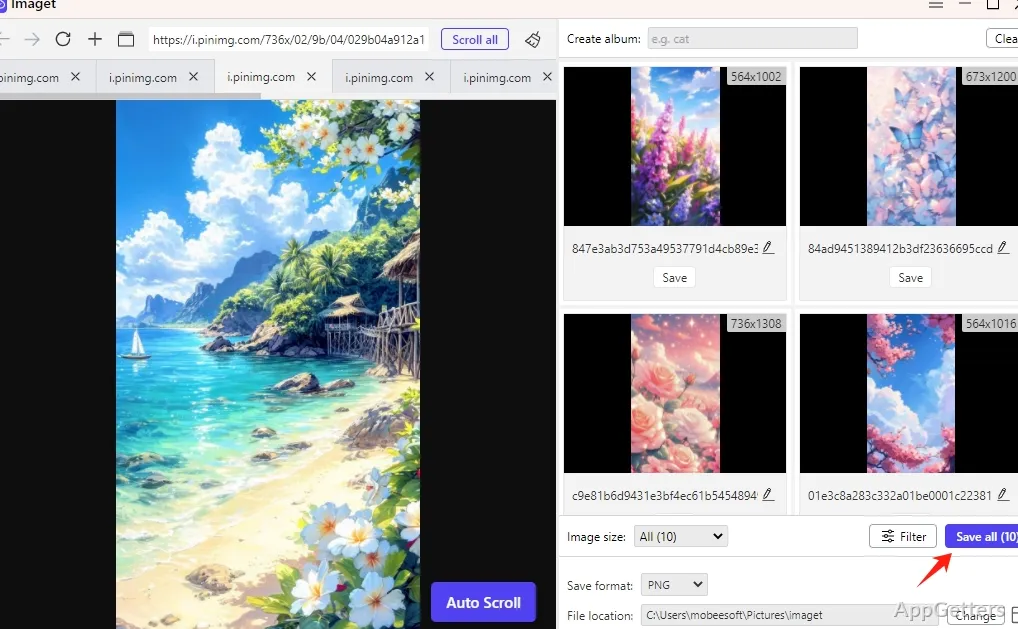
Good practical examples of it working can be seen in collecting blog images, saving product galleries for comparison, or even using an image to convey an idea from a design platform. When you download a large number of files at once, it is essential to keep the download folder in order. Thus, the choices of where to save and how to name the files help to keep things neat.

This application isn’t developed with the intention of being a standalone web scraper. It rather serves the purpose of being an image-gathering tool only. It is simpler and less intimidating to ordinary users because it lacks most of the advanced automation features of developers’ tools.

Reliability and File Management Considerations

Imaget’s handling of the downloaded files is one of its practical features. When handling a huge number of files downloaded at once, the first concern is consistency. The software even goes to the extent of attempting to save the first set of file names. At least it will do it in such a way that the names won’t be completely different from what people would expect from each file.

The download process is mostly stable, especially if you have stable broadband at your disposal. It gives off steady behavior even when the file is exceptionally large. If the students’ and small teams’ tasks are already digitalized, the only thing that can make them more efficient is smooth execution. It is not a matter of how fast things can go.

Yet, if anyone were to look for highly advanced editing, resizing, and format-converting features, then that user will certainly have to turn to other software tools. Acquisition is the main emphasis of Imaget, so it has only limited functionalities in post-processing. Efficiently gathering images is its strong point. Instead of transforming them.

Best Suited for Organized Image Collection on Windows

In other words, Imaget is for a typical Windows user who is in regular need of neatly packed image downloads only. It is also for those who would not want to get into the depths of a web scraper. Hence, students, bloggers, e-commerce researchers, and home users engaging in personal collections are going to get quite significant benefits.

Imaget is not a tool meant for enterprise-level automation, nor does it have any plans to be a competitor of developer-focused scraping frameworks. Instead, it meets the needs of a practical middle ground. It is somewhat capable of doing manual-saving tasks but incapable of technical ones.

For users who, once in a while, find themselves saving image after image from websites, Imaget can reduce friction and improve consistency. In actual use, its value becomes clear. Not through flashy features but through quieter improvements in speed, organization, and day-to-day workflow productivity on Windows.

Software Details of Imaget 1.3.0

License
Free
Version
1.3.0
File Size
67.06 MB
Downloads
0
Language
English
Op. System
Windows
Last Updated
December 24, 2023

Version History

1 version
1.3.0
Latest
67.06 MB
December 24, 2023

Leave a Comment

Your email address will not be published. Required fields are marked *

Software Icon
Security Report

Loading scan data...

Scroll to Top