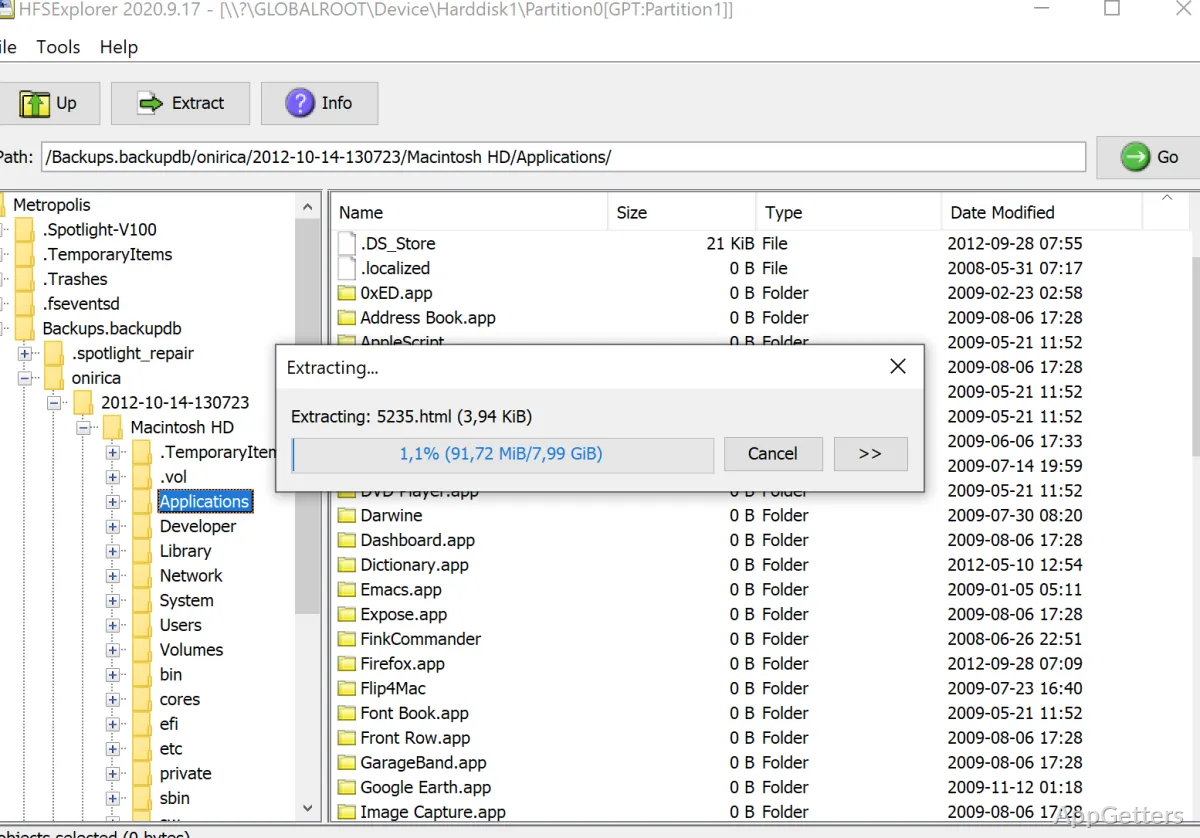
When a Mac-formatted drive or disk image needs to be read on a Windows PC, HFSExplorer can open its file system and extract files to the PC. It reads HFS, HFS+, and HFSX volumes, and can also create a disk image from a volume.
Open a Mac volume or disk image
Choose the option to load a file system from a file when the volume is inside a disk image. HFSExplorer can read many Mac-created DMG and sparsebundle images, including images compressed with zlib or bzip2 and images encrypted with AES-128 or AES-256.
For a physical disk on Windows, load a file system from a device. The device dialog lets you select a partition, and its Autodetect control can search for a readable HFS volume. It recognizes PC-style MBR and GPT disks as well as Apple's own partition map.
Browse the volume and extract files
The graphical file system browser displays the contents of the opened volume. Select files to copy them to a location on the Windows disk, or inspect detailed information about the volume. The Mac volume is only ever read; nothing is written back to it.
Check support for older Mac formats
Supported are the original HFS used by early Macs, its successor HFS+ (shown in macOS as Mac OS Extended), and HFSX, the case-sensitive form of HFS+. This covers volumes and images that use these file systems, including older HFS media that may still contain archived files.
Pros
- Reads HFS, HFS+, and case-sensitive HFSX volumes
- Opens many DMG and sparsebundle images
- Detects MBR, GUID Partition Table, and Apple Partition Map layouts
- Can extract files and create disk images
Cons
- Cannot read APFS, the file system used by current Macs
System requirements: Java SE Runtime Environment 5.0 or greater · Administrator or equivalent privileges for physical disk access
Which Mac file systems can HFSExplorer read?
It reads HFS, HFS+, and HFSX, including HFSX volumes with case-sensitive file names.
Can HFSExplorer open a DMG or sparsebundle?
Yes. It reads many DMG and sparsebundle images, including supported compressed and AES-encrypted images.
Can it write files to a Mac-formatted drive?
No. HFSExplorer reads volumes in read-only mode and extracts files to the Windows disk.