Swapping an old hard drive for an SSD and dreading a fresh Windows install? Hasleo Disk Clone moves a Windows system, a whole disk or a single partition to another drive. It can carry Windows, installed applications, drivers, and user settings to a replacement drive without reinstalling them.
System, disk, and partition cloning
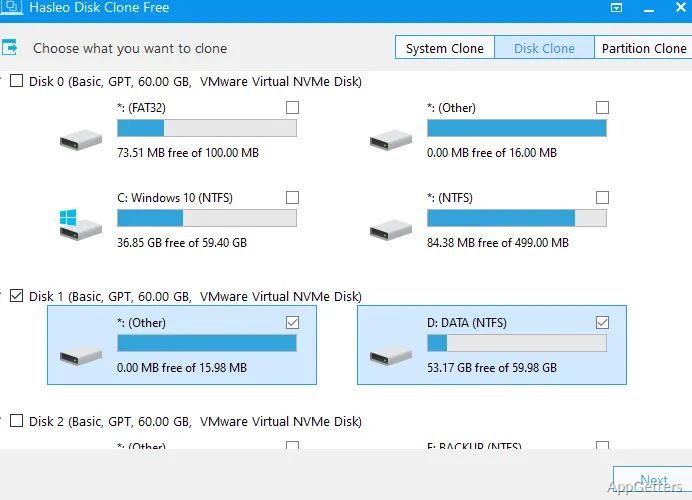
System Clone moves a Windows installation to another disk along with its drivers, applications, and settings. Disk Clone copies the contents of a whole disk, while Partition Clone targets an individual partition. These options cover a drive upgrade, a Windows migration, or a copy of a particular data partition.
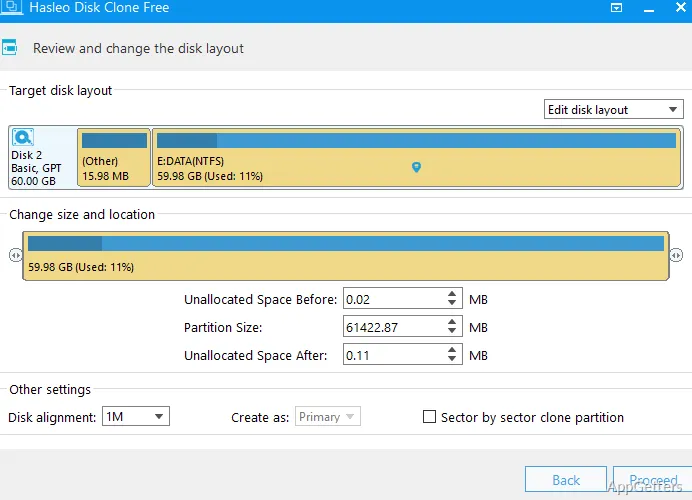
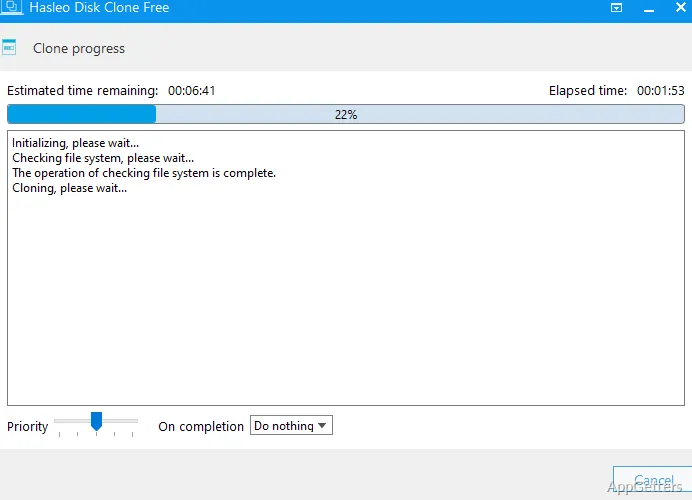
For a disk copy, select Disk Clone and choose the source and destination disks. The destination layout can be adjusted before cloning: Hasleo Disk Clone lets you change partition sizes and positions to fit the new drive. It also supports cloning between MBR and GPT layouts, including conversion in either direction.
- Use System Clone to move a configured Windows environment.
- Use Disk Clone to copy a whole drive.
- Use Partition Clone to copy one partition to another location.
What happens when the destination layout differs?
The source and destination do not need identical partition layouts. During the cloning workflow, resize or reposition destination partitions to accommodate the target disk. This is relevant when moving to a drive with a different capacity or arranging partitions in a specific way.
Cloning can also convert between MBR and GPT while retaining the copied data and keeping Windows bootable from the converted disk.
Delta Clone and bootable WinPE media
Delta Clone identifies changed blocks and copies those changes, avoiding a full copy of unchanged data. It is intended for subsequent cloning runs where the target already has a previous copy.
Hasleo Disk Clone can create bootable WinPE media for performing cloning operations after starting the computer from that media.
- Delta Clone copies changed blocks from a prior clone.
- WinPE media provides a bootable environment for cloning tasks.
Pros
- System cloning transfers Windows, applications, drivers, and user settings
- Disk and partition cloning support separate migration and copy tasks
- Destination partitions can be resized and moved during cloning
- MBR-to-GPT and GPT-to-MBR conversion is available during cloning
System requirements: Windows 7, Windows 8, Windows 8.1, Windows 10, Windows 11
Can Hasleo Disk Clone move Windows to a new drive?
Yes. System Clone transfers Windows, including its applications, drivers, and user settings, to another disk.
Can it clone just one partition?
Yes. Partition Clone copies a selected partition to another location.
Can the destination partitions be resized during cloning?
Yes. You can adjust their sizes and positions in the cloning workflow.