EXE
Home » Software » Windows » Media Player » FreeTube for Windows
FreeTube for Windows

FreeTube for Windows

  • By FreeTubeApp
  • Free
  • Version: 0.23.14
  • 80.78 MB
  • Security Report:
4 Downloads

Watching YouTube outside a normal browser changes more than the player window. Subscriptions, history, playlists, account features, video loading, and privacy settings all behave differently. FreeTube for Windows is an open-source desktop YouTube client for users who want local subscriptions, local watch data, ad-free viewing, SponsorBlock support, profiles, playlists, and a browser-free way to watch videos on a Windows PC.

FreeTube for Windows Is About Local YouTube Viewing

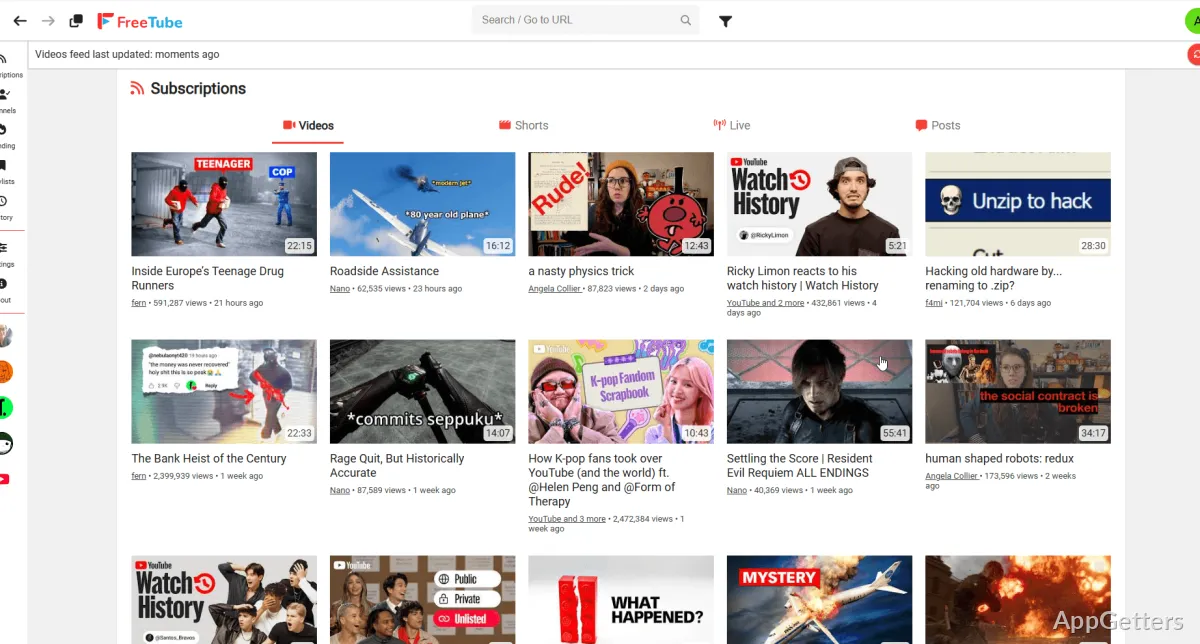
It is not a normal web browser with YouTube opened in a tab. It is a desktop client that keeps app data on the computer instead of relying on a signed-in YouTube account. That difference matters straight away. You can subscribe to channels inside FreeTube, but those subscriptions live in the app rather than inside your Google account.

That local approach is the main reason many users try it. Search, subscriptions, playlists, profiles, and watch history can be handled inside the app without using YouTube cookies and JavaScript in the usual browser session. The tradeoff is clear: Google account actions such as liking, commenting, paid memberships, and account-only features should not be expected to work like they do on YouTube’s website.

FreeTube for Windows makes the most sense when viewing and privacy matter more than social account features. It can reduce the browser footprint of YouTube watching, but it is still dependent on YouTube video availability, FreeTube’s extraction methods, and the selected API mode. When YouTube changes something, video loading can change too.

Download Source, License, and Windows Fit

FreeTube is free and open-source software, with project code available publicly. It is built with Electron and is available for Windows, macOS, and Linux. For Windows users, compare the download card with the installed app’s About screen when you need the exact version. Avoid depending on version numbers copied from older software pages.

Use the official developer source, the project release page, or the supplied download card when installing. If Windows shows a security warning during setup, read the message before continuing. Continue only when the file came from the official developer source or another trusted source you intentionally chose. FreeTube for Windows does not need serial keys, patched installers, or browser extension bundles for normal viewing.

A fresh install should be tested with one search, one channel page, one video, and one subscription import only if you already have exported data. That short test catches the main problems early. If the app opens but videos fail, do not start by removing local data. Check API mode, network access, proxy settings, and whether the problem affects every video.

Installer and Portable Choices Need Separation

Some users prefer an installed app, while others prefer a portable-style copy when available from the project source. Keep those workflows separate. If two copies exist, check which one holds your profiles, subscriptions, and playlists before changing shortcuts. A local-first app can become confusing when one copy has your channel list and another copy opens from the Start menu.

Open Source Does Not Make Every Mirror Equal

The public source code is useful, but it does not make every repacked download careful. Modified installers can add unrelated components or old builds. Use the project’s own download route or the supplied download card. If a page promises a premium YouTube account, unlocked paid features, or account bypass behavior, it is not describing normal FreeTube use.

Subscriptions and Imports Need Care

FreeTube can import subscriptions from another FreeTube setup or from a YouTube subscription export. That is useful when moving from a browser account to local subscriptions. The import still depends on the file type and the export source. If the wrong file is selected, FreeTube may import nothing or create an incomplete channel list.

A better approach is to export from the source first, then keep that exported file until the new FreeTube setup shows the expected channels. Do not treat the import as a live account sync. A FreeTube subscription list is local app data, so it needs a separate export when you move computers or rebuild the setup later.

Large subscription lists need patience. FreeTube can handle subscriptions, but many channels can slow updates or make feeds feel delayed. When the feed looks incomplete, check whether the app is still refreshing channel data. A smaller profile is easier to troubleshoot than one huge list mixed with channels you rarely watch.

When Imported Channels Do Not Appear

Start by checking the export format. FreeTube exports and YouTube subscription exports are not always the same type of file. Import the file from the data settings area, then restart the app if the list does not refresh. If only some channels appear, the problem may sit in the export file rather than the app window.

Profiles Help Separate Viewing Lists

Profiles can keep different subscription sets apart. One profile might hold work channels, another might hold music or language-learning channels. This is useful because FreeTube does not rely on a Google account to separate those lists. Pick the profile before importing, or the channels may land in a place you did not intend.

Local API, Invidious, and Video Loading

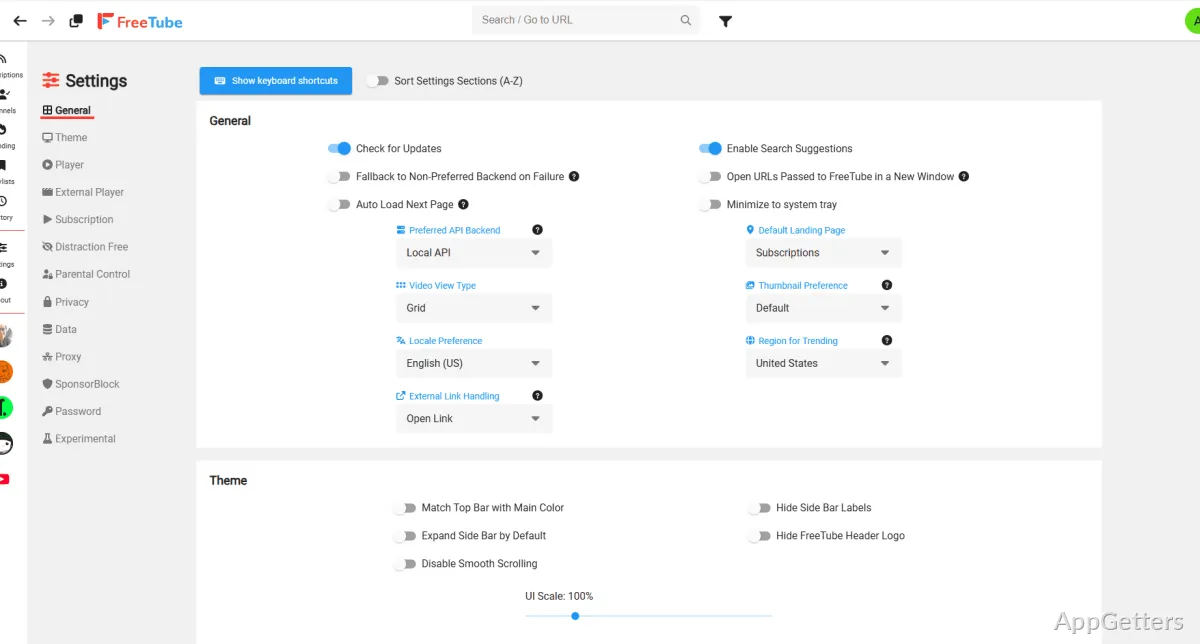
FreeTube can obtain YouTube data through different methods, including Local API and Invidious API options. This setting matters when videos fail to load, subscriptions refresh slowly, or search results behave oddly. One method may work better than another on a given day. That does not always mean the app itself is broken.

If FreeTube for Windows shows API errors, begin with the current API setting and network path. Check whether a proxy is configured in the app. If you use a VPN, DNS filter, firewall rule, or privacy tool, test a basic connection before changing every FreeTube setting. A video client cannot load data if the route to the video source is being interrupted.

Invidious instances can also vary. Some may be slow, blocked, overloaded, or temporarily unavailable. Switching instance settings can help, but it should be done deliberately. Change one setting, test the same video, then compare the result. Randomly switching multiple privacy, proxy, and API controls makes the fault harder to find.

When Search Works but Playback Fails

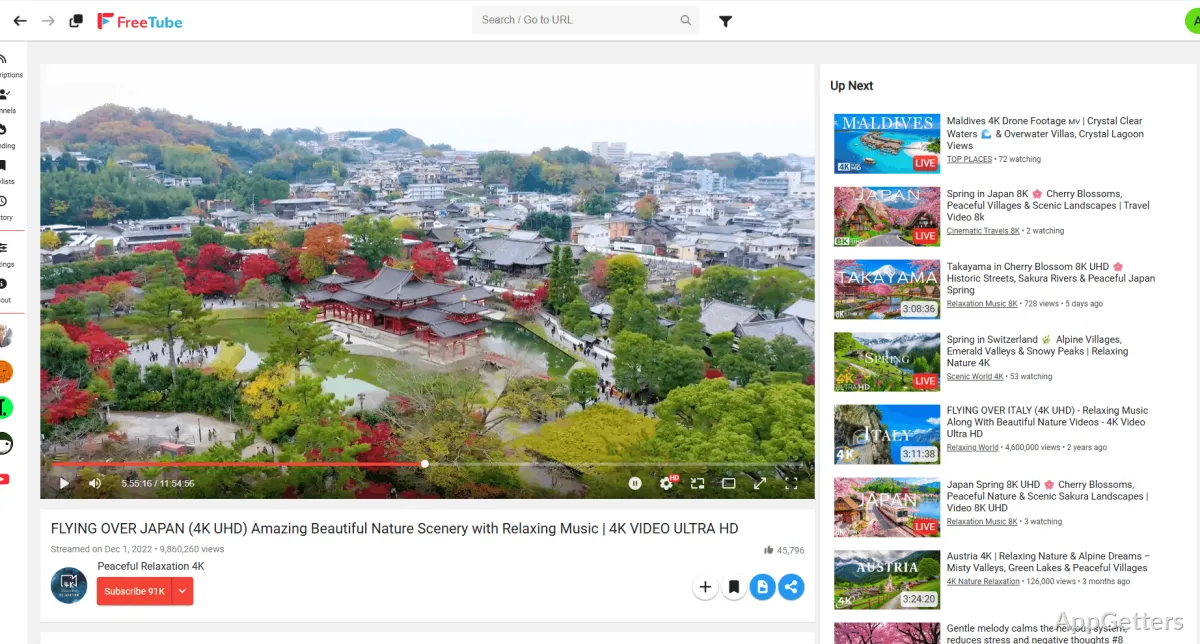
Search results and video playback do not always fail for the same reason. Search may load from one path while playback needs another request. Try a different video first, then check the selected API mode. If only one channel or one video fails, the issue may be tied to that content rather than the whole app.

When Feeds Refresh Slowly

A slow subscription feed can come from many channels, a busy data source, or a network filter. Wait for the refresh to finish before importing the same list again. Duplicate imports make the feed harder to read. If the list is large, test a separate profile with a few channels and compare refresh behavior.

Privacy Settings Without Overclaiming

FreeTube reduces dependence on the normal YouTube website, but privacy still depends on how the app is configured and how the computer connects to the internet. Local data storage is a major part of the design. It means subscriptions, history, playlists, and profiles can stay on the machine instead of living in a Google account.

That does not make every viewing session invisible. Network requests still happen. Video data still comes from online sources. If you enable a proxy or Tor-related setup, check the official settings and test carefully. A slow or broken route may stop videos from loading, and changing the route can affect speed more than the player interface does.

FreeTube includes privacy-focused tools, but it is not a full account-security product. Keep the difference clear. It can help reduce browser-based tracking during YouTube viewing, but it does not replace Windows security, careful downloads, or safer account habits in your browser. For a normal browser-based privacy comparison, Mullvad Browser may be a useful separate option.

SponsorBlock Is a Viewing Feature

SponsorBlock can skip sponsor segments and similar parts when matching data exists. It is not the same as fixing video playback. If a video jumps oddly, check the SponsorBlock categories before assuming the stream is broken. Some viewers prefer manual control because automatic skips can feel too aggressive on music, lectures, or long-form commentary.

History and Playlists Stay Local

Local history and playlists are convenient until a computer is replaced. Export supported data before moving to another PC when FreeTube offers that option. Keep the export file until the new setup opens with the expected subscriptions, playlists, and profiles. A local-first app needs local migration habits.

When FreeTube Is Not Enough

FreeTube for Windows is built for watching YouTube more privately, not for downloading every video or managing a full offline library. If you need local playback for saved media files, a player such as VLC Media Player may fit that part of the workflow better. Keep the roles separate: FreeTube for YouTube viewing, a media player for local files.

Users who prefer a browser-based YouTube setup may not need FreeTube at all. A regular browser still handles comments, likes, memberships, purchased content, account switching, and creator tools in the expected way. FreeTube is better when those account features are less important than local subscriptions, fewer browser ties, and a quieter viewing interface.

For users who want a dedicated desktop video client with a different media focus, SMPlayer is a useful comparison for local files and subtitle-heavy viewing. FreeTube is different because it is tied to YouTube browsing, subscriptions, profiles, and API behavior. Testing both with their intended jobs avoids turning one app into the wrong tool.

When You Need Comments or Upload Tools

FreeTube is not the right place for creator management or normal account interaction. Use YouTube in a browser when you need comments, uploads, memberships, channel management, or purchase-related features. That is not a failure of FreeTube. It is a result of choosing a local privacy-focused client instead of a signed-in web session.

When You Need Offline Files

FreeTube is mainly a YouTube client. If your main need is playing saved videos, subtitle files, or audio tracks from the PC, use a normal media player beside it. That keeps troubleshooting easier to read. FreeTube handles the YouTube side, while the local player handles files already stored on the computer.

Where FreeTube Fits on a Windows PC

FreeTube for Windows fits users who want YouTube viewing without turning every session into a browser account session. It is strongest when local subscriptions, profiles, playlists, watch history, SponsorBlock, and API selection match the way you watch. It is weaker when you need comments, account-only services, or a YouTube workflow tied tightly to Google account features.

Set it up slowly: test playback, choose an API mode, import a small subscription list, check profiles, then confirm whether history and playlists behave the way you expect. After that, decide whether FreeTube should become your main YouTube client or a privacy-focused second route for videos you do not want mixed into your browser session.

Software Details of FreeTube 0.23.14

License
Free
Version
0.23.14
File Size
80.78 MB
Downloads
4
Language
English
Category
Op. System
Windows
Developer
Last Updated
March 7, 2026
SHA256
ea9e47fce8a591f05df65805b68693c3a955699ed3060d85c3cb0d9d389479aa

Version History

4 versions
0.23.13
80.78 MB
February 2, 2026
Download
0.23.1
80.76 MB
February 10, 2025
Download
0.19.1
60.64 MB
February 5, 2024
Download
0.19.0
60.61 MB
September 25, 2023
Download

Leave a Comment

Your email address will not be published. Required fields are marked *

Software Icon
Security Report

Loading scan data...

Scroll to Top