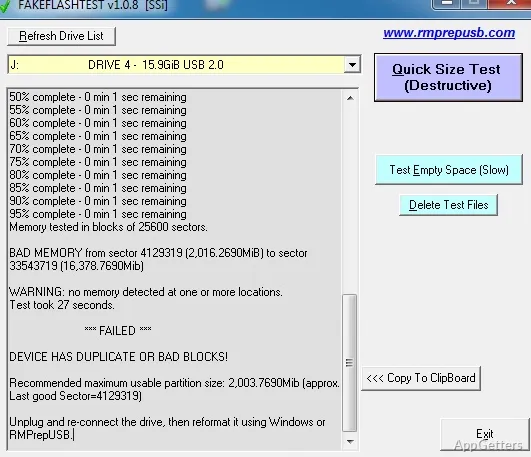
FakeFlashTest checks whether a USB flash drive or SD card has the storage capacity it claims. Its Quick Size Test is designed to expose fake-capacity devices without checking every memory location.
Run the Quick Size Test
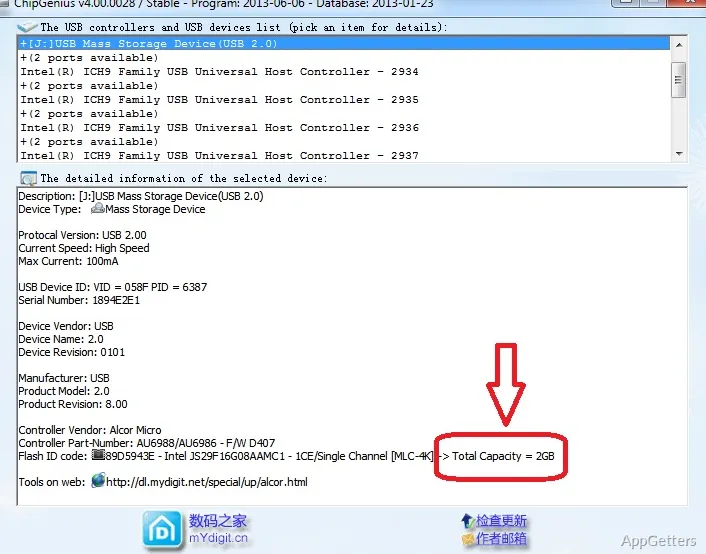
Choose the suspect flash device and run Quick Size Test to check whether its reported capacity is credible. Counterfeit drives can claim more space than their physical memory provides; once writes reach beyond the real capacity, stored files may be corrupted or overwritten.
The test is intended as a quick capacity check, not a thorough inspection of every memory cell. A passing result therefore does not establish that the entire device is free of faults.
Test a USB drive or SD card
FakeFlashTest is aimed at flash storage, including USB drives and SD cards. USB devices may not appear in the program until it is run with administrator privileges.
- Use the capacity test when a device’s advertised size seems doubtful.
- Keep copies of important files elsewhere before testing; writes to a fake device can damage its contents.
Understand what a failed test means
A failure can indicate that the device cannot reliably store data across the capacity it reports. FakeFlashTest checks for this mismatch, but it is not a complete diagnostic of flash-memory health.
Pros
- Quick Size Test targets drives reporting a false capacity
- Works with USB flash drives and SD cards
- Checks capacity without a full-memory test
Cons
- Writes to a fake drive can corrupt data or leave it unusable
System requirements: Administrator privileges are required to list USB drives.
What does FakeFlashTest check?
It checks whether a USB flash drive or SD card provides the capacity it reports.
Does the Quick Size Test examine every part of the drive?
No. It is a quick capacity check and does not thoroughly test all the memory.
Can testing affect files on a fake drive?
Yes. Writes to a fake device can corrupt existing data and may leave the device unusable.