EXE
Home » Desktop Customization » ElevenClock for Windows
ElevenClock for Windows

ElevenClock for Windows

For multi-monitor setups running Windows, most users simply assume that the clock will be visible across all screens and stay the same. Unfortunately, the built-in clock will only be visible on the main taskbar, which changes its appearance and visibility depending on layout, display, and taskbar position. For example, on some displays, the clock may not be available at all, as on the secondary screen, and even on the primary, it is still limited in placement and visibility. If you constantly need to be aware of the time, then such small interruptions can add up and distract. ElevenClock was created specifically to resolve this issue by giving users back a clock that they can move and place in the way they like, across all of their Windows desktops, yet without interfering with the system UI.

Making the clock available and identical across all displays, seamlessly

Above all, ElevenClock is a small and nice unintrusive companion program that, when run, for example, in a dual monitor setup, will show a clock on your second monitor, where normally Windows does not show one. If working with an extended desktop, this will prove extremely useful as users will be switching from one screen to another all the time for multitasking and quite often looking at the time while doing so. The time can now always be seen on all displays and not only on the main one, which is perhaps inconvenient and disruptive.

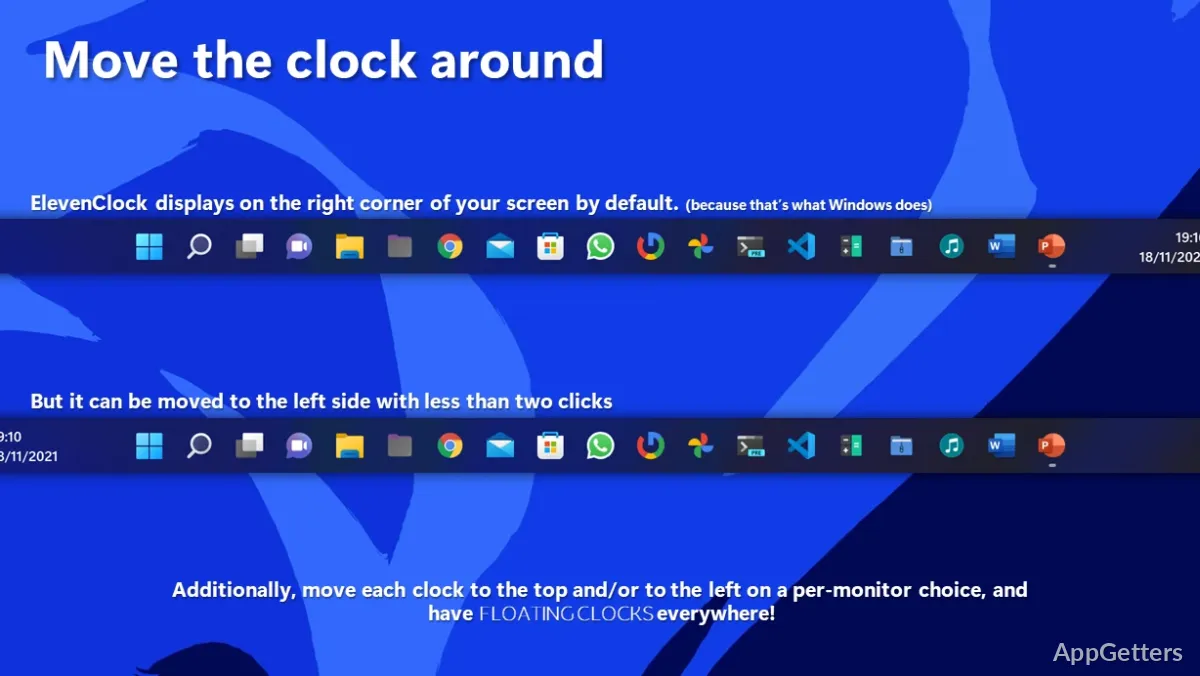
It gives the impression that this small clock constitutes an integral element of Windows, just like the other icons on the taskbar. It can also be configured in terms of position to satisfy personal habits or needs. As a result, time and deadlines are displayed in the same place at the same time on all monitors, and this small thing will help reduce the interruptions caused by time checking, for example. Also, during extensive working hours when windowed applications are dragged on and off multiple screens, and user attention is shifted again and again between apps, this will be one more helping hand in the workflow.

Small steps with significant effects on daily usability and performance

ElevenClock is very much designed as a piece of auxiliary software rather than as a new way of doing things. Even though it doesn’t change the daily routine massively, it does help. At least it brings multitasking to a smoother level.  Besides that, users dealing with numbers or reading will also thank the piece of code.
They can see the time without having to go to the main screen. What we are also talking about here is decreasing the mental effort. This has a subtle but real and measurable effect. The side effect of this is that the study of a particular operation leaves some uncertainty.

This appears in the design of the system tray. It also appears in resizing windows. The goal is to see the instrument clearly and become aware of the time without needing to step back. After long hours, it results in the creation of a sewing system. In this system, time awareness moves from being a separate and interfering factor to something natural and seamless. It interweaves the user and the computer. This may seem like a tiny detail at first. Yet those requiring accuracy and dependability over time and scheduling will find it of paramount importance.

Customization, system operation, and pragmatic restrictions

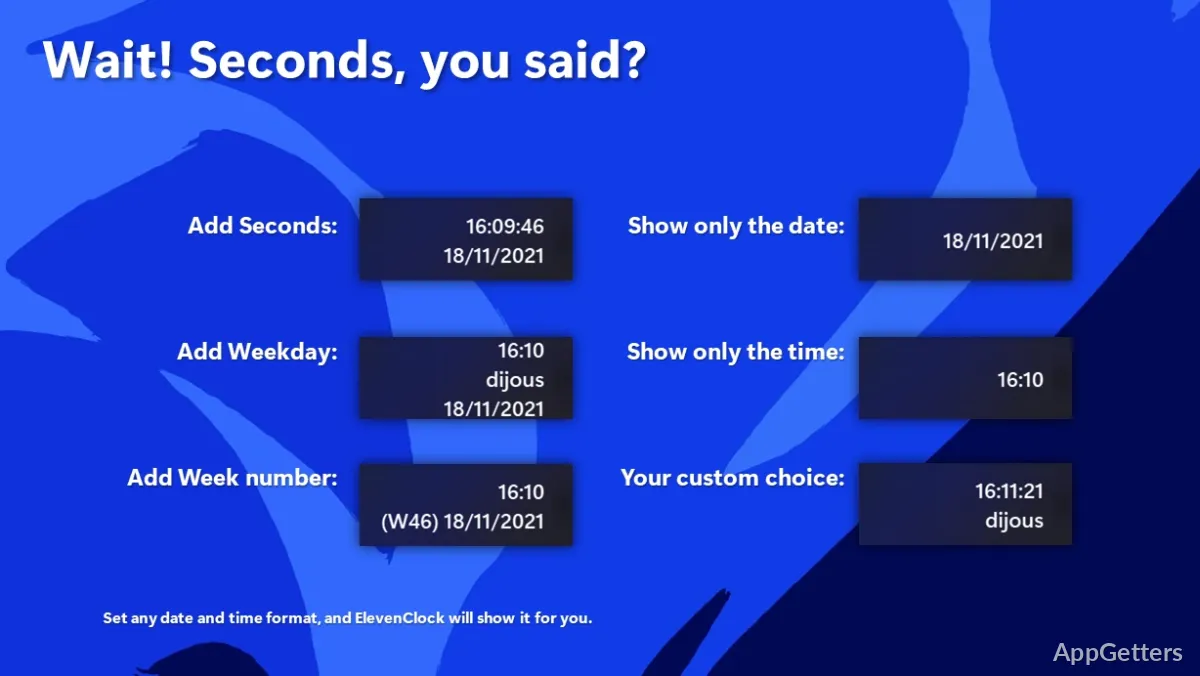
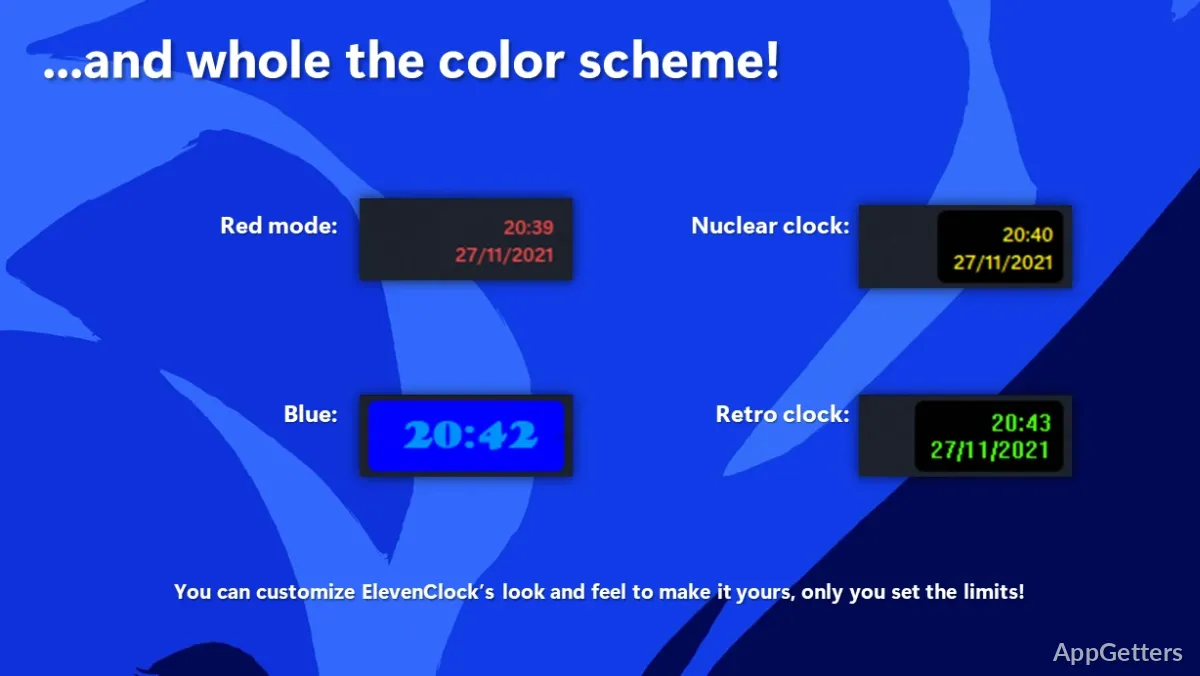
On top of all that, ElevenClock is highly customizable. You can change the clock’s look, time format, and location to fit your desktop décor. This also extends to variations in screen set-ups and different taskbar configurations. On a more general note, this adaptability feature makes it the least Stewart-y.
It is also the most Shakespeare-y software you are likely to run on your Windows machines.

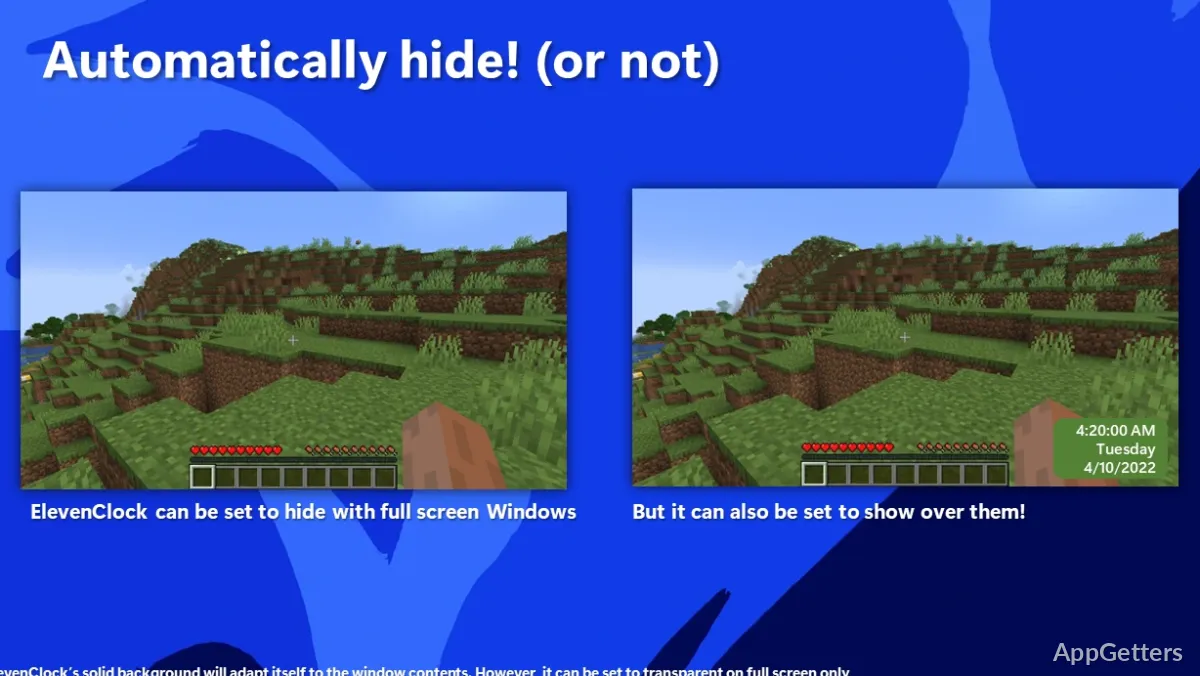
Just like with other background operations, no performance loss will be felt. Nine out of ten times, it will be running quietly in the background without user intervention. You will actually forget about it. On the other hand, the scope of the software is limited by design. It is not the kind of utility that offers you a full set of tools for managing your time. It neither provides functionalities like reminders, alarms, nor task scheduling services. ElevenClock also utilizes Windows taskbar behavior. This means certain Windows revisions or layout changes can affect how the clock is displayed. If you want a full productivity suite, you may find it lacking. However, for its intended purpose, it remains stable and predictable.

The Realists: Multi-Monitor Users Who Simply Need to Constantly Know the Time

ElevenClock is the perfect choice for anyone who uses multiple monitors and wants to have a clock always visible without relying on the primary taskbar position. These could be developers, office workers, graphic artists, and even students with extended desktops who use this program to deal with time while engaging in other parallel tasks on different screens. Checking the main taskbar gets quite annoying when there are a lot of focus changes, so this is notable as something quite practical in those environments.

Adding complexity is completely out of the question with this one. What it actually does is to lend important support to one of the basic principles of desktop usability. When the clock is consistently made available wherever the user happens to be, it aligns with desktop ergonomics. It also enables more effortless and effective computer use.

Software Details of ElevenClock 4.4.1.1

License
Free
Version
4.4.1.1
File Size
32.38 MB
Downloads
0
Language
English
Op. System
Windows
Developer
Last Updated
August 5, 2024

Version History

5 versions
4.4.1.1
Latest
32.38 MB
August 5, 2024
4.4.0
32.55 MB
July 29, 2024
4.3.3
30.46 MB
November 27, 2023
4.3.1
32.5 MB
October 16, 2023
4.3.0
32.52 MB
August 31, 2023

Leave a Comment

Your email address will not be published. Required fields are marked *

Software Icon
Security Report

Loading scan data...

Scroll to Top