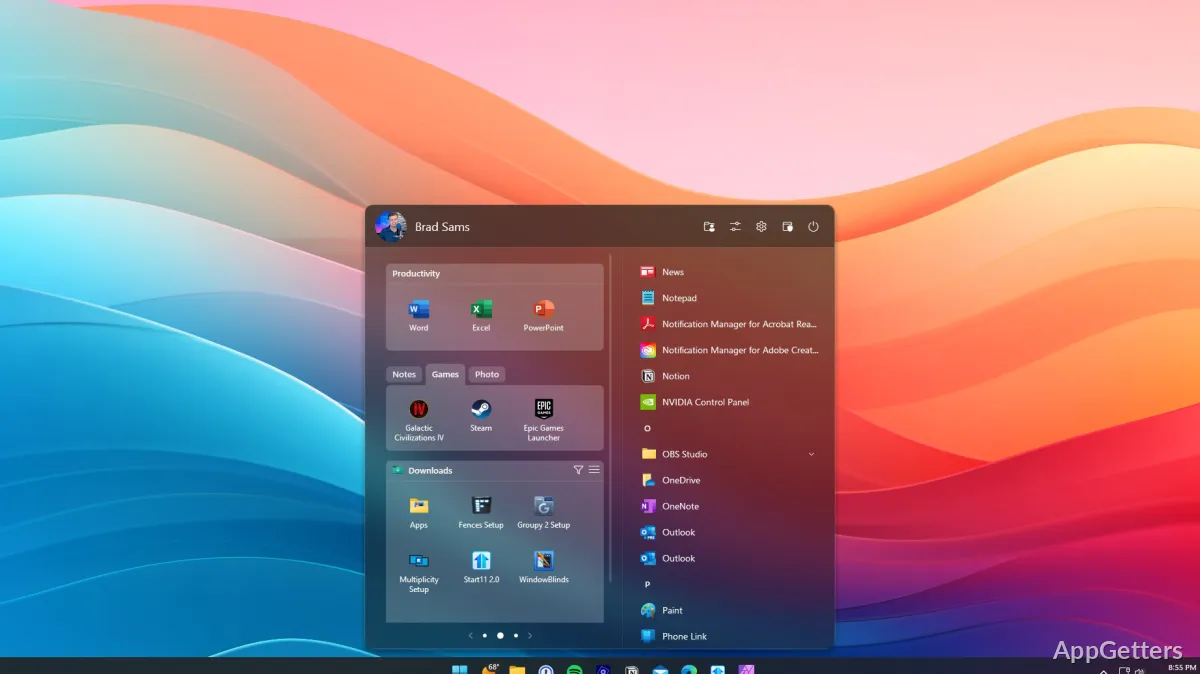
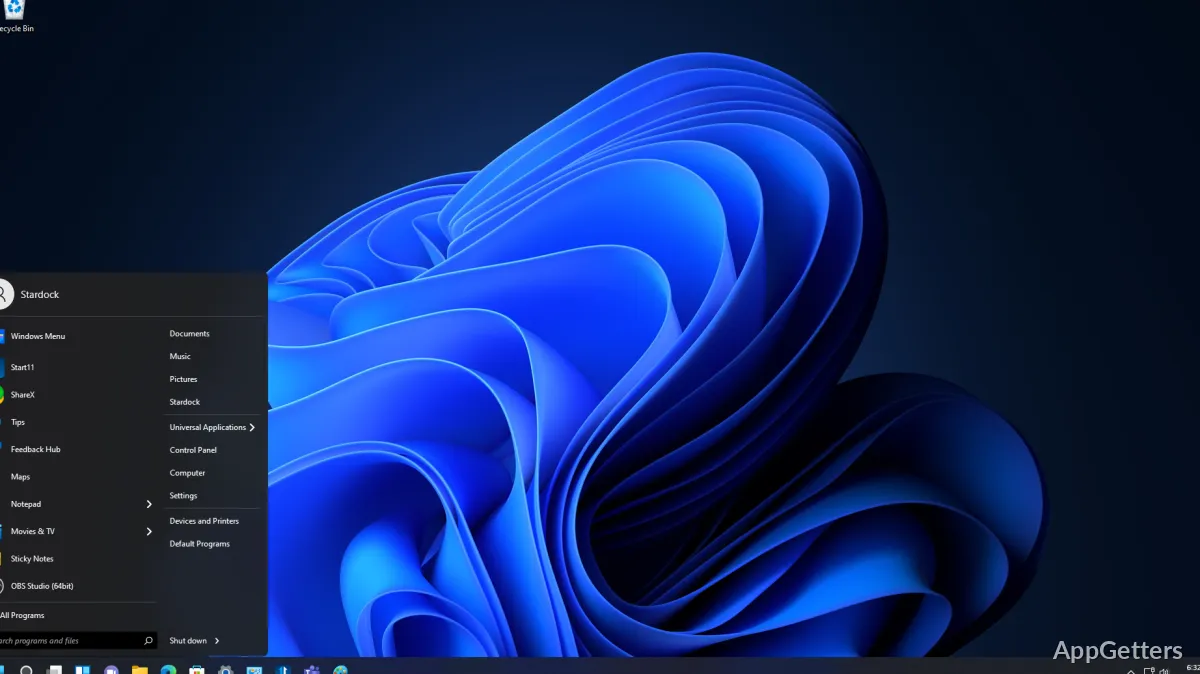
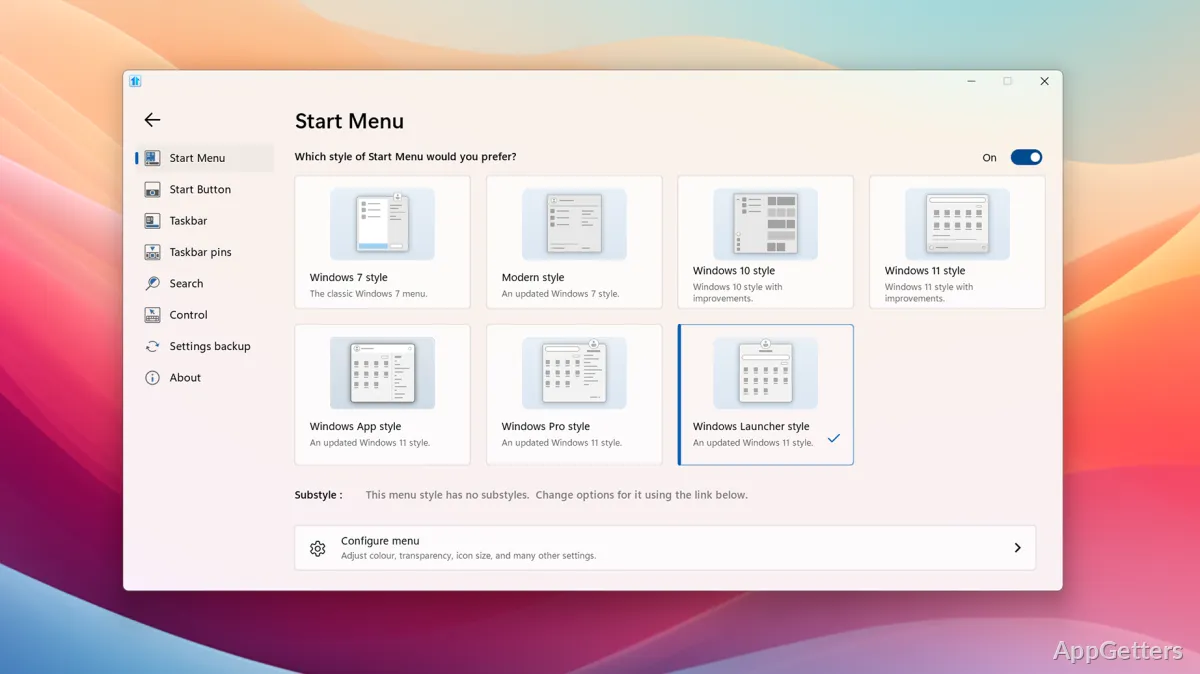
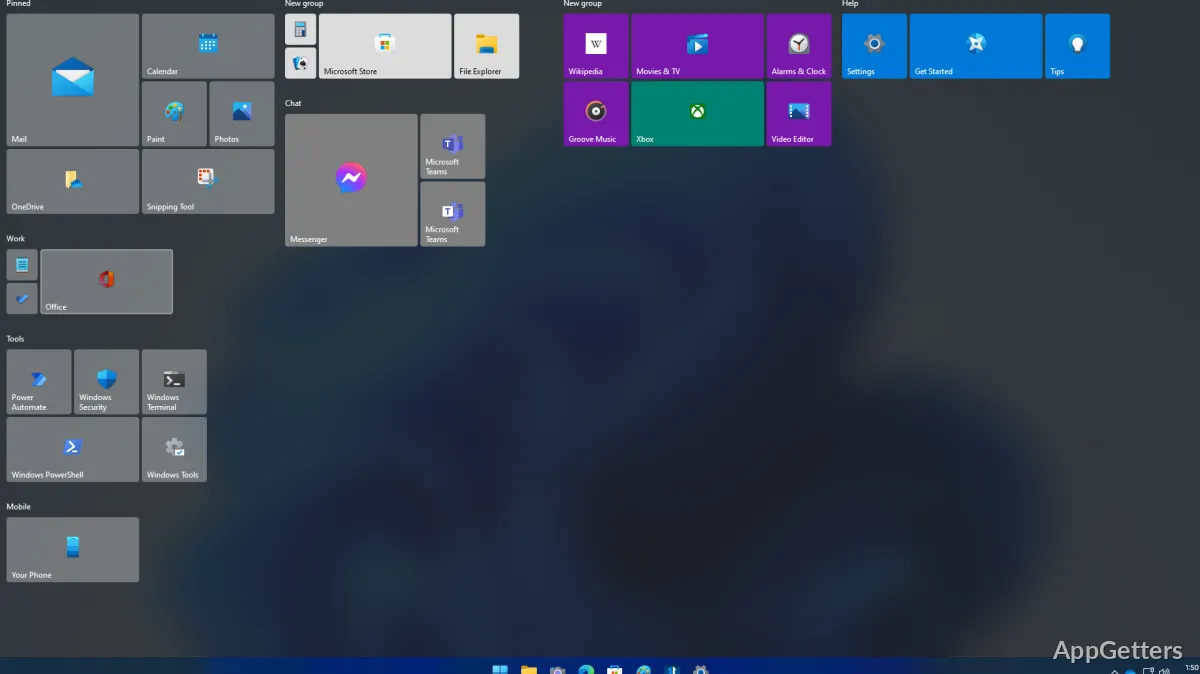
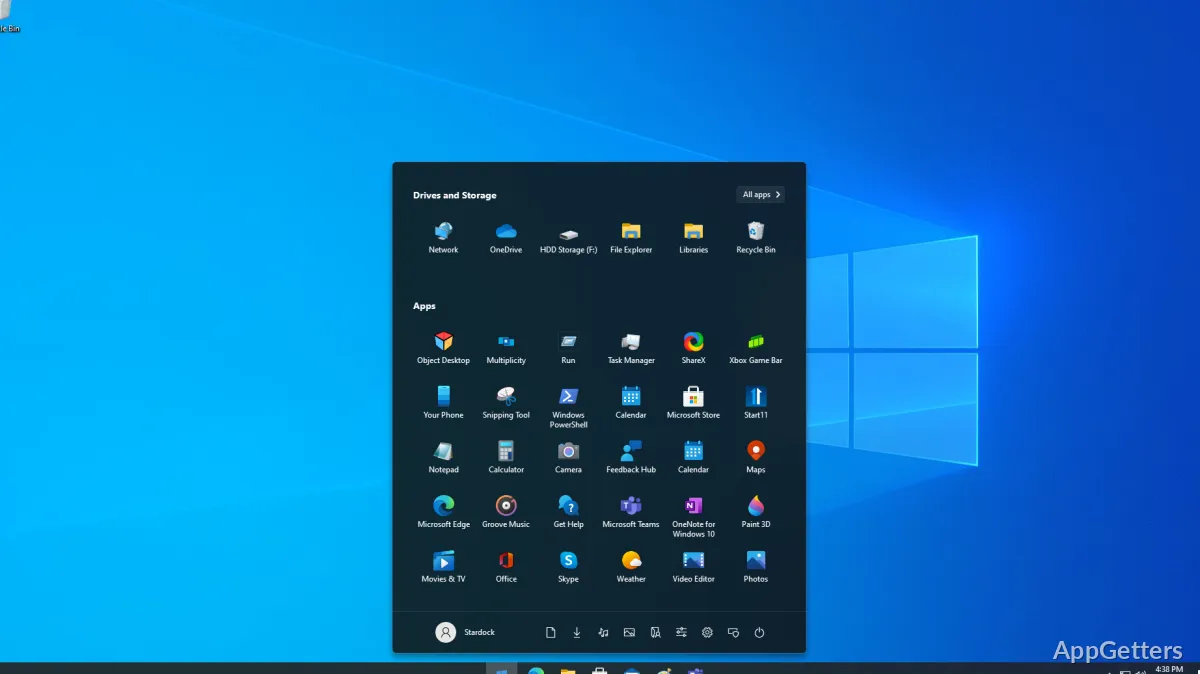
Start menu styles let you choose a familiar Windows 7, 10, or 11 look, then adjust the menu’s layout and appearance. Start11 also changes taskbar behavior and provides its own search options for Windows 10 and 11.
Start menu styles and layout
Choose among menu styles that include a Windows 7-style layout, a Windows 10-like menu, and designs made for Windows 11. The selected style can be tailored with changes to color, transparency, spacing, alignment, and icon size. Start11 also lets you switch the Start button image, add tabs, and show or hide menu sections.
A full-screen Start menu is available, as are options for adding folders or network drives to the menu. Settings can be saved and restored, which is handy when reapplying a preferred layout.
Taskbar controls
Taskbar options include moving it to the top or side of the screen, changing its appearance, and choosing whether open windows are grouped. Start11 can place the Start button at the left while keeping other taskbar icons centered.
- Create folder menus for reaching directory contents from the taskbar.
- Add documents or folders as taskbar shortcuts.
- Bring back a fuller right-click menu for taskbar settings.
Search and content access
Start11’s search can put frequently used local content higher in results and remove web content from alongside local matches. Integration with the Everything search engine is supported. When paired with Microsoft Edge, open browser tabs can also appear in search results.
The menu can also include shared network locations, while unwanted sections such as Recent Documents can be hidden.
Shared desktop layouts
For managed computers, administrators can save and export configurations, load a menu layout when a user signs in, and lock menu items so they stay in place. These controls support a consistent Start menu across Windows 10 and 11 machines, including kiosk-style setups. The Start button can also use a custom image, such as an organization’s logo.
Pros
- Offers Windows 7, 10, and 11-style Start menus
- Adds taskbar folder menus and file shortcuts
- Can prioritize local search results and Edge tabs
- Supports locked and dynamically loaded menu layouts
System requirements: Windows 10, Windows 11 · ARM64 and x64
Can Start11 make Windows 11 look more like Windows 10?
Yes. It offers Start menu styles based on earlier Windows layouts, including a Windows 10-like option.
Can files and folders be opened from the taskbar?
Yes. Start11 can add file and folder shortcuts or create folder menus on the taskbar.
Can administrators keep the Start menu consistent across computers?
Yes. Configurations can be exported, loaded at sign-in, and locked to prevent menu items from being changed.