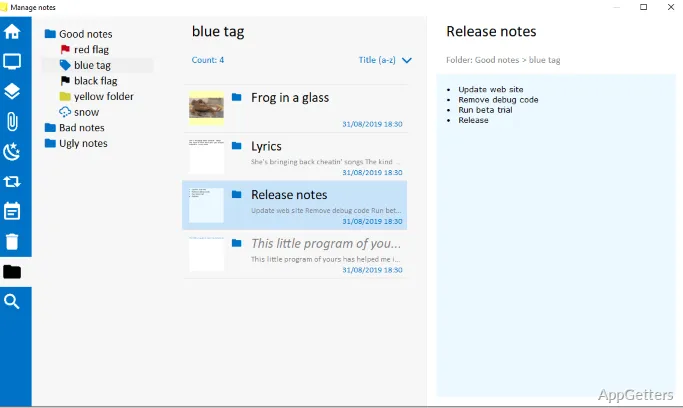
When a deadline, short instruction, or working note needs to stay in view, Stickies puts it in a movable note on the Windows desktop. Notes can hold text or images, and can remain visible across restarts until you close them.
Keep notes where you placed them
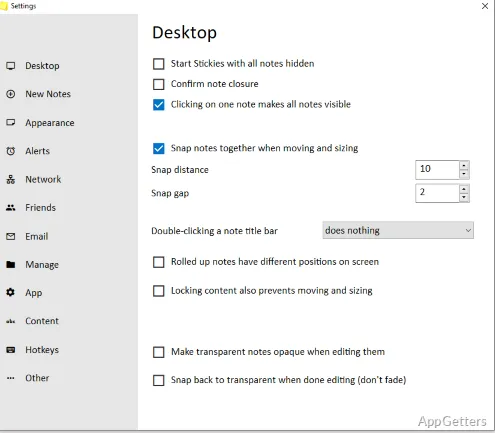
Create separate notes for reminders, quick reference details, and ideas, then move and resize them around the desktop. Stickies keeps each note in its placed position, including after a restart, until it is closed. Notes can also snap to one another or to the edge of the screen to form tidy groups.
The appearance is adjustable: change fonts, colors, and buttons, then save styles for reuse. Unicode and right-to-left text support accommodate writing systems that use different character sets or reading directions.
Set notes to return when needed
A note does not have to stay on screen all day. Hide it temporarily, set it to reappear at a chosen date and time, or configure a repeating schedule. Daily, weekly, and monthly wake-ups cover recurring reminders, while an alarm can call attention to a note at a selected time.
- Use a one-time date and time for a specific reminder.
- Choose a recurring daily, weekly, or monthly wake-up.
- Attach an alarm when the note needs a prompt.
Attach notes to the work they reference
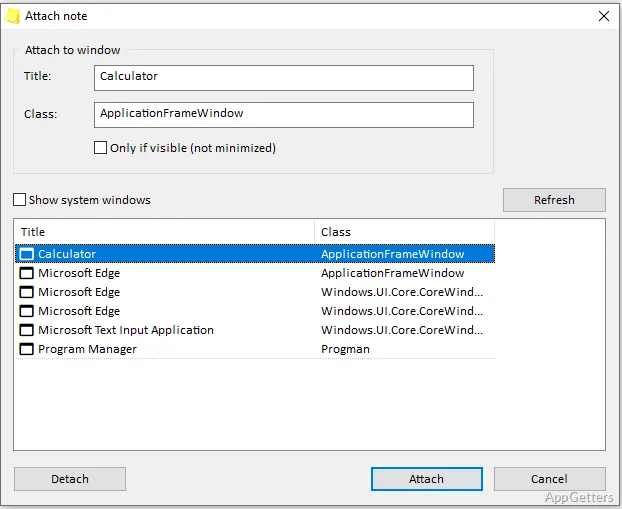
Link a note to an application, website, document, or folder so it appears when that item is on screen. This keeps a reference beside the task it belongs to, such as a note linked to a document being edited.
Stickies stores its information in a SQLite database file. Notes can be transferred to another machine over a TCP/IP network, or through an SMTP mail server or MAPI client.
Pros
- Notes retain their positions through computer restarts
- Text and images can share the same note system
- Alarms and recurring wake-up schedules support reminders
- Notes can appear only alongside a chosen app, site, or file
System requirements: Windows 7, Windows 8, Windows 10
Can a Stickies note contain an image?
Yes. Notes can store text or images.
Can a note be hidden and shown again later?
Yes. Set a one-time return time or a daily, weekly, or monthly schedule; an alarm can also draw attention to it.
Can notes be linked to a particular file or program?
Yes. Attach a note to an application, website, document, or folder so it appears when that item is on screen.