EXE
Home » Desktop Customization » HopToDesk for Windows
HopToDesk for Windows

HopToDesk for Windows

  • By HopToDesk
  • Owner
  • Version: 1.46.1
  • 8.9 MB
  • Security Report:

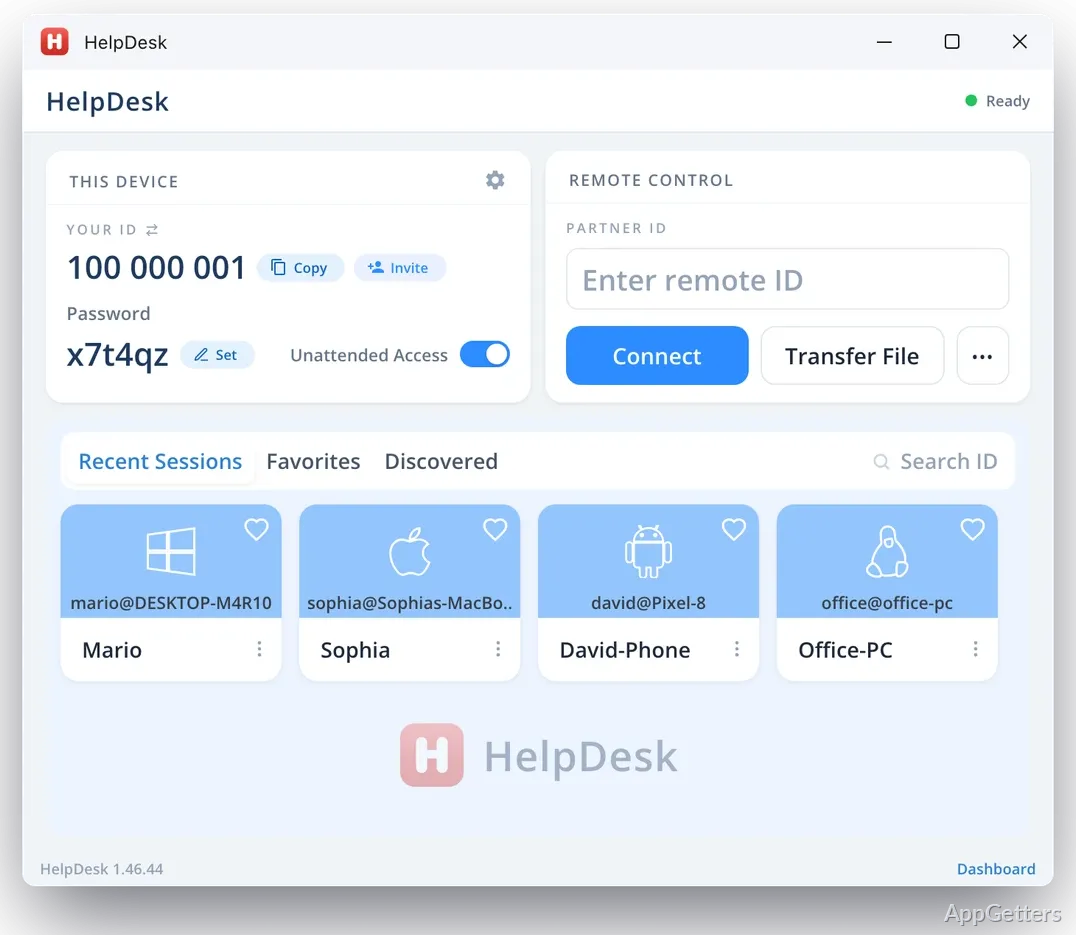
HopToDesk is a perfect tool to operate or support another Windows PC remotely without actually being there physically. Most of the time, such needs arise totally out of the blue in our daily computing activities. Like helping a family member to fix the system issue, accessing your personal workstation while on a trip, or simply managing files on a second device that is at home or in the office. Traditional remote tools usually look quite heavy. They also demand an account or complex configuration steps that make a quick connection very slow. HopToDesk is mostly seen as a very light alternative with a great focus on direct access and almost no setup friction.

Its actual purpose is to narrow the time frame between “I need help” and “I can see your screen.” This is exactly where all the major remote tools either succeed or unnecessarily complicate the life of casual users.

Initiate Sessions Instantly with Minimal Setup

If you use HopToDesk regularly, you will realize that one of the main features is the speed with which the session can be started. Most users will not get to the installation steps. They also will not reach linking accounts, which are necessary before connecting. The focus stays on sharing the ID and setting up the session when both sides are ready. This indeed makes it a very nice choice for those occasional support moments. In such cases, advanced configuration is not as important as time-saving.

For Windows users, this uncomplicated approach completely eliminates the fear of calling or getting assistance. There is no necessity anymore to think about setting up the system in advance. There is also no need to run the remote access infrastructure continuously. However, this very simplicity also means the tool misses advanced enterprise-style management features completely. That is why it is admirable when remote control for a very short period is the only expected task. It fails in the case of large-scale IT administration.

Common Usage in Informal Support and Personal Tasks

Generally, HopToDesk is used in more casual support scenarios rather than in the business setting. As an instance, a student helping his or her mother to fix her computer problems. Or a freelancer, at the click of a button, goes to the home PC to fetch the necessary documents. These are situations where quickness and clearness weigh more than intricate policy controls or regulations.

While the user interface during a session may be extremely simple, it helps users concentrate on the remote screen entirely without even opening the control panel. Besides that, file transfer and chat functions are mainly used as first-aid features rather than being the mainstay. However, users who are accustomed to working with formal IT workflows may see that the tool lacks quite a bit of functionality compared to fully-loaded enterprise remote management systems. It prioritizes being there immediately over the ability to create multiple layers of control. This partly determines how it behaves in real life.

Performance, Connectivity, and Security Considerations

HopToDesk normally will make it possible to have very smooth screen updates for all sorts of typical tasks. Such as web browsing, changing software settings, or managing documents. Like all other remote desktop tools, it is subject to the quality of the network. When a connection is very slow, the user may experience sluggishness and reduced image quality. However, even in these situations, the link is still fine for getting technical help done.

Encryption of connections is the main way in which security is guaranteed. This is, no doubt, a basic prerequisite for any remote access tool. Nevertheless, being responsible for the communication of access details is very important, especially in less formal support scenarios. Unlike highly governed enterprise systems, the entire trust model depends mostly on the user and session awareness. That is why it is equally effective and dependent on responsible use habits, particularly outside work settings.

Simple and Lightweight Remote Access Solution for Windows Users

HopToDesk starts to make sense for Windows users in the majority of cases when they need remote access the least. Full IT infrastructure is not the subject of concern or use for them. Home users, students, freelancers, and informal support helpers are the ones who will appreciate it the most. During a one-time or short-term support session, this tool will remove most of the hurdles being put in front by traditional remote desktop platforms.

On the other hand, it cannot substitute fully managed enterprise systems. These require centralized control, audit trails, and advanced device management. This is the reason why its feature set and behavior have a rather narrow focus and are very down-to-earth at the same time. It allows quick, direct access between machines where complexity would otherwise hamper getting the job done.

Software Details of HopToDesk 1.46.1

License
Owner
Version
1.46.1
File Size
8.9 MB
Downloads
0
Language
English
Op. System
Windows
Developer
Last Updated
June 6, 2026

Version History

5 versions
1.46.1
Latest
8.9 MB
June 6, 2026
1.45.25
8.83 MB
May 3, 2026
1.45.20
8.83 MB
April 11, 2026
1.45.10
8.78 MB
April 7, 2026
1.45.9
8.34 MB
February 27, 2026

Leave a Comment

Your email address will not be published. Required fields are marked *

Software Icon
Security Report

Loading scan data...

Scroll to Top