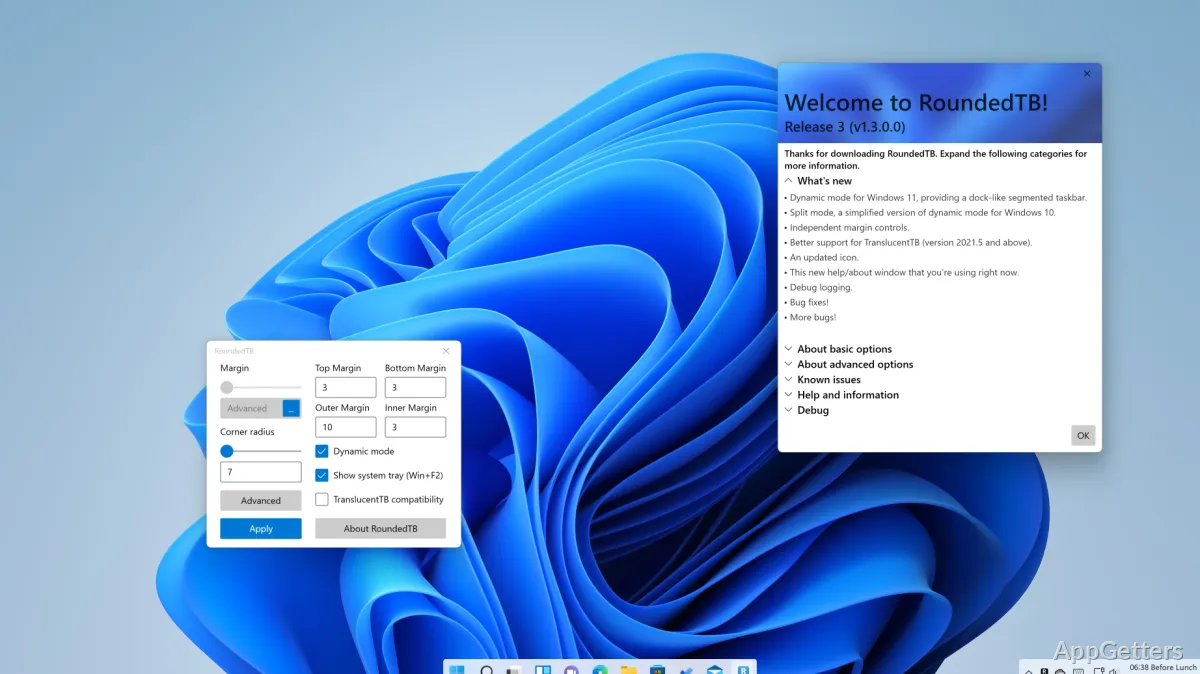
Desktop customizers who want a taskbar with more breathing room can shape its margins and corners with RoundedTB. The app also offers layouts that resize or divide the taskbar, depending on the Windows taskbar mode in use.
Margins and corner shaping
The basic controls set a margin and a corner radius. Margins create visible space around the taskbar, while the radius determines how rounded its corners appear. Advanced settings let you set a separate margin for each side. Negative values can hide rounding on selected edges, letting the taskbar meet a monitor edge there.
How do Dynamic Mode and Split Mode work?
Dynamic Mode adjusts the taskbar’s width to suit the number of icons shown. Split Mode, intended for Windows 10, divides the taskbar from the system tray so the taskbar area can be resized. Split Mode requires setup and does not automatically resize itself as icons change.
- Dynamic Mode is for Windows 11 taskbars.
- Split Mode supports only the primary taskbar; additional taskbars are not divided.
Tray visibility and layout limits
In either dynamic or split layouts, RoundedTB can show or hide the system tray, including the clock. Press Win+F2 to toggle its visibility. Both modes are designed for a horizontal taskbar positioned at the top or bottom of the screen. Rounded corners have no antialiasing, so their edges may look less smooth.
Pros
- Adjusts taskbar margins and corner radius independently
- Dynamic Mode resizes the taskbar around its icons
- Split Mode separates the taskbar area from the system tray
- A shortcut toggles system-tray visibility in dynamic and split layouts
Cons
- Rounded corners are not antialiased
- Dynamic and split layouts work correctly only with a horizontal taskbar at the top or bottom
System requirements: Windows 10, Windows 11
How do I make the taskbar look like it is floating?
Set a margin to create visible space around the taskbar, then adjust the corner radius to shape its edges.
Can I set different margins on each side?
Yes. Enable Independent Margins in the advanced settings and enter a value for each side.
Can I hide the clock in Dynamic Mode or Split Mode?
Yes. Toggle system-tray visibility with Win+F2; the tray includes the clock.