EXE
Home » Software » Windows » Media Player » Easy Youtube Player for Windows
Easy Youtube Player for Windows

Easy Youtube Player for Windows

  • By iDruf
  • Freemium
  • Version: 9.1.5.0
  • 63.16 MB
  • Security Report:
0 Downloads

A video tutorial gets harder to follow when the browser keeps disappearing behind notes, code, documents, or a game window. Easy Youtube Player for Windows fits that situation because it focuses on floating video playback instead of replacing your full browser. It is mainly used as a lightweight picture-in-picture style player for keeping online videos visible while other desktop work continues.

Easy Youtube Player for Windows When Browser Tabs Keep Getting in the Way

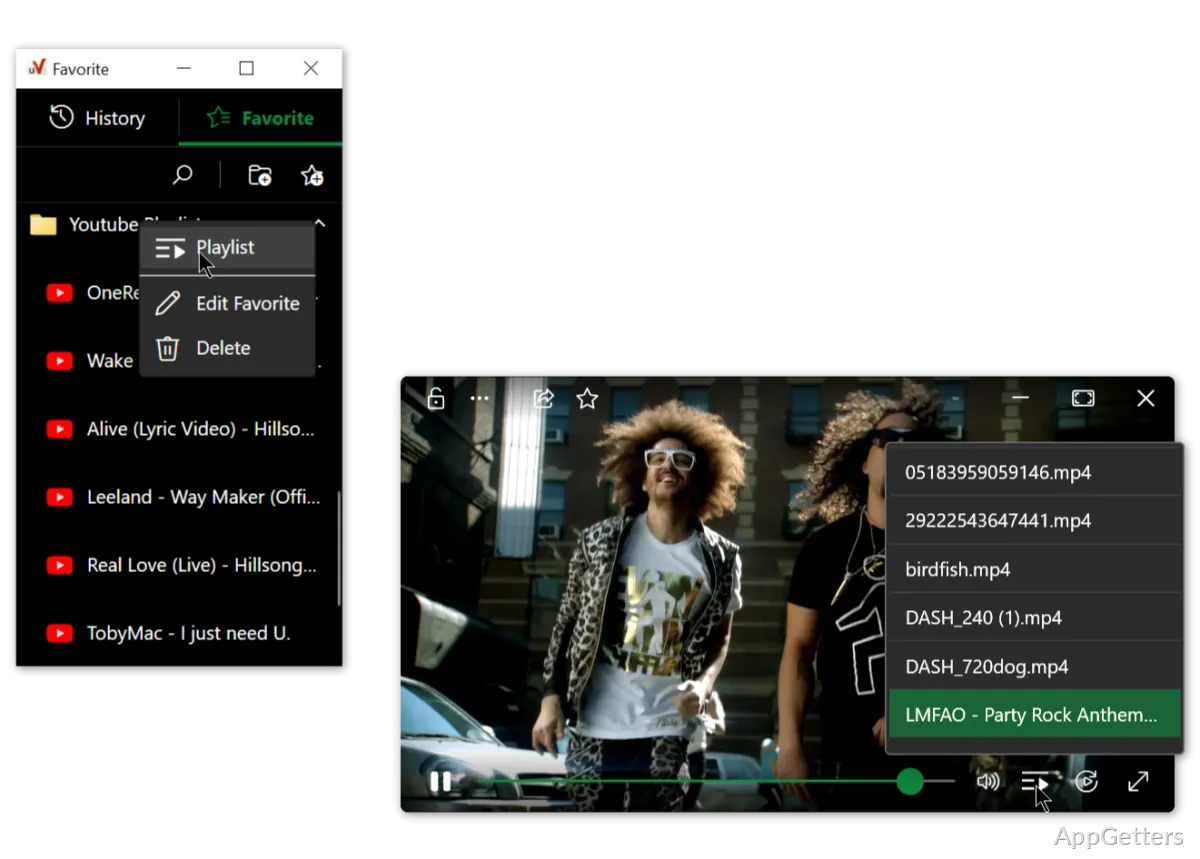
Easy Youtube Player is connected with the uView Player project from iDruf, and its main idea is simple: keep video content in a movable window that stays above other apps. That separates it from a normal media player, because playback is only part of the job. The real value is reducing tab switching when a lesson, stream, walkthrough, or music video needs to remain visible.

The Windows app works better when the user already knows what they want to watch and only needs a smaller viewing space. A coding lesson can sit in one corner while the editor stays open. A live stream can run beside a chat window. A recipe video, study clip, or long podcast can stay visible without forcing the browser to cover the whole screen.

Do not treat the program as an official YouTube client or a downloader. It works around floating playback and multitasking. If your main need is a privacy-focused YouTube front end, FreeTube may fit that use better. If your need is local video playback, a full media player will usually make more sense.

Download and Version Checks Before Installing

Before installing Easy Youtube Player for Windows, compare the app name, publisher name, version text, and Windows compatibility shown on the download card. Version details can differ between mirrors, store listings, and developer pages, so an old installer should not be treated as current by default. Use the official developer source or the supplied download card.

The installer should match the software you meant to download, not another similarly named YouTube player. Several programs use similar wording around YouTube playback, mini players, picture-in-picture, and floating windows. That naming overlap matters because the wrong package may give you a downloader, browser extension, or general media player instead of the floating desktop app.

During setup, read each screen instead of clicking through quickly. If the installer offers optional items, shortcuts, startup behavior, or browser-related prompts, choose only what you actually need. A small floating player becomes annoying when it starts with Windows unexpectedly, grabs focus, or adds browser hooks that you do not use.

After installation, open a known video first and test the basic window controls. Move the player, resize it, place another app in front, and confirm that the video remains visible in the way you need. This quick test tells you more than the version label alone, because the real question is whether the floating window behaves correctly on your Windows desktop.

Using the Floating Player Without Breaking Your Workflow

Easy Youtube Player for Windows works better when you set a clear window size before starting serious work. Keep the player large enough for subtitles or demonstrations, but small enough that it does not cover buttons, timelines, or document text. A fixed corner placement usually feels better than dragging the window repeatedly while switching between apps.

When the player covers important controls

A floating window can be helpful and irritating at the same time. If it blocks menus, spreadsheet cells, game controls, or editor panels, resize it and move it to a less active part of the display. On multi-monitor setups, place the video on the secondary screen when possible. That keeps the video present without forcing every task to work around it.

When transparency or locking feels confusing

Some builds of the related uView Player experience mention controls such as move, resize, lock, and transparency. Use those only when they help. Transparency can make a video less distracting, but it can also make subtitles hard to read. Locking a window can prevent accidental movement, but it may feel broken if you forget the player was locked.

When browser playback still matters

The desktop app does not remove every reason to keep the browser open. You may still need the browser for account sign-in, playlists, comments, subscriptions, or video discovery. Use the player for watching, not for managing every part of a YouTube session. If a link fails to open correctly, test the same video in the browser before blaming the player.

Problems Users Should Check First

A frequent Easy Youtube Player for Windows complaint is that the video opens, but the floating window does not stay where the user expects. First, check whether the app has a stay-on-top or lock-style control enabled. Then test with only one monitor connected. Display scaling, virtual desktops, and full-screen games can all change how floating windows behave.

If the video area is blank, start with the simplest checks. Confirm that the video plays in a normal browser, then restart the player. Some online videos depend on web playback components, site changes, region rules, account access, or protected streaming behavior. A blank window does not always mean the installation failed.

If playback stutters, reduce the video quality in the original player or close heavy apps running in the background. A floating player still uses browser or web rendering resources, so it can compete with games, editors, screen recorders, and streaming apps. Users who record the screen while watching a floating video may notice extra GPU or CPU load.

If audio plays from the wrong device, check Windows sound output before reinstalling. Windows can route audio to headphones, monitor speakers, Bluetooth devices, or virtual audio tools. Open the volume mixer and confirm which device the app is using. For more direct audio routing work, tools such as Voicemeeter Banana are better suited than a video player.

If the app does not launch after an update, remove the old shortcut and start the program from the installed folder or Start menu. A shortcut can point to an old path after reinstalling. Also check whether Windows security or another protection tool shows a warning for the installer or one of its components. Avoid modified installers, cracked editions, serial key pages, and unknown mirror downloads.

When Another App May Fit Better

Easy Youtube Player is narrow by design. That is useful when you only want floating online video, but it is not the right answer for every media task. A local movie library, subtitles, codecs, playlists, and advanced playback controls usually need a stronger desktop media player. For those jobs, VLC Media Player is a more complete option.

For users who want detailed local playback with many format options, PotPlayer is another practical choice. It is not the same kind of tool as Easy Youtube Player, but it may be better if the work involves downloaded lectures, offline clips, subtitle timing, or large video files stored on the computer.

Do not use this player as a workaround for downloading copyrighted videos or bypassing platform restrictions. It should be treated as a viewing and multitasking tool. If a video requires sign-in, payment, regional access, or protected playback, use the official website or app path. A floating player cannot guarantee access to content that the service itself restricts.

Safer Setup Habits for Everyday Use

Keep the installer in a known downloads folder until you confirm the app works. If the setup creates an unwanted startup entry, disable that from Windows startup settings rather than deleting random files. If the player stops behaving normally later, use the app’s normal uninstall option, restart Windows, and then install the current package again.

Easy Youtube Player for Windows should feel direct after the first test: open a video, keep it visible, move it away from active controls, and continue working. When it fails, the cause is usually tied to window behavior, browser playback, audio routing, display scaling, or an outdated installer. Check those areas before replacing it with an unrelated YouTube program.

For a useful last test, compare the download card with the installed app name, open one normal YouTube video, try one longer stream or lecture, and switch between the programs you usually use while watching. Easy Youtube Player for Windows is worth keeping only if the floating video reduces tab switching instead of becoming another window to manage.

Software Details of Easy Youtube Player 9.1.5.0

License
Freemium
Version
9.1.5.0
File Size
63.16 MB
Downloads
0
Languages
English English, Afrikaans, Amharic, Arabic, Armenian, Belarusian, Bulgarian, Catalan, Chinese, Croatian, Czech, Danish, Dutch, Estonian, Farsi, Finnish, French, German, Greek, Hebrew, Hindi, Hungarian, Icelandic, Indonesian, Italian, Japanese, Kazakh, Korean, Latvian, Lithuanian, Malay, Norwegian, Polish, Portuguese, Romanian, Russian, Serbian, Slovak, Slovenian, Spanish, Swahili, Swedish, Tagalog, Thai, Turkish, Ukrainian, Vietnamese, Zulu
Category
Op. System
Windows
Developer
Last Updated
January 12, 2026
SHA256
5b5d329b8e380411cb8c4c6a8ff69cab879cf19de40d7d931f25f884cd9dc986

Leave a Comment

Your email address will not be published. Required fields are marked *

Software Icon
Security Report

Loading scan data...

Scroll to Top