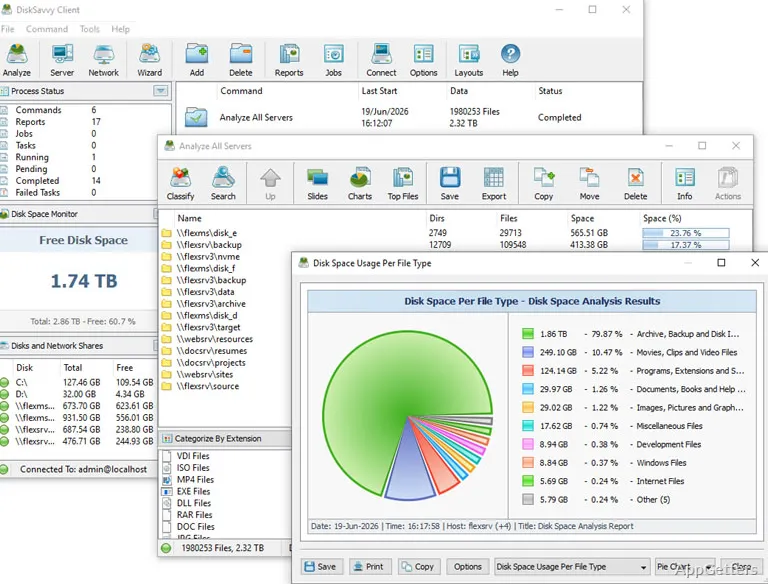
Drive or file server almost full and no idea what's filling it? DiskSavvy scans local disks, shared network folders and NAS boxes to show where the space goes. It classifies files and presents usage statistics so you can locate storage-heavy areas and work with the results.
What locations can DiskSavvy analyze?
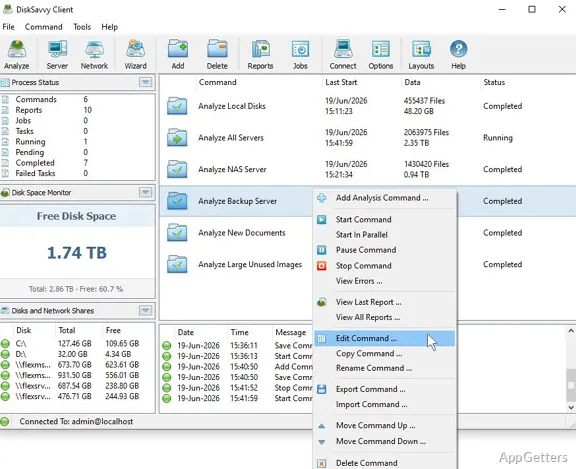
Choose a disk or analyze storage shared across a network. DiskSavvy also supports NAS devices and enterprise storage systems, so its analysis can cover storage beyond the computer’s local drives.
The per-host and per-user views organize disk-space information around those dimensions.
How can I find files taking up space?
DiskSavvy categorizes scanned files and provides filters for narrowing the results. Built-in file classification and usage statistics help reveal which file groups account for space on the selected storage.
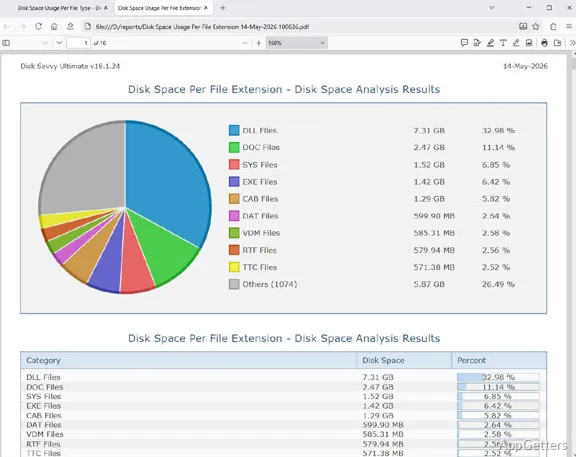
Pie charts provide a visual breakdown, while history timeline charts show disk-space information over time.
- Use categories and filters to narrow an analysis.
- View usage statistics and pie charts for a breakdown.
- Use timeline charts to inspect disk-space history.
What can I do with analysis results?
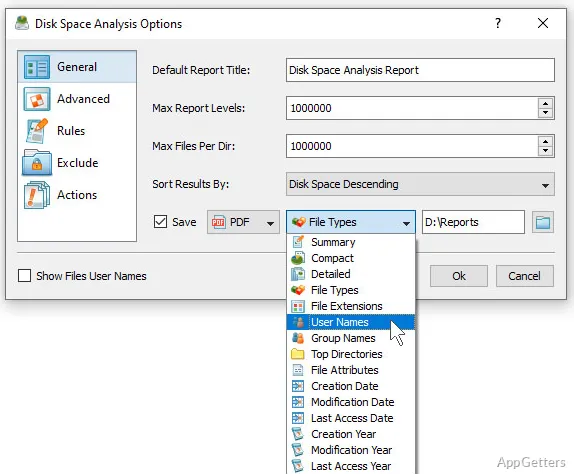
Save disk-space reports for later reference, or use the program’s file-management operations with the analysis results. SQL database integration and the command-line utility support workflows beyond the main graphical interface.
The command-line utility provides a way to run disk-space analysis through commands. DiskSavvy’s reporting and analysis features also include conditional report generation, allowing reports to be generated based on specified conditions.
Pros
- Scans local disks, shared folders, NAS boxes and company storage
- Combines file classification, filters, statistics, and pie charts
- Provides disk-space reports and a command-line utility
- Includes per-host and per-user usage views
System requirements: Windows 7, Windows 8, Windows 8.1, Windows 10, Windows 11 · Minimum: 2 GHz or better dual-core CPU · Minimum: 4 GB RAM · Minimum: 100 MB free disk space
Can DiskSavvy analyze network storage?
Yes. Besides local disks, it scans shared network folders, NAS boxes and larger company storage.
How does DiskSavvy show which files use the most space?
It classifies files and presents categories, filters, statistics, and pie charts for examining disk usage.
Can I save or automate disk-space analysis?
DiskSavvy can save reports and includes a command-line utility for analysis workflows.